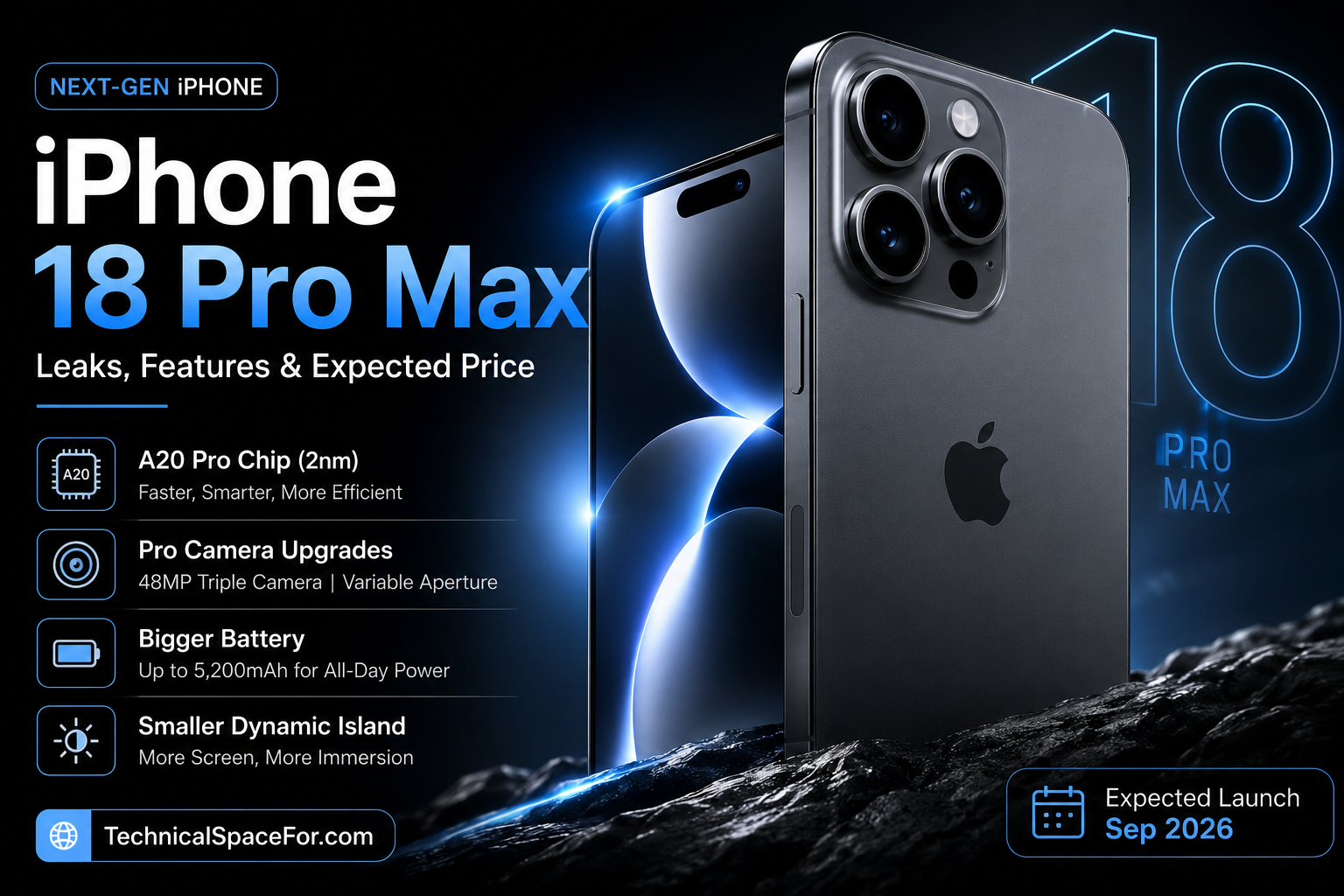
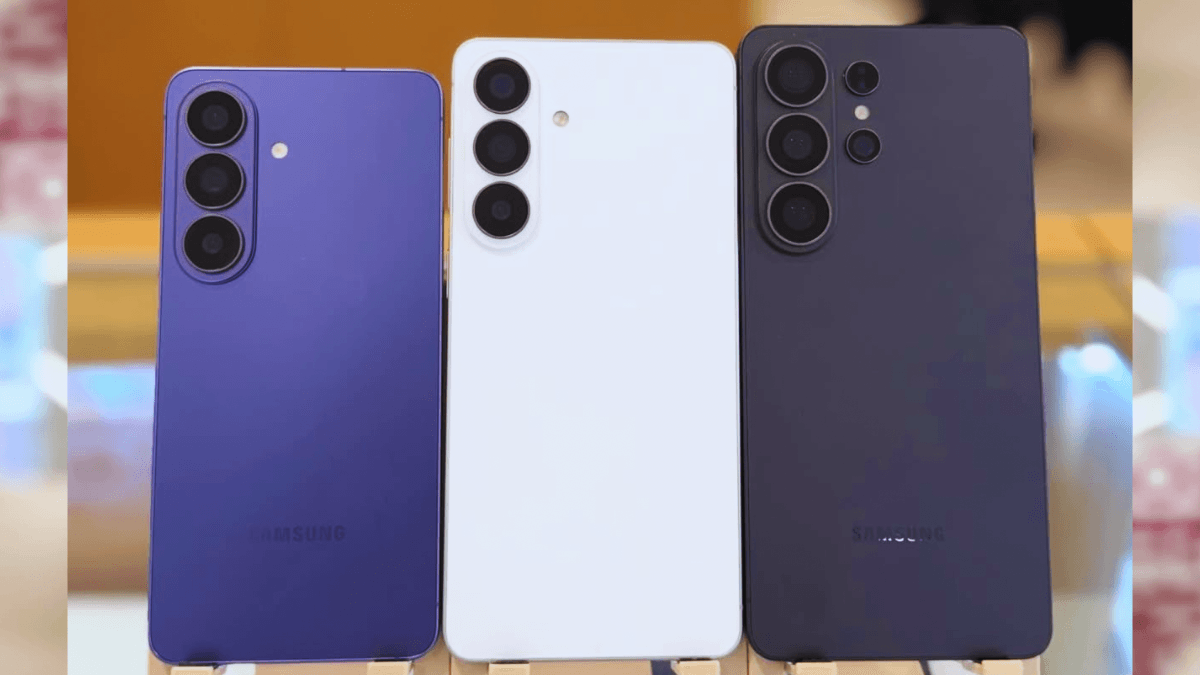
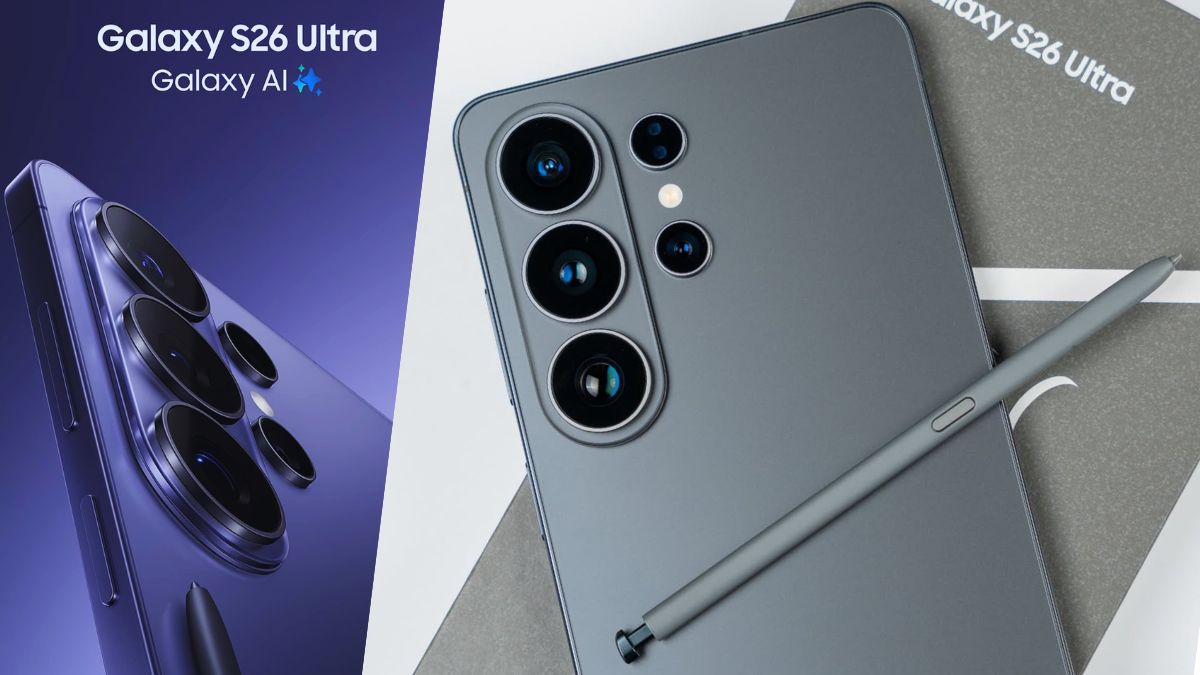
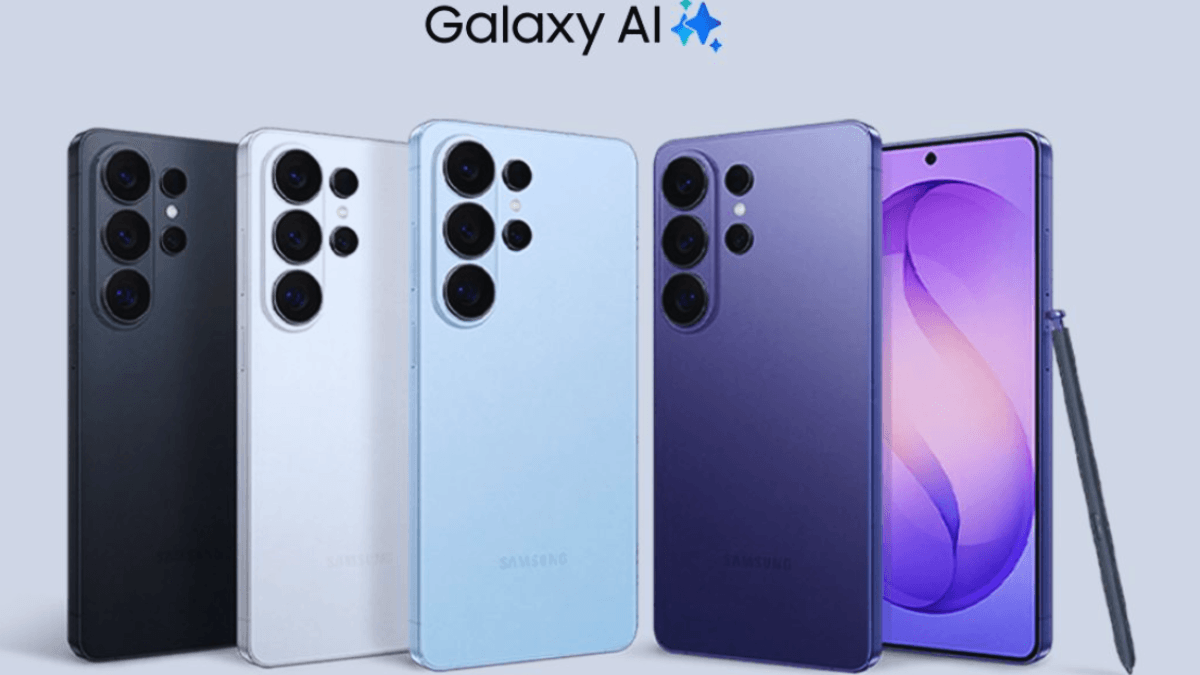
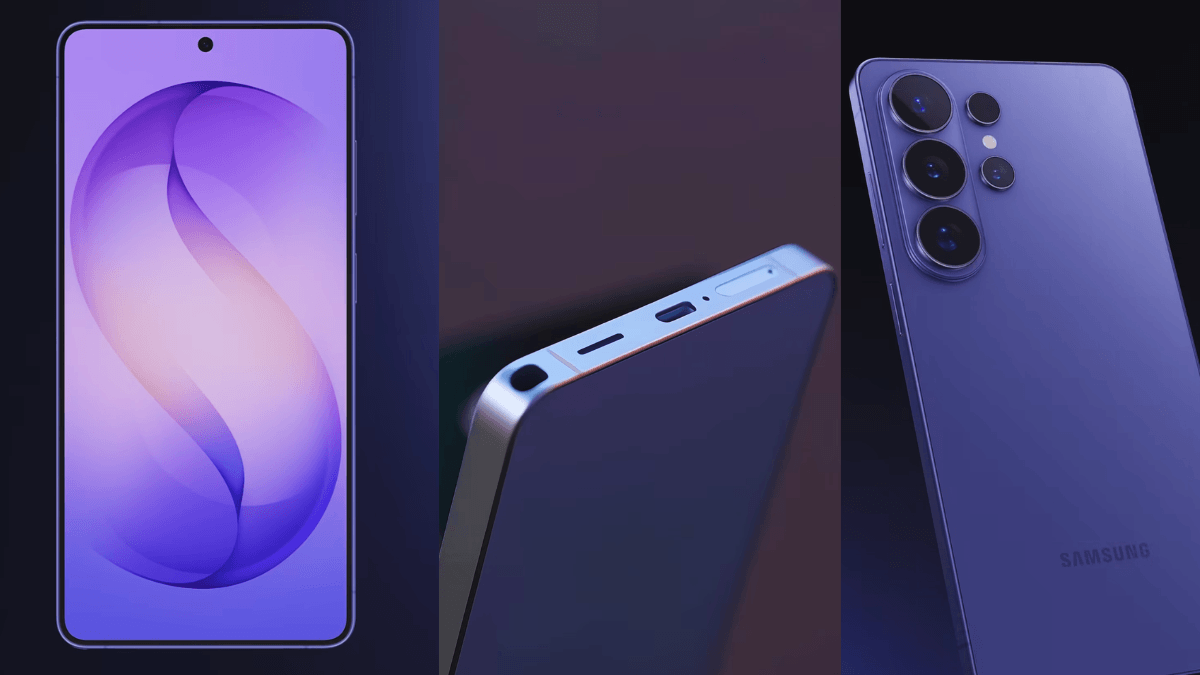
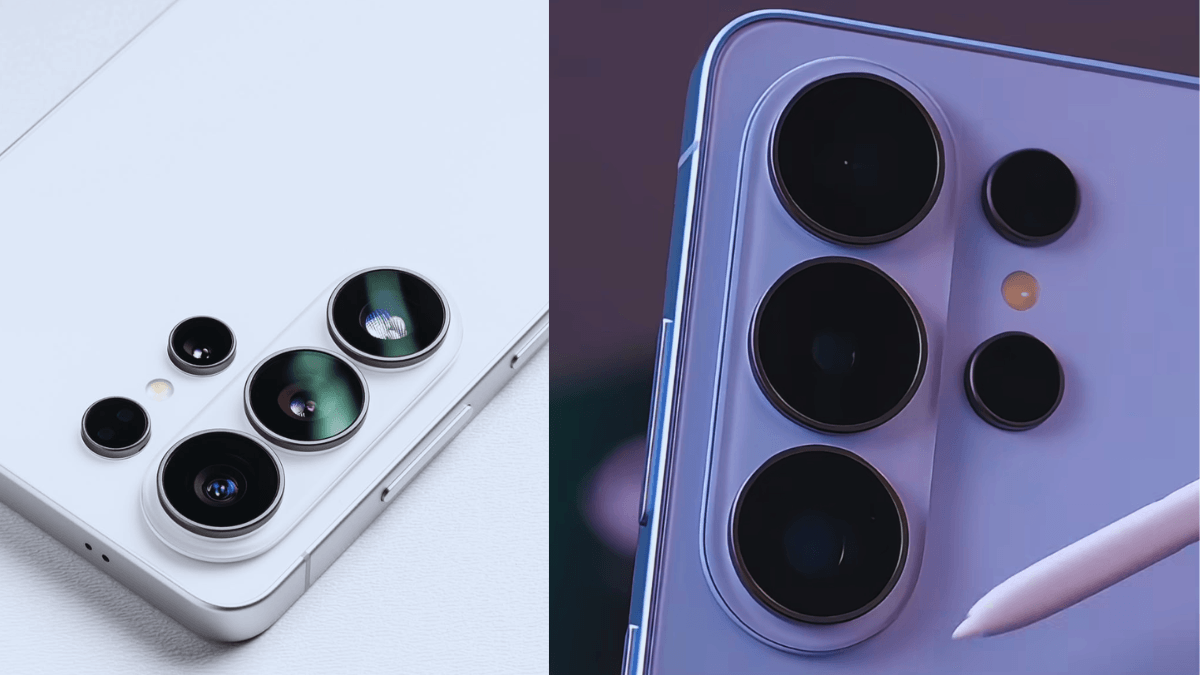
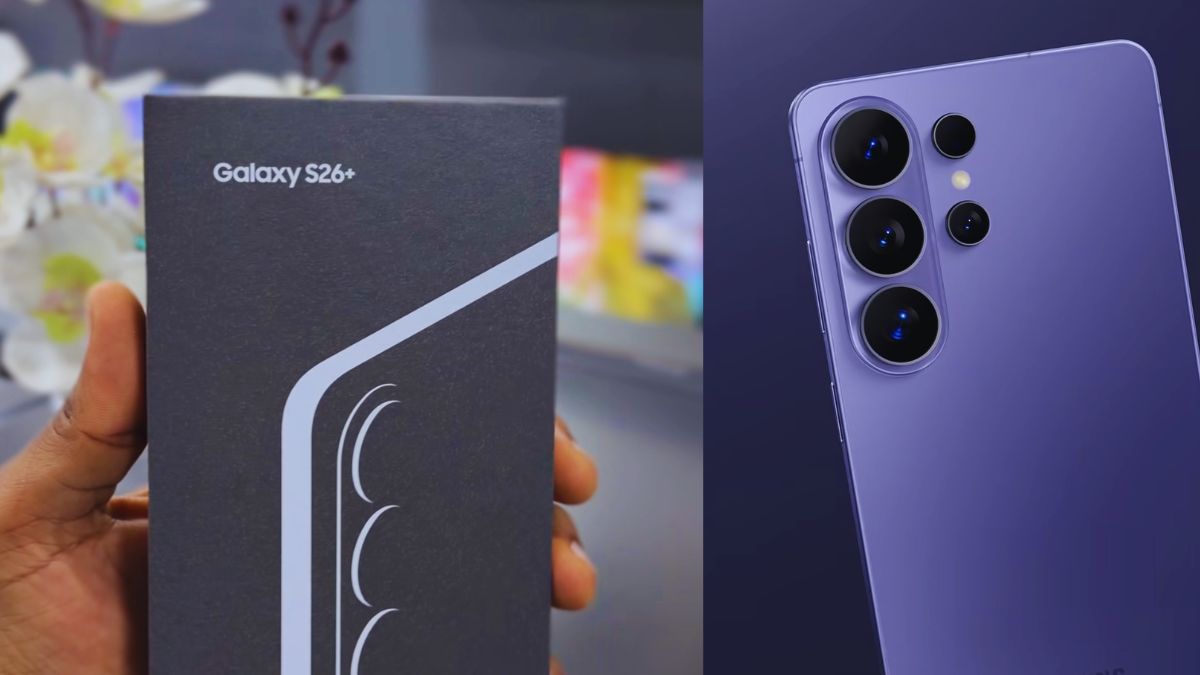
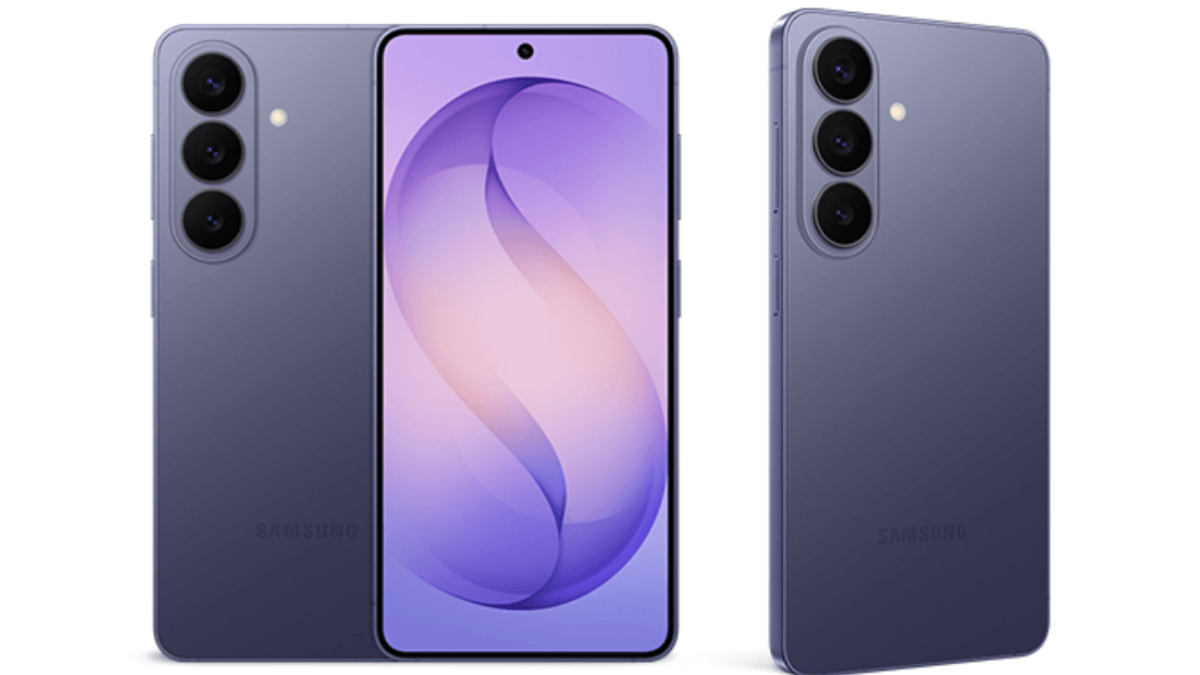
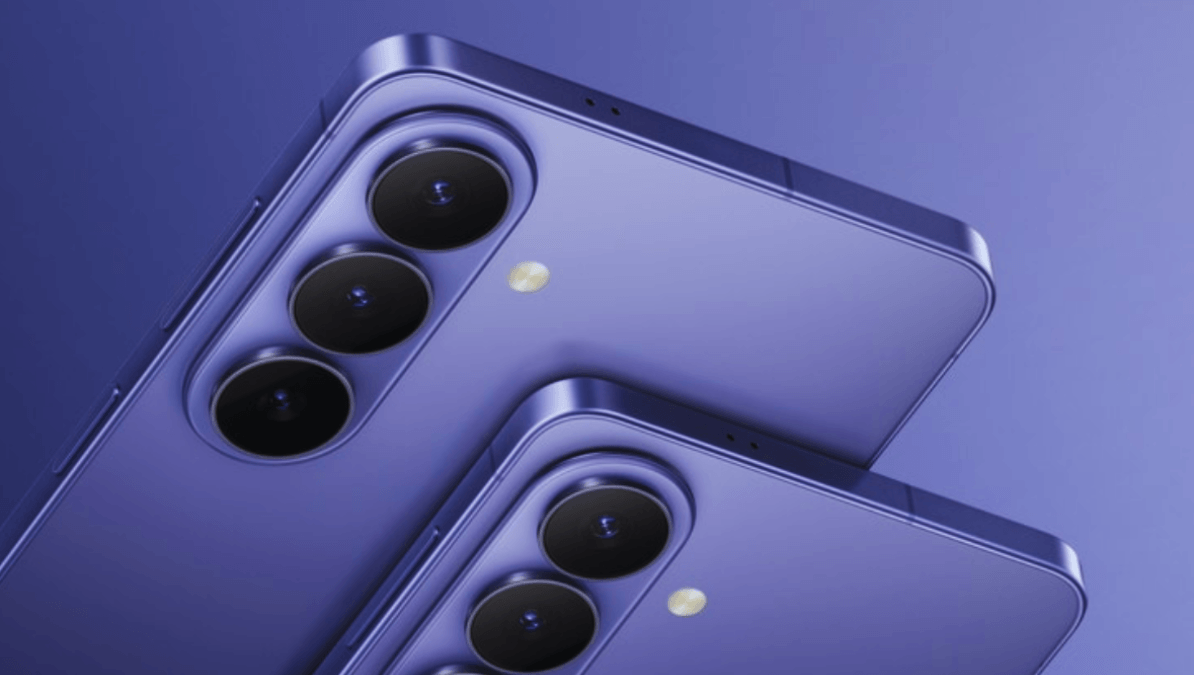
Apple is expected to unveil the iPhone 18 Pro and iPhone 18 Pro Max in September 2026, introducing a range of exciting upgrades to its premium smartphone lineup. According to leaks and industry reports, the upcoming Pro models may feature a variable-aperture camera, Apple’s next-generation 2nm A20 Pro chip, a larger battery, a more compact Dynamic Island, and several AI-powered enhancements. In this article, we’ll take a closer look at all the rumored features, expected specifications, pricing, and everything we know so far about Apple’s next flagship smartphones
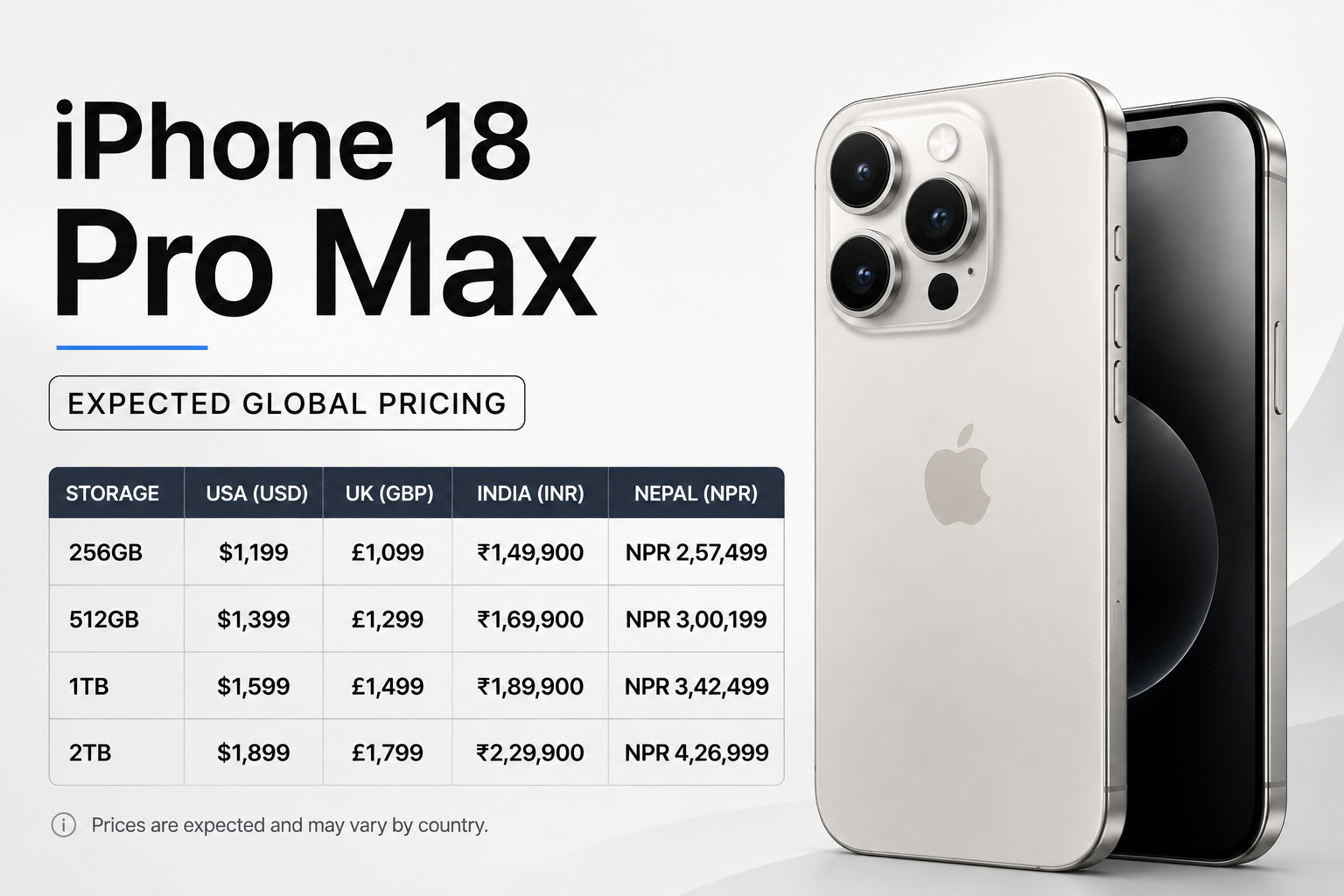
iPhone 18 Pro Max Expected Global Pricing
While Apple has not announced official pricing, leaks suggest the iPhone 18 Pro series could see a modest price increase in several markets due to rising component and manufacturing costs. Here’s the expected starting price for the 18 Pro Max in key regions:
Country/Region
Expected Starting Price*
United States
US$1,299
Canada
CA$1,749
United Kingdom
£1,299
Europe
€1,499
Australia
A$2,299
India
₹1,84,900–₹1,94,900
UAE
AED 5,299
Singapore
S$2,099
Japan
¥219,800
Nepal (Expected)
NPR 2,65,000–2,85,000
*These are leaked or estimated prices and may change when Apple officially announces the iPhone 18 Pro Max.
iPhone 18 Pro Max Launch
The 18 Pro Max is expected to debut in September 2026, continuing Apple’s annual flagship launch tradition. The announcement is anticipated to take place in mid-September, with global availability following later that month.
iPhone 18 Pro Max Launch Timeline (Rumored)
Apple is rumored to launch the 18 Pro and iPhone 18 Pro Max separately from the standard iPhone 18 models. According to recent leaks, the Pro lineup could debut alongside Apple’s first foldable iPhone, while the regular iPhone 18 series may arrive later.
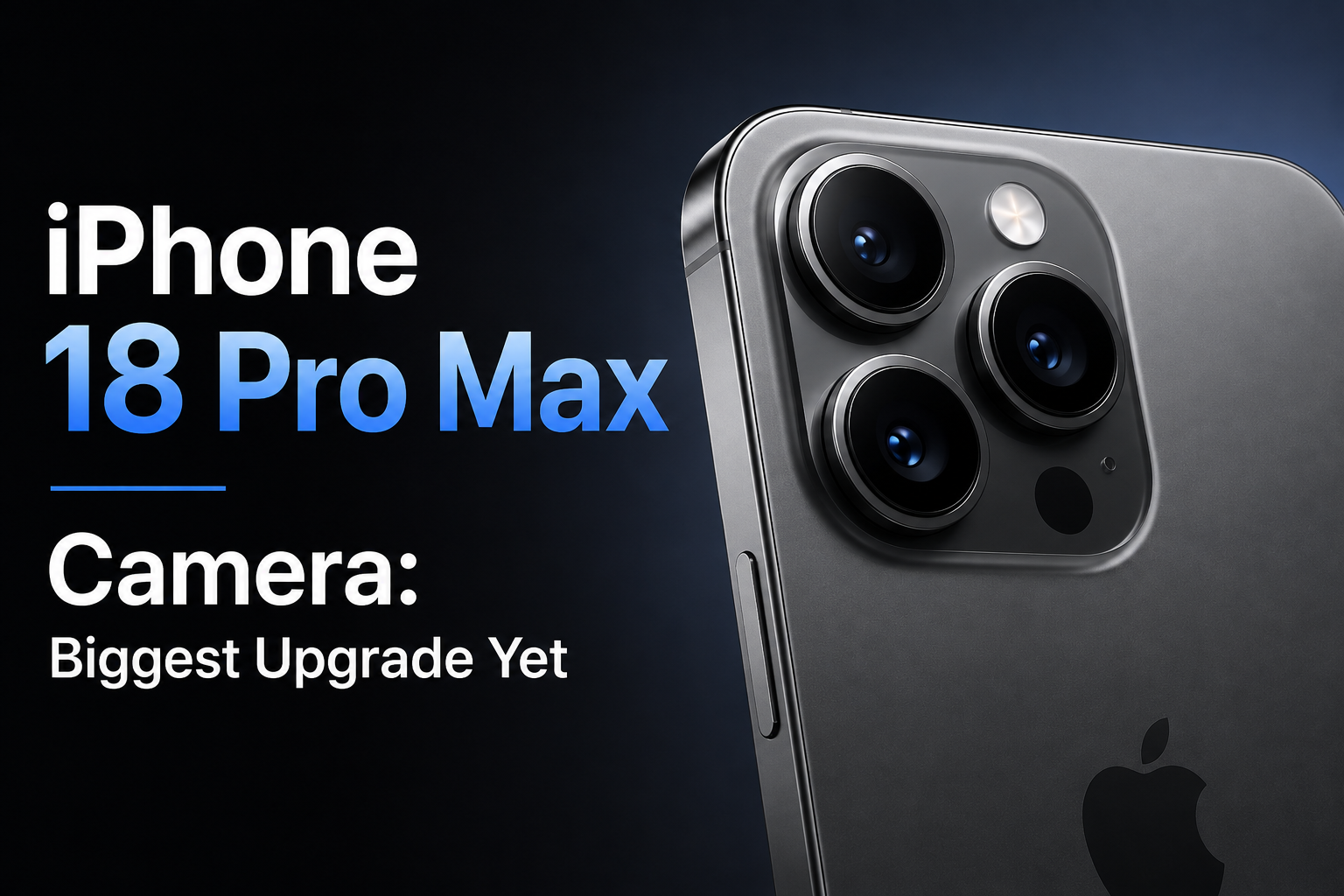
iPhone 18 Pro Max Camera: Biggest Upgrade Yet
One of the most notable upgrades rumored for the iPhone 18 Pro Max is a variable-aperture main camera. Unlike the fixed-aperture system used in current iPhones, this new technology could dynamically adjust how much light enters the lens for each shot. This means better performance in both bright and low-light conditions, resulting in clearer night photos, more realistic depth in portrait shots, and more detailed images across different lighting environments.
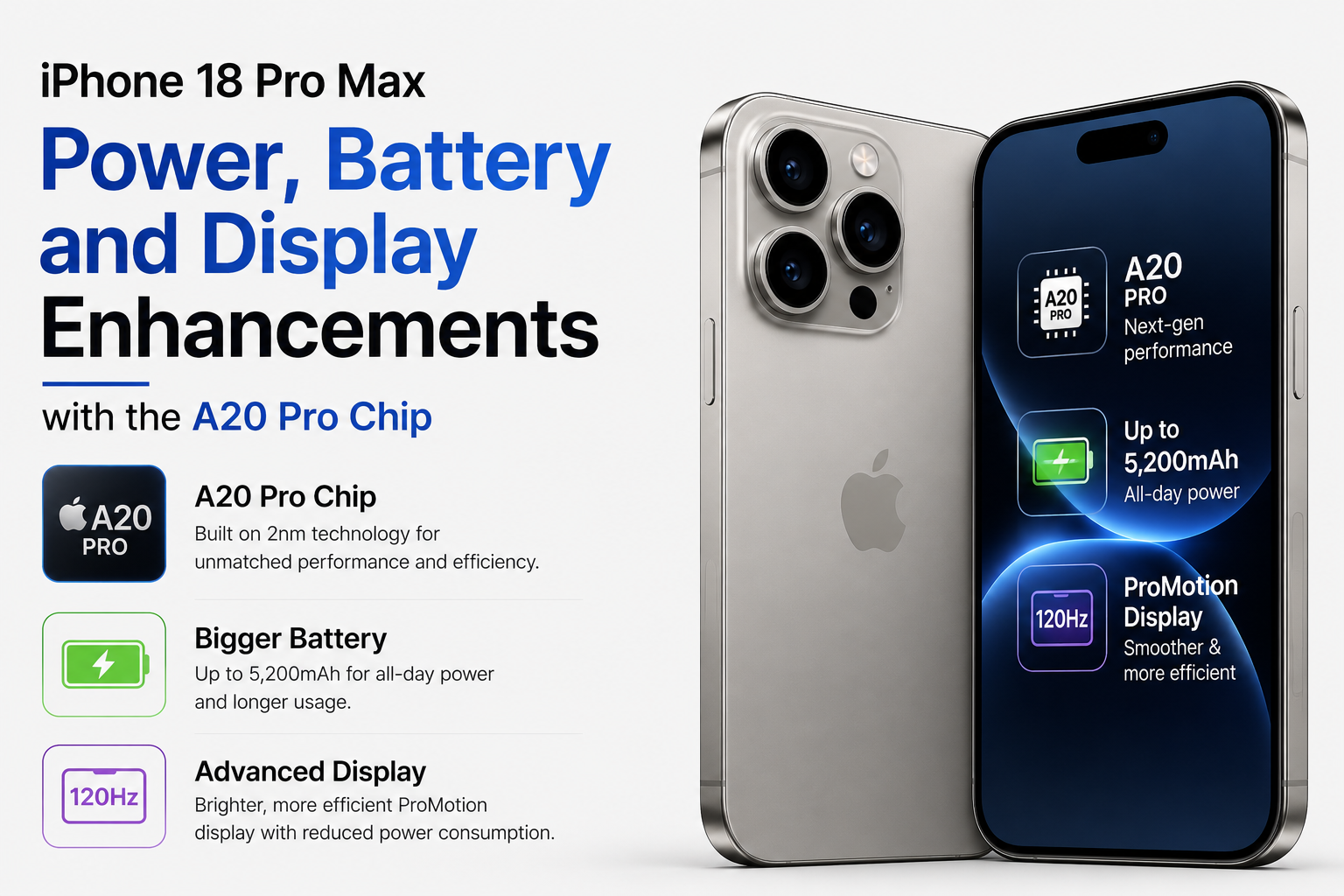
Power, Battery and Display Enhancements with the A20 Pro Chip
The 18 Pro Max is expected to be powered by Apple’s next-generation A20 Pro chip, built on TSMC’s advanced 2nm process for faster performance and improved power efficiency. Apple is also rumored to introduce its in-house C2 modem, which could deliver better connectivity and enhanced network performance.
The device may feature a battery of up to 5,200mAh, making it one of the largest ever in an iPhone. Other expected upgrades include a brighter LTPO+ OLED display, a 35% smaller Dynamic Island, and a slightly thicker design.
What We Know So Far About the iPhone 18 Pro Max
While Apple has yet to confirm any of these details, recent leaks suggest the 18 Pro Max could be one of the company’s biggest upgrades in years. From a next-generation camera system and the powerful A20 Pro chip to a larger battery and display enhancements, the upcoming flagship is expected to deliver meaningful improvements across the board. If the rumors prove accurate, the iPhone 18 Pro Max could be one of Apple’s most exciting smartphone launches yet.
If you already own the Apple iPhone 14 Pro Max and are planning to buy the Apple iPhone 16 but are wondering about iPhone 14 Pro Max vs iPhone 16 camera specs, then this post is for you.
In this comparison, you can check the photo quality captured with the ultra-wide, main, telephoto, and selfie cameras of the iPhone 14 Pro Max. You can also see photos taken with the ultra-wide, main (1x & 2x zoom), and selfie cameras of the iPhone 16.
Not only can you compare pictures, but you can also watch video samples recorded using the Ultra Wide, Main, Telephoto, and Selfie cameras on the iPhone 14 Pro Max, along with videos captured using the Ultra Wide, Main (1x & 2x zoom), and Selfie cameras on the iPhone 16.
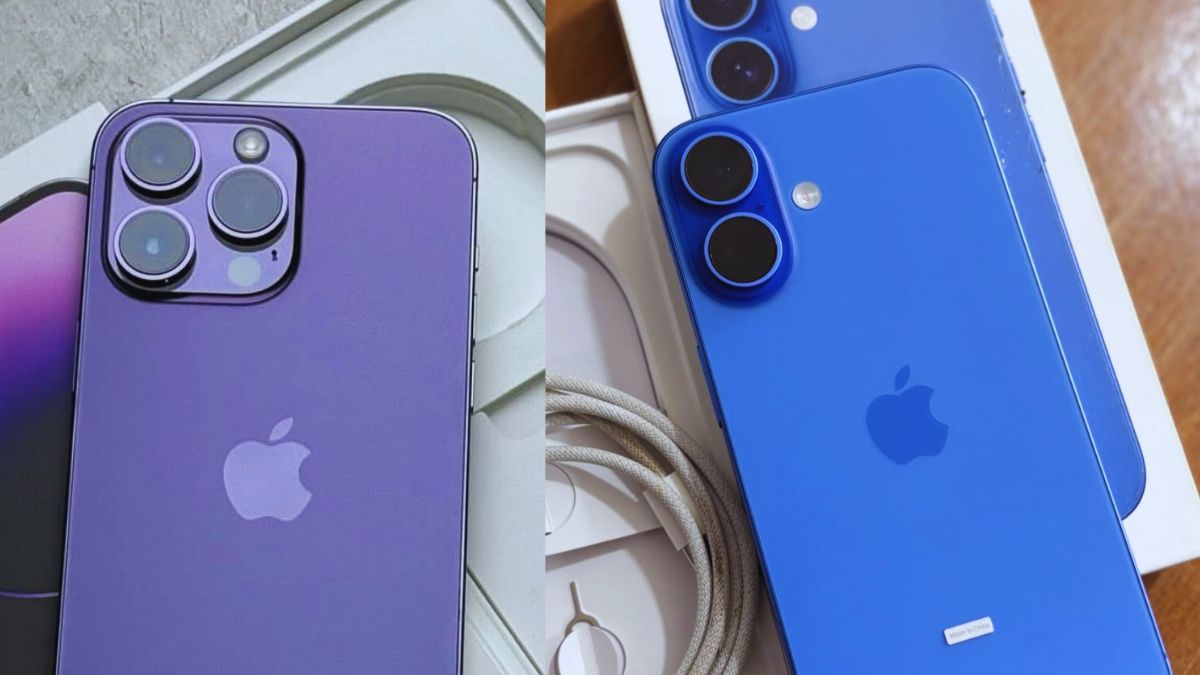
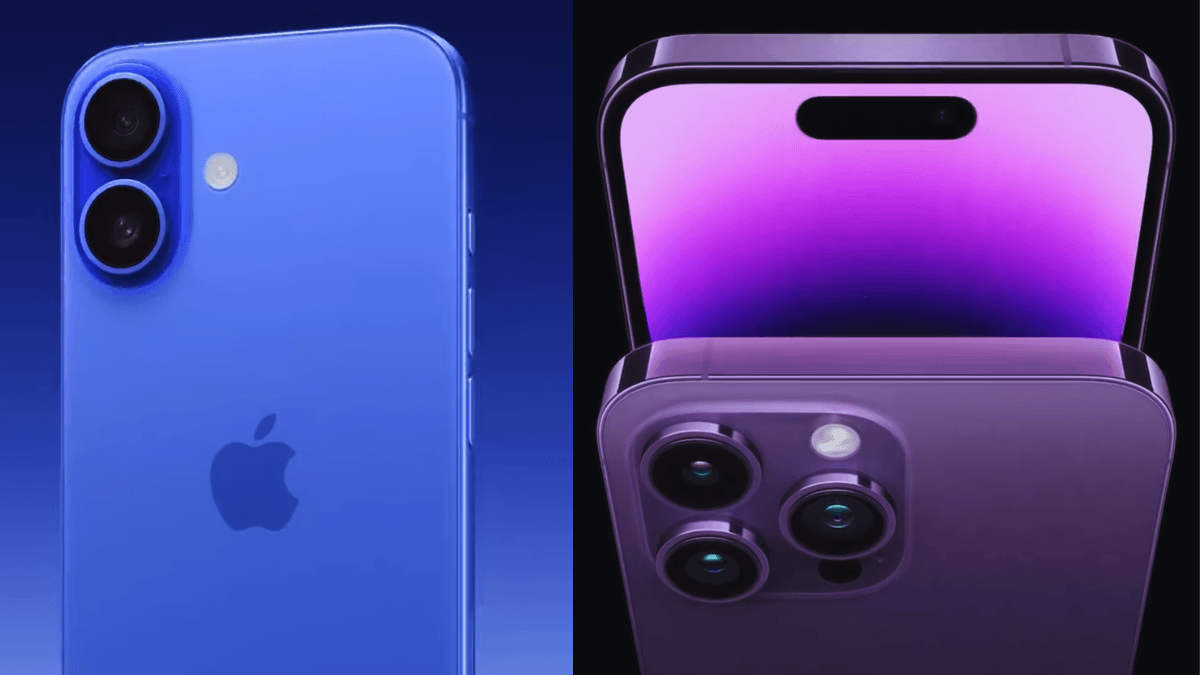
iPhone 16 dual-camera setup with the iPhone 14 Pro Max triple-camera system
The iPhone 14 Pro Max features a powerful triple-camera system, including a 48MP main camera, a 12MP Ultra Wide camera, and a 12MP telephoto camera with 3x optical zoom. The telephoto lens also supports up to 15x digital zoom, making it a strong choice for zoom photography. On the front, the iPhone 14 Pro Max includes a 12MP selfie camera.
In this iPhone 14 Pro Max vs iPhone 16 camera comparison, the iPhone 16 comes with a dual-camera setup. It features a 48MP main camera with 2x optical-quality zoom, a 12MP Ultra Wide camera, and a 12MP front camera. However, unlike the iPhone 14 Pro Max, the iPhone 16 does not include a dedicated telephoto lens and supports up to 10x digital zoom.
Looking at the iPhone 14 Pro Max camera specs and iPhone 16 camera specs, both phones offer excellent 48MP main cameras for high-quality photography. However, the iPhone 16 introduces a new Camera Control button on the right side, allowing faster access and adjustment of camera functions. It is also powered by the newer A18 chip for improved image processing and performance.
Which iPhone has better camera ?
The iPhone 14 Pro Max offers a better camera system for professional photography and videography users. It features a professional triple-camera setup with improved zoom quality, including a dedicated 12MP telephoto lens with 3x optical zoom and support for up to 15x digital zoom. The device also supports ProRAW for advanced photo editing and ProRes for high-quality professional video recording.
On the other hand, the iPhone 16 comes with a highly upgraded dual-camera system powered by the newer A18 chip. The iPhone 16 camera specs focus more on smarter image processing, faster automatic photo optimization, and improved everyday photography performance. It also supports Macro Photography for detailed close-up shots and Spatial Video recording for a more immersive 3D-like video experience.
If you are wondering which iPhone has the better camera, the iPhone 14 Pro Max is a stronger choice for professional creators and zoom photography, while the iPhone 16 is designed for users who want newer camera technology, smart processing, and modern video features.
Camera Features Differences
Is the iPhone 16 Camera Better Than the iPhone 14 Pro Max?
it depends on your photography needs. the iPhone 16 camera is better because this phone introduces newer camera technology powered by the advanced A18 chip, offering smarter image processing, improved low-light performance, better automatic photo optimization, upgraded ultrawide capabilities, Macro Photography, and Spatial Video recording for a more immersive 3D-like video experience.
However, the iPhone 14 Pro Max still features a more professional triple-camera system with a dedicated telephoto lens, superior zoom quality, ProRAW photo support, and ProRes video recording. If you are looking for professional photography, zoom shots, and advanced video editing, the iPhone 14 Pro Max camera is still better. But for users who want newer smart camera features and improved everyday photography, the iPhone 16 camera is an excellent upgrade.
Camera Test: iPhone 14 Pro Max vs iPhone 16
To compare the real-world camera performance, I captured photos and videos with both the iPhone 14 Pro Max and iPhone 16 using all available camera lenses. The tests include daylight photography, low-light shots, zoom photos, selfies, portrait selfies, and 4K video recording. Check the results below to see how the iPhone 14 Pro Max vs iPhone 16 camera specs perform in everyday situations.
Daylight Photo Comparison
I captured 10 daylight photos with the iPhone 14 Pro Max and 10 daylight photos with the iPhone 16 using their 48MP main cameras. The images below show differences in detail, color accuracy, dynamic range, and overall image quality. This hands-on test helps you see how the iPhone 14 Pro Max vs iPhone 16 camera specs perform in bright outdoor conditions.
A quiet pond in the park captured with the iPhone 14 Pro Max 48MP main camera in daylightA quiet pond in the park captured with the iPhone 16 48MP main camera in daylightRoad and vehicles captured with the iPhone 14 Pro Max 48MP main cameraRoad and vehicles captured with the iPhone 16 48MP main camera in daylightFlower garden captured with the iPhone 14 Pro Max 48MP main camera in daylightFlower garden captured with the iPhone 16 48MP main camera in daylightA beautiful pond in the park captured with the iPhone 14 Pro Max 48MP main camera in daylightA beautiful pond in the park captured with the iPhone 16 48MP main camera in daylightBeautiful plants on the pond with green trees along the side captured with the iPhone 14 Pro Max 48MP main camera in daylightBeautiful plants on the pond with green trees along the side captured with the iPhone 16 48MP main camera in daylightSago palms in the garden captured with the iPhone 14 Pro Max 48MP main camera in daylightSago palms in the garden captured with the iPhone 16 48MP main camera in daylightBeautiful side view of the park captured with the iPhone 14 Pro Max 48MP main camera in daylightBeautiful side view of the park captured with the iPhone 16 48MP main camera in daylightA tower with waterfalls in the park captured with the iPhone 14 Pro Max 48MP main camera in daylightA tower with waterfalls in the park captured with the iPhone 16 48MP main camera in daylightRose flower garden captured with the iPhone 14 Pro Max 48MP main camera in daylightRose flower garden captured with the iPhone 16 48MP main camera in daylightA pond with a park and buildings captured with the iPhone 14 Pro Max 48MP main camera in daylightA pond with a park and buildings captured with the iPhone 16 48MP main camera in daylight
Low-Light Camera Performance
Night street scene captured with the iPhone 14 Pro Max 48MP main cameraNight street scene captured with the iPhone 16 48MP main cameraNight street scene captured with the iPhone 14 Pro Max 12MP main camera.Night street scene captured with the iPhone 16 24MP main camera.
Portrait Mode Comparison
Rose captured using the iPhone 14 Pro Max 2x Zoom Portrait ModeRose captured using the iPhone 16 2x Zoom Portrait Mode
selfie portrait zoom
Selfie portrait zoom captured using the iPhone 14 Pro Max front cameraSelfie portrait zoom captured using the iPhone 16 front cameraPortrait selfie captured using the iPhone 14 Pro Max front cameraPortrait selfie captured using the iPhone 16 front camera
Zoom Camera Test
Flower garden captured using the iPhone 14 Pro Max 2x zoom cameraFlower garden captured using the iPhone 16 2x zoom cameraA quiet pond in the park captured using the iPhone 14 Pro Max 2x Zoom cameraA quiet pond in the park captured using the iPhone 16 2x zoom cameraSago palms in the garden captured using the iPhone 14 Pro Max 2x Zoom cameraSago palms in the garden captured using the iPhone 16 2x Zoom cameraBeautiful plants on the pond with green trees captured using the iPhone 14 Pro Max 2x Zoom cameraBeautiful plants on the pond with green trees captured using the iPhone 16 2x Zoom cameraRose flower garden captured using the iPhone 14 Pro Max 2x Zoom cameraRose flower garden captured using the iPhone 16 2x Zoom cameraA tower with waterfalls in the park captured using the iPhone 14 Pro Max 2x Zoom cameraA tower with waterfalls in the park captured using the iPhone 16 2x Zoom cameraBeautiful side view of the park captured using the iPhone 14 Pro Max 2x Zoom cameraBeautiful side view of the park captured using the iPhone 16 2x Zoom cameraA beautiful pond in the park captured using the iPhone 14 Pro Max 2x Zoom cameraA beautiful pond in the park captured using the iPhone 16 2x Zoom camera
Selfie Camera Comparison
12MP selfie sample captured using the iPhone 14 Pro Max front camera12MP selfie sample captured using the iPhone 16 front camera
Video Recording Comparison
To compare real-world video quality, I recorded 4K video samples using both smartphones and uploaded them to my YouTube channel. The test includes Ultra Wide, 1x, 2x, and Telephoto zoom footage to show the differences in detail, stabilization, colors, and overall video performance.
Watch the videos below to see the actual camera results and decide which device performs better for your needs. This hands-on comparison provides a practical look at the iPhone 14 Pro Max vs iPhone 16 camera specs in video recording rather than relying only on technical specifications.
iPhone 14 Pro Max Camera Test 2026 | Ultra Wide, 1x, 2x & Telephoto 4K Video
iPhone 16 Camera Test | Ultra Wide, 1x, 2x Zoom in 4K Video
Is the iPhone 14 Pro Max still good in 2026?
Even in 2026, the Apple iPhone 14 Pro Max remains a powerful smartphone and a great choice for users who value camera quality, battery life, and premium features. It continues to receive iOS updates and is expected to remain supported for several more years.
The iPhone 14 Pro Max still delivers excellent photo and video quality with its 48MP main camera, dedicated 3x telephoto lens, ProRAW support, ProRes video recording, and LiDAR sensor. While the iPhone 16 offers newer image processing and some camera improvements, the difference is not huge for everyday photography. The iPhone 14 Pro Max still has an advantage for users who want a professional triple-camera system and optical zoom.
Performance also remains impressive thanks to the A16 Bionic chip, which is still fast enough for gaming, video editing, multitasking, and content creation. Combined with its smooth 120Hz ProMotion display and strong battery life, the phone continues to feel modern and responsive.
Overall, the iPhone 14 Pro Max is far from outdated in 2026. It remains an excellent option for users who want flagship-level performance and camera quality without upgrading to the latest iPhone.
Frequently Asked Questions
Which phone takes better photos: iPhone 14 Pro Max or iPhone 16?
The iPhone 16 generally takes better photos thanks to its newer image processing and improved camera software. However, the iPhone 14 Pro Max still produces excellent image quality and offers a dedicated telephoto lens for better optical zoom.
Which has better night mode: iPhone 14 Pro Max or iPhone 16?
The iPhone 16 has a better Night mode due to its newer image processing technology, which helps capture brighter photos with improved detail in low-light conditions. However, the iPhone 14 Pro Max still performs very well at night.
Which has better selfie camera quality?
Both phones have a 12MP front camera with autofocus and produce excellent selfies. However, the iPhone 16 offers slightly better image processing, resulting in more natural colors and improved detail in some situations.
Which phone has a better zoom camera: iPhone 14 Pro Max or iPhone 16?
The iPhone 14 Pro Max has the better zoom camera because it includes a dedicated 3x telephoto lens. The iPhone 16 relies on digital and sensor-crop zoom, so the iPhone 14 Pro Max delivers sharper zoom photos at longer distances.
Which records better videos?
Both phones record excellent videos, but the iPhone 14 Pro Max has an advantage for professional users thanks to ProRes video recording and a dedicated telephoto lens. The iPhone 16 offers newer image processing, but overall video quality is very similar.
Which has more natural colors?
The iPhone 16 generally produces more natural colors thanks to its newer image processing and improved computational photography. However, the iPhone 14 Pro Max also delivers accurate and realistic colors in most shooting conditions.
Which phone is better for content creators?
The iPhone 14 Pro Max is generally better for content creators because it offers a dedicated telephoto lens, ProRAW photos, ProRes video recording, and more versatile camera hardware. The iPhone 16 is still a great option, but the 14 Pro Max provides more professional camera features.
Final Verdict : Should iPhone 14 Pro Max Users Upgrade to the iPhone 16?
After comparing the iPhone 14 Pro Max vs iPhone 16 camera specs, the iPhone 16 offers improved image processing, better low-light performance, and newer camera features. However, the iPhone 14 Pro Max still remains a strong camera phone with its 48MP main camera, dedicated 3x telephoto lens, ProRAW support, and excellent video quality.
If you already own an iPhone 14 Pro Max and are happy with its camera performance, upgrading to the iPhone 16 is not essential. But if you want the latest camera technology, software improvements, and a newer device that will be supported longer, the iPhone 16 is worth considering.
The Pixel has released the Pixel 10 series on August 28, 2025, and this series includes the Pixel 10, Pixel 10 Pro, and Pixel 10 Pro XL. If you’re wondering, “Is the Google Pixel 10 Pro XL a Good Phone?” this new lineup brings some strong upgrades to consider. In this series, we get a new, powerful Tensor G5 (3 nm) processor; a large 5200 mAh battery with Qi2 wireless charging; and new 100x Pro Res zoom camera features, along with some powerful AI features.
The Pixel 10 Pro XL starts with 256GB storage options, similar to the iPhone 17 series. The main new upgrade is Qi2 wireless charging with magnets, which helps the phone attach easily to chargers and accessories. It’s not really about faster charging but more about the convenience of snapping your phone onto things using PixelSnap. The Pixel 10 Pro XL is available at $1199 with 256 GB of storage. And this phone is available in four colours:
All four stylish colors of the Pixel 10 Pro XL—Obsidian, Jade, Porcelain, and Moonstone.
Obsidian (A classic, matte-finished black)
Jade (A light pastel green featuring gold frame accents)
Porcelain (A warm, creamy white or champagne tone)
If you want to truly understand what the Google Pixel 10 Pro XL offers, the specifications are a great place to start. It features the powerful Tensor G5 (3nm) chip, a large 5200mAh battery, an advanced camera system, and smart AI features that enhance everyday use. These specifications give you a clear idea of the phone’s performance and what you can expect from it in daily life. Let’s break down everything you need to know.
Tensor G5—built on advanced 3nm technology for faster performance, smarter AI, and better efficiency than ever before.
Dust & Water Resistance: IP68 (can withstand water up to 1.5 meters deep for about 30 minutes)
Weight: 232 grams
Connectivity: 5G, Wi-Fi 7, Bluetooth 6.0, Ultra-Wideband, NFC, Dual eSIM
100x Super Res Zoom Camera
Pixel 10 Pro XL’s powerful triple camera system and AI-enhanced photography features.
This phone features a powerful triple-camera system that includes a 50MP wide lens, a 48MP ultra-wide lens, and a 48MP telephoto lens with 5x optical zoom. It also supports up to 100x Super Res Zoom (AI zoom) and comes with a 42MP selfie camera for high-quality self-portraits and video calls.
The camera system includes advanced night & low light features such as Night Sight for both photos and videos, along with Astrophotography mode for capturing stars and night skies in impressive detail. These features perform exceptionally well in dark environments.
The Google Pixel camera also offers Portrait Mode with natural background blur for professional-looking photos, Macro Focus for detailed close-up shots, and HDR processing for balanced lighting in every scene. In addition, the camera delivers excellent color reproduction and accurate skin tones, making photos look more realistic and natural.
For video and advanced photography, the Pixel camera includes Audio Magic Eraser, which reduces background noise in videos for clearer audio, and cinematic video effects that add professional-style blur and relighting effects. Pro controls such as ISO, shutter speed, and white balance are also available for users who want greater control over photography and video settings.
AI Camera Features
Magic Eraser: This feature lets you easily remove unwanted objects or people from your photos.
Photo Unblur: This feature helps fix blurry photos and makes them clearer and sharper.
Best Take: This AI-powered feature combines the best facial expressions from multiple shots to create the perfect group photo. Auto Best Take, introduced with the Pixel 10 series, can analyze up to 150 frames in the background to fix blinked eyes or people looking away, ensuring everyone looks their best in a single image.
Camera Coach: This feature helps you take better photos by suggesting improved angles, lighting, and framing. Powered by Gemini AI, it works like a photography assistant directly inside your camera app.
Pro Res Zoom: Pro Res Zoom enhances zoomed-in photos, making them clearer, sharper, and more detailed.
Edit with AI (Voice Editing): This feature allows you to edit photos using voice commands, making photo editing faster and more convenient.
Video Features
The rear camera can record videos in up to 8K resolution using AI upscaling, as well as 4K at multiple frame rates and Full HD slow-motion video. It delivers stable footage, rich colors, and impressive detail. Meanwhile, the front camera supports both 4K and Full HD video recording at smooth frame rates for high-quality selfies and video calls.
Super Actua Display with Polished Finish Design Features
6.8-inch Super Actua display with a sleek, polished design built for a premium feel.
The phone features a large and bright 6.8-inch Super Actua display protected by Gorilla Glass Victus 2. The back of the device also uses Gorilla Glass Victus 2, combined with a polished aluminum frame for a premium look and feel.
It comes with IP68 dust and water resistance, allowing the phone to safely withstand water up to 1.5 meters deep for about 30 minutes. The device also supports a 1–120Hz adaptive refresh rate, delivering smoother scrolling, gaming, and overall performance.
The Google Pixel 10 Pro XL weighs 232 grams, which is similar to the iPhone 17 Pro Max (approximately 231–233 grams) and slightly heavier than the Samsung Galaxy S25 Ultra (218 grams).
Battery Life and Charging Speed with Qi2 Wireless Charging
The phone has a 5200mAh battery with fast 45W USB-C PPS wired charging (about 70% in 30 minutes), supports 25W Qi2-certified wireless charging with magnets (Qi2 support for magnetic charging), and also lets you share power with other devices and use bypass charging to reduce heat while charging. The Pixel 10 Pro XL battery lasts over 24 hours under normal usage. One of the good news items is that Pixel launched PixelSnap in the 10 series, but what is PixelSnap?
Pixelsnap
PixelSnap magnetic Qi2 wireless charging on the Pixel 10 Pro XL.
PixelSnap is Google’s magnetic accessory ecosystem, introduced with the Pixel 10 series in August 2025, that allows accessories like chargers, stands, and wallets to “snap” onto the back of the phone for secure, aligned attachment. It is Google’s native Qi2-based answer to Apple’s MagSafe, designed to enable faster and more reliable wireless charging.
Top AI Features You Get in the Pixel 10 Pro XL
Magic Cue
Magic Cue is an AI-powered feature on the Google Pixel 10 Pro XL that automatically brings useful information to you without requiring you to search for it. It connects with apps like Gmail, Messages, and Calendar to understand your context and display relevant details at the right moment, such as flight information, booking details, or quick reply suggestions. It saves time, makes tasks easier, and works quietly in the background without getting in your way.
Gemini AI Assistant
The AI feature is more powerful than Google Assistant and can answer questions, write content, plan tasks, and help with daily activities. It feels like having a smart brain inside your phone, making everyday tasks easier and more efficient.
Live Translate (real-time)
This feature translates calls and conversations instantly and even works during phone calls. It helps you communicate easily with people who speak different languages, making conversations simple and smooth.
Price of Pixel 10 Pro XL
This phone is available in three storage options: 256GB, 512GB, and 1TB. The 256GB model is priced at $1,199, the 512GB model at $1,319, and the 1TB model at $1,549. Prices may vary depending on the region or country, so always check the official website for the latest pricing.
Google Pixel 9 Pro XL vs. Pixel 10 Pro XL: What’s the Difference?
Pixel 9 Pro XL and Pixel 10 Pro XL in design
The phone comes with the same 6.8-inch display size, the same 1–120Hz refresh rate, and the same 16GB RAM, offering a smooth and powerful experience. It also features the same 50MP main, 48MP ultra-wide, 48MP telephoto, and 42MP selfie camera setup for high-quality photography. In addition, it provides the same 7 years of software support for long-term updates and the same Gorilla Glass Victus 2 protection for durability. However, there are more upgrades you can see in the Pixel 10 Pro XL.
The Pixel 9 Pro XL features the Tensor G4 chip, which is older and slightly slower than the newer Tensor G5 chip found in the Pixel 10 Pro XL. The Tensor G5 is faster, more efficient, and offers improved photo processing with newer AI features. The Pixel 9 Pro XL launched with Android 14 and can be upgraded to Android 15 and 16, while the Pixel 10 Pro XL comes with Android 16 out of the box. The Pixel 9 Pro XL has 3000 nits of brightness, while the Pixel 10 Pro XL offers up to 3300 nits of brightness.
The Pixel 9 Pro XL is available in 128GB, 256GB, 512GB, and 1TB storage options, while the Pixel 10 Pro XL comes in 256GB, 512GB, and 1TB variants. The Pixel 9 Pro XL has a 5060mAh battery with 37W wired charging and Qi wireless charging, whereas the Pixel 10 Pro XL features a larger 5200mAh battery with faster 45W wired charging and Qi2 magnetic wireless charging. The Pixel 9 Pro XL weighs 221 grams and is lighter, while the Pixel 10 Pro XL weighs 232 grams, making it slightly heavier than the 9 Pro XL.
Pixel 10 vs 10 Pro vs 10 Pro XL: Specs, Features & Differences
All models in the Pixel 10 series feature the same Tensor G5 processor, the same Titan M2 security chip, and Corning Gorilla Glass Victus 2 protection. They also come with Android 16, 7 years of software updates, Magic Cue, Gemini AI, Live Translate, Camera AI tools, IP68 dust and water resistance, Qi2 magnetic wireless charging, and PixelSnap support. However, there are also several differences between these models.
The Pixel 10 series includes different RAM and storage options across all models. The Pixel 10 comes with 12GB RAM, while the Pixel 10 Pro and Pixel 10 Pro XL feature 16GB RAM. The Pixel 10 offers 128GB or 256GB storage options, while the Pixel 10 Pro is available in 128GB, 256GB, 512GB, and 1TB variants. The Pixel 10 Pro XL starts at 256GB and is available in 512GB and 1TB storage options.
In terms of cameras, the Pixel 10 features a 48MP wide camera, a 13MP ultra-wide camera, a 10.8MP telephoto lens with 5x optical zoom and 20x Super Res Zoom, and a 10.5MP selfie camera. Meanwhile, the Pro models feature a 50MP wide camera, a 48MP ultra-wide camera, a 48MP telephoto lens with 5x optical zoom and 100x Pro Res zoom, along with a 42MP selfie camera.
The Google Pixel 10 features a 6.3-inch OLED (Actua) display with a 1080 × 2424 resolution, while the Pixel 10 Pro has a 6.3-inch LTPO OLED (Super Actua) display with a 1280 × 2856 resolution and 495 ppi. The Pixel 10 Pro XL features a larger 6.8-inch LTPO OLED (Super Actua) display with a 1344 × 2992 resolution and 486 ppi, making the screen look sharper, clearer, and more detailed. Both Pro models support a 1–120Hz adaptive refresh rate and up to 3300 nits peak brightness, while the Pixel 10 supports a 60–120Hz refresh rate and up to 3000 nits brightness.
Both Pro models feature a silky matte glass back with a polished metal frame, while the Pixel 10 has a standard matte finish. The Pixel 10 includes a 4970mAh battery, the Pixel 10 Pro has a 4870mAh battery, and the Pixel 10 Pro XL features the largest 5200mAh battery.
The Pixel 10 weighs 204 grams, the Pixel 10 Pro weighs 207 grams, and the Pixel 10 Pro XL weighs 232 grams. The Pixel 10 is more affordable, compact, and suitable for normal daily use. The Pixel 10 Pro offers a better camera system, a brighter display, and more RAM, making it ideal for photography and multitasking. Meanwhile, the Pixel 10 Pro XL features the largest display, the biggest battery, and the fastest charging, making it the best option for gaming, videos, and heavy usage.
In terms of colors, the Pixel 10 is available in Indigo, Frost, Lemongrass, and Obsidian, offering a more colorful and vibrant style. The Pro models come in Moonstone, Jade, Porcelain, and Obsidian, which provide a more premium and minimal look.
PROS & CONS
Pros
Excellent camera system with 100x zoom and pro-level video features.
Super-bright 6.8-inch OLED display.
Strong battery life with improved charging, including Qi2 and 45W wired charging.
Cons
Not a major upgrade over the previous model.
No significant camera improvements compared to the previous model.
Uses the same Gorilla Glass Victus 2 protection.
Expensive flagship pricing.
Should You Buy the Google Pixel 10 Pro XL or Skip It?
You should buy the Google Pixel 10 Pro XL if you want one of the smartest Android phones with powerful AI features, a large display, and long battery life. If you’re wondering, “Is the Google Pixel 10 Pro XL a good phone?” the answer is yes for most users, thanks to its new Tensor G5 (3 nm) chip, improved efficiency, Qi2 magnetic charging (PixelSnap), and advanced AI tools like Magic Cue and Gemini, which make everyday use faster and more convenient. It’s especially great for users who love photography, multitasking, and Google’s clean Android experience.
However, you can skip it if you are already using the Pixel 9 Pro XL or another recent flagship phone. The design is almost the same, and there are no major camera hardware upgrades, so the overall experience may not feel very different. If you don’t need Qi2 magnetic charging or the latest AI features, upgrading may not be necessary.
Finally, on March 5, 2026, Google introduced its most affordable model in the lineup—the Google Pixel 10a. In this Google Pixel 10a Review for Beginners, it’s important to note that before this release, the Pixel 10 series had already launched four flagship models in 2025, including the Google Pixel 10, Pixel 10 Pro, and Pixel 10 Pro XL on August 28, followed by the Pixel 10 Pro Fold on October 9.
Now, with a total of five models in the series, the Pixel 10a stands out as the budget-friendly option. But what features does it offer, and is it really worth buying? Let’s explore all the details and find out. This phone is available in four color options.
Fog, Obsidian, Berry, and Lavender, offering a clean and modern look for every user.
Lavender: A soft, light purple shade.
Berry: A vibrant red/pink color option.
Fog: A calm, pale green color with a muted appearance.
This year, the Pixel 10a features a brighter 6.3-inch pOLED display, faster charging speeds, and a 5,100mAh battery, along with new AI features, giving you a quick overview of its performance, features, overall capabilities, and other key specifications.
Operating System: Android 16, with up to 7 major Android upgrades
The Pixel 10a’s price and storage options make it a strong mid-range smartphone choice for buyers looking for value. The new Pixel 10a comes in two storage variants: 128GB and 256GB, giving users flexibility based on their needs. The starting price for the 128GB model is $499, while the 256GB version is priced at $599. This pricing strategy remains unchanged from last year, as the Pixel 9a was also launched at the same price with identical storage options. Release dates and prices may vary by region, so please check the official Google Pixel website for the most up-to-date information.
For users comparing upgrades or considering a budget-friendly phone, this consistency makes the Pixel 10a a reliable option. With competitive pricing and practical storage choices, it continues to appeal to everyday users who want good performance without spending too much.
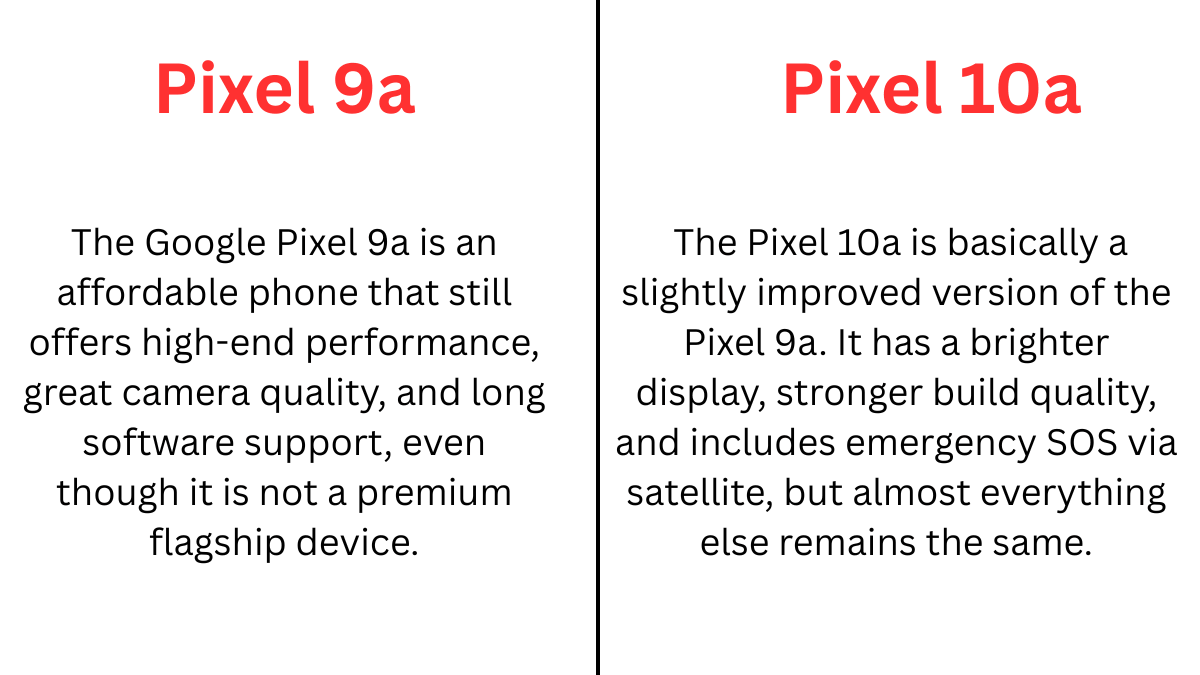
The Pixel 9a and Pixel 10a share many similar features. Both phones use the Google Tensor G4 chip and come with a 6.3-inch display featuring a 60–120Hz refresh rate. They also offer 8GB RAM with either 128GB or 256GB storage options.
In terms of cameras, both devices feature a 48MP main lens, a 13MP ultra-wide lens, and a 13MP selfie camera. The battery capacity is also the same at 5100 mAh, along with IP68 water and dust resistance. Additionally, both phones have a similar flat design, camera layout, and a starting price of $499.
However, there are a few differences you should know:
The Google Pixel 9a has dimensions of 154.7 × 73.3 × 8.9 mm (6.09 × 2.89 × 0.35 inches), while the Pixel 10a has slightly different dimensions at 153.9 × 73 × 9 mm (6.06 × 2.87 × 0.35 inches). The Pixel 9a runs on Android 15 and is upgradable to Android 16, whereas the Pixel 10a comes with Android 16 out of the box.
In terms of display brightness, the Pixel 9a offers up to 2700 nits of peak brightness, while the Pixel 10a is brighter with up to 3000 nits. When it comes to charging, the Pixel 9a supports 30W–45W wired charging and 10W wireless charging, whereas the Pixel 10a supports 23W wired charging and 7.5W wireless charging.
For durability, the Pixel 9a uses Gorilla Glass 3, while the Pixel 10a features the newer Gorilla Glass 7i. Both phones offer 7 years of updates, but the Pixel 9a is supported until 2032, whereas the Pixel 10a extends support until 2033. Additionally, the Pixel 9a comes in older color options, while the Pixel 10a is available in updated new colors.
Pixel 10a Camera Features and Performance Explained
Pixel 10a features a dual-camera setup with a clean, flat design and powerful image processing.
The Pixel 10a’s features and performance make it one of the best choices in the mid-range smartphone category, especially for photography lovers. It comes with a dual rear camera setup, including a 48MP main camera and a 13MP ultra-wide lens, along with a 13MP front camera for selfies.
Even though the hardware is similar to the previous model, the Pixel 10a still delivers excellent photo quality thanks to Google’s powerful image processing. Photos come out sharp, with natural colors and a good dynamic range, making it perfect for everyday photography such as portraits, landscapes, and social media shots. It also supports 4K video recording and features optical image stabilization for smoother videos.
In addition, smart AI tools like Best Take and Camera Coach help users capture better photos more easily. Overall, the Pixel 10a camera focuses more on software optimization than hardware upgrades, but it still provides reliable and high-quality results for its price.
Display Features and Clean Design Look
The Pixel 10a features a bright, smooth display and a clean, flat design with no camera bump.
The Pixel 10a display and design deliver a clean and modern look while keeping things practical for everyday use. It features a 6.3-inch pOLED display with a sharp Full HD+ resolution (2424 × 1080), offering smooth visuals thanks to a 120Hz refresh rate. Colors look vibrant, and the screen can reach up to 3000 nits of brightness, making it easy to use even under sunlight. It also comes with Corning Gorilla Glass 7i protection on the display, adding extra resistance against scratches and drops.
In terms of design, the Pixel 10a follows a minimalist style with flat edges, rounded corners, and a completely flush camera module, meaning there is no camera bump at all. This gives the phone a clean and stable feel when placed on a table. It uses an aluminum frame with a plastic back, keeping it lightweight yet durable, and also includes IP68 water and dust resistance.
Overall, the Pixel 10a combines a bright, smooth display with a simple, premium-looking design that feels comfortable and reliable for daily use.
Battery and Charging Features for Daily Use
The Pixel 10a battery life and charging features make it a reliable choice for users who want all-day performance without worrying about frequent charging. It comes with a large 5100 mAh battery, which is the same as the previous Pixel 9a and is considered strong for a mid-range smartphone.
The battery can last more than 30 hours on a single charge under normal use, easily covering a full day of browsing, social media, and video streaming. If you enable Super Battery Saver mode, it can extend up to 120 hours, so you don’t have to worry about running out of power throughout the day.
In terms of charging, the Pixel 10a supports faster wired charging (up to around 30W–45W depending on the charger) and 10W wireless charging, which is an improvement over older models. This means you can get around 50% charge in about 20–30 minutes, making it convenient for busy users. Overall, the Pixel 10a offers a balanced battery setup with good capacity, decent charging speed, and dependable everyday performance.
Pros & Cons of the Pixel 10a
The Pixel 10a’s pros and cons show that it is a strong mid-range smartphone, but not a perfect upgrade for everyone. On the positive side, the Pixel 10a offers excellent value for its $499 price, making it one of the best budget Android phones available. It delivers a bright and smooth display, reliable dual cameras, and long battery life that can easily last a full day. Another major advantage is Google’s clean Android experience with up to 7 years of software updates, which is rare in this price range.
However, there are some drawbacks to consider. The biggest downside is that the Pixel 10a has very few upgrades compared to the previous Pixel 9a, using similar processor and camera hardware. Charging speeds are relatively slow, and some advanced features, such as a telephoto lens or newer AI tools, are missing.
Overall, the Pixel 10a is a great choice for everyday users, but it may not be ideal for those who want major improvements or flagship-level performance.
FAQ (Frequently Asked Questions)
What security features does the Pixel 10a offer?
If your Pixel phone detects theft, it can automatically lock itself to help protect your data, giving you extra peace of mind. You can also lock the device manually anytime using Remote Lock. It comes with an always-on VPN to help keep your internet connection secure. In addition, your Pixel becomes even safer over time with regular security and software updates from Google.
How long will the Pixel 10a receive software and security updates?
The Pixel 10a will receive up to 7 years of software and security updates from Google. This includes Android version upgrades, regular security patches, and new Feature Drops. Thanks to this long support period, the phone stays secure and up-to-date and performs well for many years, making it a great long-term choice compared to most other mid-range smartphones.
What’s new with the Google Pixel 10a?
The Pixel 10a doesn’t introduce major changes compared to the Pixel 9a, but it does bring a few useful improvements. The most noticeable upgrade is its flat-back design with no camera bump, which gives the phone a cleaner look and allows it to sit evenly on a surface.
It also comes with a brighter display, making it easier to use outdoors, along with faster charging speeds for added convenience. On the software side, the Pixel 10a includes new AI features like Camera Coach and improved photo tools, plus the latest Android version out of the box.
In addition, it offers features like satellite SOS and improved durability, making it a slightly more refined and reliable upgrade overall.
Is the Pixel 10a worth buying in 2026?
Yes, the Pixel 10a is worth buying in 2026, but it depends on your situation.
If you’re looking for a budget-friendly smartphone under $500, it is one of the best options available. You get a clean Android experience, excellent cameras, long battery life, useful AI features, and an impressive 7 years of software updates, making it a strong long-term choice.
However, the downside is that the Pixel 10a brings very few upgrades compared to the Pixel 9a. It uses similar hardware, including the same processor and camera setup, so upgrading may not make much sense if you already own a Pixel 9a.
Have you ever missed an important morning because your iPhone alarm was not loud enough? You’re not alone. Many users face this frustrating issue where the alarm sounds too quiet—or doesn’t seem loud enough to wake them up—even when the volume appears to be set correctly.
The good news is that this problem is usually not caused by a serious fault. In most cases, it happens because of simple settings like ringer volume, alarm tone, or features such as Attention Aware. If your alarm is not going off at all, you can also check this guide to fix your iPhone alarm not going off. In this guide, we’ll explain why your iPhone alarm not loud enough and show you easy step-by-step fixes to make sure your alarm is loud, clear, and reliable every day.
Even if your iPhone volume is set to maximum, your alarm can still sound low because of certain settings. One common cause is Attention Aware Features, which automatically lower the volume when you’re looking at your screen. Also, alarms use the Ringer and Alerts volume—not the media volume—so if that slider is set low, your alarm will sound quiet.
Other possible causes include the “Change with Buttons” option accidentally lowering the volume, a connection to a Bluetooth device, or blocked or dirty speakers. Checking these simple things can quickly fix a low alarm sound issue.
Top Reasons & Fixes
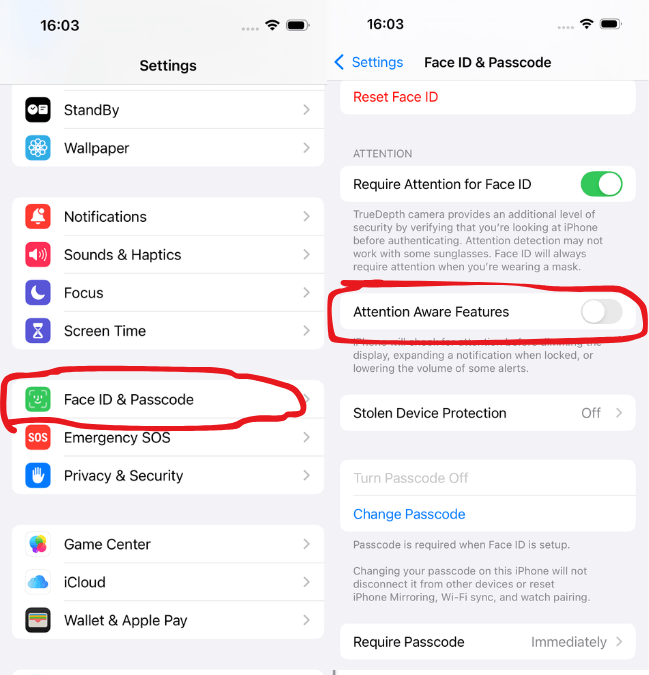
Turn off Attention Aware Features: Go to Settings → Face ID & Passcode and disable it.
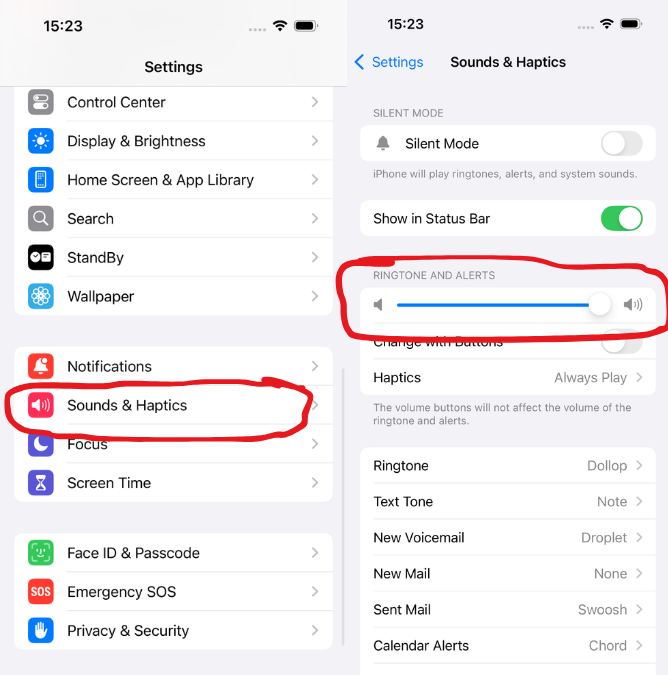
Check Ringer and Alerts volume: Go to Settings → Sounds & Haptics and increase the slider.
Disable “Change with Buttons”: Prevent accidental volume reduction.
Disconnect Bluetooth devices: Make sure the alarm plays through your iPhone speaker.
Clean your speakers: Remove dust or obstructions for clearer sound.
By checking these settings and applying these simple fixes, you can ensure your iPhone alarm stays loud, clear, and reliable every day.
Common Reasons Your iPhone Alarm Isn’t Loud Enough
One common reason is that the alarm volume is linked to the ringtone volume, not the media volume. If your ringtone volume is low, your alarm will also sound quiet—even if videos or music play loudly.
Another important factor is the attention-aware feature. When enabled, your iPhone automatically lowers the alarm sound if it detects that you are looking at the screen. This can make your alarm seem much quieter than expected.
Additionally, features like Do Not Disturb or Focus mode may interfere with how alerts behave, especially if certain settings are customized. In some cases, a soft alarm tone or low-quality sound can also create the impression of low volume.
Lastly, minor software glitches or outdated settings can sometimes prevent the alarm from reaching its full volume.
How to Make Your iPhone Alarm Louder ?
If your iPhone alarm is not loud enough, there are several simple settings you can adjust to increase the volume and make sure you never miss an alarm again. Here are the most common reasons and fixes:
1. Increase Ringtone & Alert Volume
The alarm volume is linked to your ringtone volume, not the media volume.
Go to:
Settings → Sounds & Haptics → Ringer and Alerts Then drag the slider to the maximum level.
Go to Settings → Sounds & Haptics → Ringer and Alerts to adjust your iPhone volume.
👉This is one of the most important steps to make your iPhone alarm louder.
2.Turn Off the “Attention Aware” Feature
Your iPhone may automatically lower the alarm sound if it detects your face.
Go to Settings → Face ID & Passcode Then turn off Attention Aware Features.
Go to Settings → Face ID & Passcode and turn off Attention Aware Features
👉 This prevents your alarm from automatically becoming quieter.
3. Choose a Louder Alarm Sound
Some alarm tones are naturally softer than others.
Open the Clock app → Alarm → Edit
Tap Sound & choose louder tones such as Radar, Apex, and Beacon
👉 Avoid soft or calm sounds if you are a heavy sleeper.
4. Check Focus/Do Not Disturb Mode
Sometimes focus settings can affect alerts.
Go to Settings → Focus Make sure alarm behavior is not restricted.
👉 Alarms usually bypass this, but custom settings can sometimes interfere.
5. Avoid Using Volume Buttons
If “Change with Buttons” is enabled, you might accidentally lower your alarm volume.
👉 Turn it OFF in Sounds & Haptics to keep the volume fixed.
6. Check the speaker and Clean It
Dust or blockages in the speakers can reduce sound quality and volume.
👉 Clean the speaker gently and test the sound using music or a video to make sure it’s working properly.
7. Update Your iPhone
Software bugs can sometimes affect alarm volume.
👉 Go to Settings → General → Software Update
Is alarm volume linked to ringtone volume?
Yes, on an iPhone, the alarm volume is directly linked to the ringtone and alert volume, not the media or music volume. This means that even if your videos or music plays loudly, your alarm can still sound quiet if the ringtone volume is set low.
To control your alarm loudness, you need to adjust the Ringer and Alerts volume:
Go to Settings → Sounds & Haptics
Increase the Ringer and Alerts slider
This setting controls:
Incoming call ringtone
Notification sounds
Alarm volume
Another important detail is the “Change with Buttons” option. If this is turned on, using the volume buttons on the side of your iPhone can accidentally lower your ringtone—and your alarm—without you realizing it.
👉 For a consistent alarm sound, it’s recommended to:
Set the ringtone volume to high
Turn OFF “Change with Buttons”
This ensures your iPhone alarm stays loud and reliable, even if you adjust media volume during the day.
How do I check alarm volume settings on my iPhone?
If your iPhone alarm is not loud, the first thing you should do is check your alarm volume settings. Many users adjust the wrong volume, which is why the alarm still sounds low.
1. Check Ringer & Alerts Volume
The alarm volume is controlled by the ringtone settings.
Go to Settings → Sounds & Haptics
Find Ringer and Alerts
Move the slider to increase the volume
👉 This directly controls how loud your alarm will be.
2. Turn Off “Change with Buttons”
If this option is enabled, you might accidentally lower your alarm volume using the side buttons.
Go to Settings → Sounds & Haptic
Turn OFF Change with Buttons
👉 This keeps your alarm volume fixed and consistent.
3. Test Your Alarm Sound
After adjusting the volume:
Open the Clock app
Tap Alarm → Edit
Select your alarm → Tap Sound
Choose a tone and listen to the preview
👉 This helps you confirm if the alarm is loud enough.
4. Check Attention-Aware Settings
Sometimes your iPhone lowers sound automatically.
Go to Settings → Face ID & Passcode
Turn OFF Attention Aware Features
Does Silent mode affect alarm volume?
No, silent mode does not affect your iPhone alarm volume. Even if your iPhone is set to silent using the side switch, your alarm will still ring at the set volume.
This is because alarms are designed as high-priority alerts, meaning they bypass Silent mode to ensure you don’t miss important wake-up times or reminders.
However, there are a few things to keep in mind. While Silent mode itself won’t lower your alarm, the Ringer and Alerts volume still controls how loud the alarm sounds. If this volume is set low, your alarm may still seem quiet—even in silent mode.
Also, if you are using Focus modes with custom settings, or if your alarm sound is set to a very soft tone, it might give the impression that Silent mode is affecting the volume.
👉 Important:
Silent mode = alarm still rings ✅
Low ringtone volume = alarm sounds quiet ❌
Why Does My Alarm Get Quieter Automatically?
If your iPhone alarm gets quieter automatically, the most common reason is a built-in feature called “Attention Aware.” This feature uses Face ID to detect when you are looking at your iPhone. When it recognizes your attention, it automatically lowers the alarm volume, assuming you are already awake.
This can be helpful for notifications, but for alarms, it often makes the sound feel too quiet—especially if you just glance at your phone while still half asleep.
Attention-Aware Feature
Found in Settings → Face ID & Passcode
When turned ON:
Alarm volume reduces when you look at the screen
When turned OFF:
The alarm stays loud and consistent
Other Possible Reasons
1. Gradual Alarm Sound
Some alarm tones start softly and increase slowly. 👉 This can make it seem like your alarm is getting quieter at first.
2. Low-Volume Alarm Tone
Certain sounds are naturally soft or calm. 👉 Choosing a stronger tone can make a big difference.
3. Software Glitches
Sometimes, minor bugs or outdated iOS versions can affect alarm behavior. 👉 Updating your iPhone can address this issue.
How to Fix Low Alarm Volume on iPhone (Step-by-Step) ?
If your iPhone alarm is not loud, don’t worry—this issue is usually caused by simple settings. Follow these step-by-step fixes to make your alarm loud and reliable again.
1: Increase Ringer & Alerts Volume
The alarm volume depends on your ringtone settings.
Go to Settings → Sounds & Haptics
Find Ringer and Alerts
Drag the slider to maximum
👉 This is the most important step to fix low alarm volume on iPhone.
2: Turn Off “Change with Buttons”
You might accidentally lower the alarm volume using side buttons.
In Sounds & Haptics
Turn OFF Change with Buttons
👉 This keeps your alarm volume fixed.
3: Disable Attention-Aware Feature
Your iPhone may automatically reduce alarm volume when it detects your face.
Go to Settings → Face ID & Passcode
Turn OFF Attention Aware Features
👉 This prevents automatic volume reduction.
4: Choose a Louder Alarm Sound
Some alarm tones are too soft.
Open Clock app → Alarm → Edit
Tap Sound
Select louder tones like:
Radar
Apex
Beacon
👉 Avoid calm or soft tones if you’re a heavy sleeper.
5: Check Focus/Do Not Disturb Settings
Custom focus settings can sometimes affect alerts.
Go to Settings → Focus
Review your settings and allow alarms properly
6: Clean Your iPhone Speakers
Dust or dirt can reduce sound output.
👉 Gently clean your speakers and test the sound using music or videos.
7: Update Your iPhone
Software bugs can cause alarm issues.
Go to Settings → General → Software Update
Install the latest iOS version
Best Loud Alarm Sounds on iPhone
1. Radar (Most Recommended)
One of the loudest and most effective alarm tones
Has a rising, repetitive beeping sound that’s difficult to ignore 👉 Many users prefer it because it gradually increases intensity and wakes you up quickly
2. Alarm (Classic Tone)
Traditional ringing sound
Loud and clear, especially at high volume 👉 Good for people who want a simple but strong wake-up sound
3. Apex
Balanced but still strong
Not too harsh but loud enough for daily use
4. Old Phone
High-pitched, classic ringtone style that easily cuts through background noise
Designed to mimic traditional phone alarms, making it sharp and attention-grabbing 👉 This sound is especially effective for deep sleepers because its high frequency is harder for the brain to ignore, even during heavy sleep
FAQs About iPhone Alarm Issues
Does Do Not Disturb reduce alarm sound?
No, Do Not Disturb does not reduce your iPhone alarm sound. Alarms are treated as high-priority alerts, so they will still ring at the set volume even when Do Not Disturb or Focus mode is turned on.
Will Focus mode mute my alarm?
No, Focus mode will not mute your iPhone alarm. Just like Do Not Disturb, Focus modes are designed to silence calls, messages, and notifications—but alarms from the Clock app will still ring at the set volume.
Conclusion
If you’ve been struggling with the iPhone alarm not being loud? Issue, the good news is that it’s usually easy to fix. By adjusting the ringer and alerts volume, choosing a louder alarm tone, and turning off features like Attention Aware, you can quickly make your alarm much more reliable. Small settings can make a big difference, so take a few minutes to check everything properly. Once optimized, you won’t have to worry about missing important mornings again—your iPhone alarm will be loud, clear, and dependable every time.
Choosing between theApple iPhone 17 and theGoogle Pixel 10 isn’t easy. Both are flagship smartphones packed with cutting-edge features, powerful hardware, and advanced AI capabilities.
In this iPhone 17 vs Google Pixel 10 comparison, we’ll break down everything you need to know—from design and performance to camera quality and battery life. Whether you’re upgrading your phone or switching ecosystems, this guide will help you decide which device is right for you.
Comparison of the iPhone 17 and Google Pixel 10, highlighting design, performance, and smart features.
👉 The iPhone 17 is better if you want smoother performance, a brighter 120Hz display, better video quality, and a premium, lightweight design with powerful A19 performance. However, the Pixel 10 is better if you prefer AI features, a better zoom camera, longer battery life, and a more affordable phone with a clean Android experience.
We can decide based on these features, but let’s take a closer look at them, along with other important factors, step by step.
Design and Display Comparison
Build Quality and Design
When comparing the iPhone 17 vs Google Pixel 10 design, both devices deliver a premium feel but with clear differences. The Apple iPhone 17 features a sleek aluminum (or titanium-style) frame with refined edges, weighing just 177 g and measuring 7.95 mm thick, making it lighter and more comfortable to hold. It also uses Ceramic Shield 2 on the front and a reinforced glass back, along with IP68 water resistance up to 6 m for 30 minutes.
In contrast, the Google Pixel 10 follows a minimalist design with its signature camera bar and matte finish but is heavier at 204 g and thicker at 8.6 mm. It comes with Gorilla Glass Victus 2 on both sides and IP68 protection up to 1.5m.
Display Experience
When comparing the iPhone 17 vs Google Pixel 10 display, both phones feature a 6.3-inch OLED screen, but the iPhone clearly takes the lead in overall experience. The iPhone 17 offers a smoother 1–120Hz ProMotion refresh rate with Always-On display support, delivering better responsiveness and convenience, along with an impressive 3000 nits peak brightness for excellent outdoor visibility. It also includes a seven-layer anti-reflective coating, reducing glare significantly.
In comparison, the Pixel 10 provides a 60–120Hz refresh rate with the same brightness but lacks advanced anti-reflective technology.
Real-world use:
Watching videos: Both phones perform excellently
Outdoor use: iPhone 17 is slightly brighter
Reading/text: Pixel 10 feels more natural on the eyes
Performance and Software
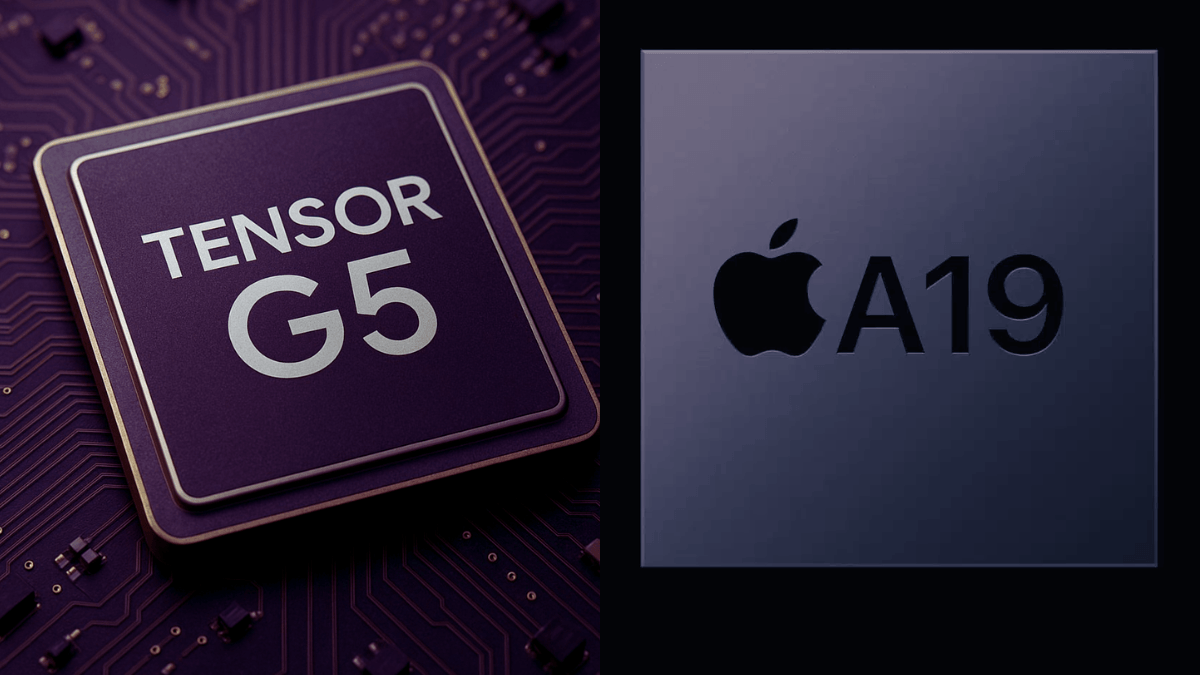
A visual comparison of the Tensor G5 chip in the Google Pixel 10 and the A19 chip in the iPhone 17.
Processing Power
When it comes to iPhone 17 vs Google Pixel 10 performance, both devices offer powerful hardware tailored to different user needs. The iPhone 17 is powered by Apple’s A19 chip with a 5-core GPU and 8GB RAM, delivering fast, efficient performance and smooth optimization for gaming and everyday tasks.
On the other hand, the Pixel 10 runs on Google’s Tensor G5 chip with a 6-core GPU and 12GB RAM, making it excellent for AI-driven features and multitasking. While Apple focuses on efficiency, Google emphasizes smart performance. Looking for speed or smarter features? Keep reading to find your perfect match.
Software Experience
iPhone 17 (iOS)
Smooth, stable, and optimized
Long-term updates (5+ years)
Pixel 10 (Android)
Clean Android experience
Faster access to new features
Highly customizable
AI Capabilities
This is where Pixel stands out.
Pixel 10:
Advanced AI photo editing
Call screening and voice features
iPhone 17:
Improving AI ecosystem
Better integration across Apple devices
👉 Verdict:
Performance → iPhone 17 wins
AI & smart features → Pixel 10 wins
Camera Comparison
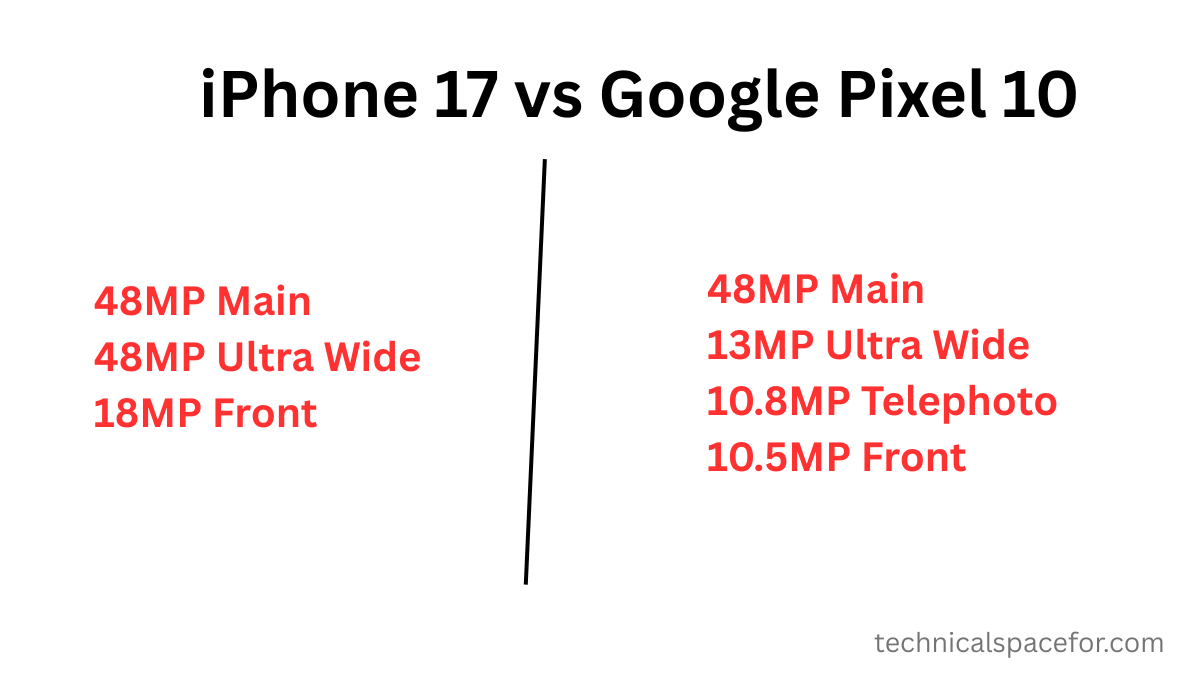
Camera specifications, including main, ultrawide, telephoto, and front cameras.
When comparing the iPhone 17 vs Google Pixel 10 camera, both smartphones deliver impressive photography but cater to different needs. The iPhone 17 features a dual-camera setup with a powerful 48MP wide sensor and 48MP ultrawide lens, capturing sharp and detailed shots, along with an 18MP front camera with OIS for stable selfies and smooth 4K60 video recording.
In contrast, the Pixel 10 offers a more versatile triple-camera system, including a 48MP wide lens, a 13MP ultrawide, and a 10.8MP telephoto with 5x optical zoom (up to 30x digital), making it ideal for long-range photography.
Photography
The Pixel 10 continues Google’s dominance in computational photography.
Pixel 10
Exceptional low-light performance
AI-enhanced image processing
Best-in-class portrait mode
iPhone 17
Natural color accuracy
Consistent results across all lenses
Excellent video recording
Video Recording
iPhone 17 leads in video quality and stabilization
Pixel 10 is good, but still slightly behind
Real-World Use Cases
Social media creators → iPhone 17
Photography lovers → Pixel 10
Everyday users → Both excellent
Battery Life and Charging
Battery Life Comparison
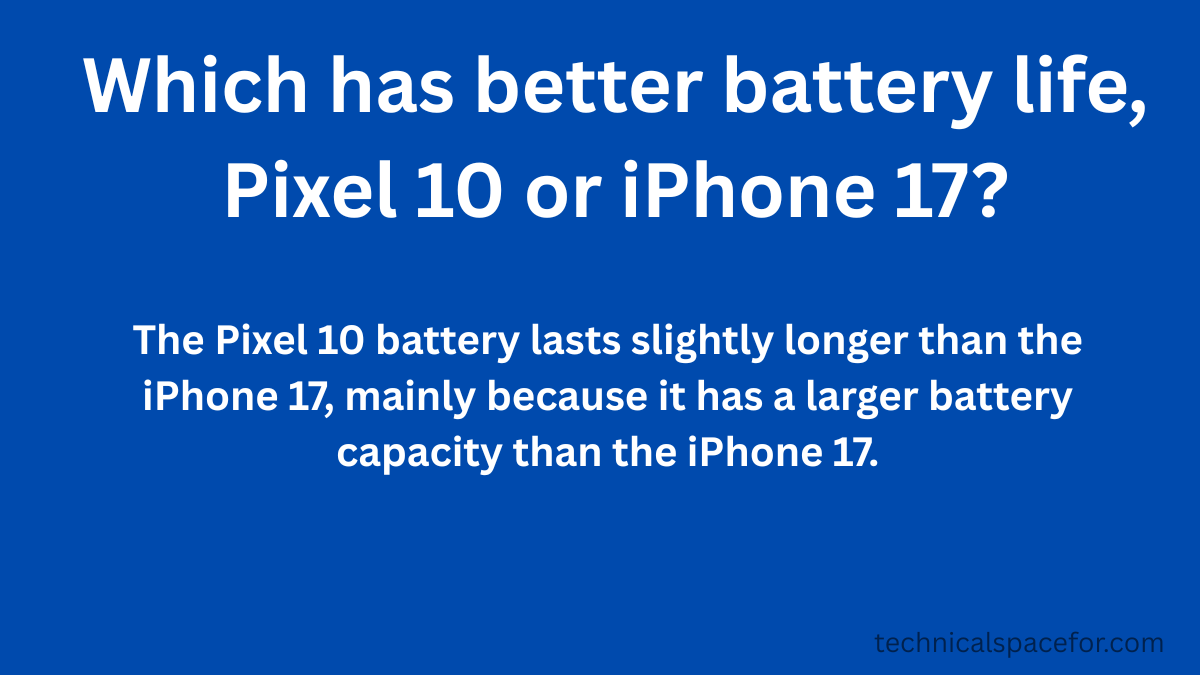
When comparing the iPhone 17 vs Google Pixel 10 battery, the difference in capacity and charging features is noticeable. The iPhone 17 comes with a 3692 mAh battery, offering fast wired charging with 50% in around 20 minutes using a 40W adapter, along with 25W MagSafe and 4.5W reverse wired charging.
In contrast, the Pixel 10 packs a larger 4970 mAh battery, providing longer usage time, and supports a 55% charge in about 30 minutes with a 30W adapter. It also features 15W Qi2 wireless charging with PixelSnap and 4.5W reverse wireless charging.
Battery Performance
iPhone 17
Optimized battery usage with iOS
Reliable all-day performance
Pixel 10
AI-based battery management
Adapts to your usage habits
Charging
Both support fast charging
Wireless charging available on both
👉 Real-world result:
Heavy users → iPhone slightly more consistent
Smart optimization → Pixel adapts better over time
Price and Value
When comparing the iPhone 17 vs Google Pixel 10 price, both smartphones offer competitive options depending on your storage needs. The iPhone 17 starts at $799 for the 256GB model and goes up to $999 for 512GB, based on Apple’s official pricing at launch, though prices may vary by region.
In contrast, the Google Pixel 10 is priced at $799 for the 128GB model and $899 for 256GB, while also including 12GB of RAM as standard. For the most accurate and up-to-date pricing, you can check the official Google Pixel website here. This makes the Pixel a strong value choice, while the iPhone offers higher base storage.
Pros and Cons
iPhone 17
Pros:
ProMotion Display (120Hz + Always-On) One of the biggest upgrades is the smooth 120Hz ProMotion display with Always-On, which was previously only available on Pro models. It makes scrolling, gaming, and everyday use much smoother and more premium.
Powerful A19 Chip & Better Battery
The new A19 chip delivers faster performance, better efficiency, and improved AI capabilities, making the phone extremely responsive for multitasking and gaming.
Advanced Camera System (Dual 48MP Rear Cameras )
The iPhone 17 features 48MP cameras (main + ultrawide) and a new 18MP Center Stage front camera, offering sharper photos, better selfies, and smart framing for videos
Doubled Base Storage
The starting storage capacity has been doubled from 128 GB to 256 GB.
Brighter & Better Display
The display is very bright and easy to see, even in strong sunlight.
Improved Durability
The new Ceramic Shield 2 makes the screen tougher and more scratch-resistant than before
Cons:
Expensive
Less customizable
AI features are still evolving
Pixel 10
Pros:
Advanced AI with Tensor G5 chip
The Pixel 10 is powered by Google’s Tensor G5 chip, designed to deliver faster performance and powerful on-device AI features like real-time assistance, smarter typing, and voice tools.
Smart Camera System with Zoom
It features a versatile triple-camera setup, including a 5x telephoto lens, allowing high-quality zoom and AI-enhanced photography.
AI Photography & Features
Google focuses heavily on computational photography, offering features like automatic photo enhancement and smart editing powered by AI.
Clean Android Experience
The Pixel 10 provides a smooth, bloat-free Android experience with exclusive Google features and long-term updates.
All-day Battery + Smart Optimization
With smart optimization, the battery easily lasts a full day, even with heavy use.
Cons:
Slightly weaker raw performance
Video not as strong as iPhone
Smaller ecosystem
Which One Should You Buy? (Final Verdict)
Choose iPhone 17 if you:
Want long-term reliability.
Use Apple devices (Mac, iPad, AirPods).
Care about performance and video quality.
Choose Pixel 10 if you:
Love photography and AI features.
Prefer Android customization.
Want better value for money.
So, iPhone 17 vs Google Pixel 10—which is better?
Best overall: iPhone 17
Best for camera & AI: Pixel 10
If you want a powerful, reliable, long-lasting phone, go with the iPhone 17. If you prefer smart features, AI tools, and photography, the Pixel 10 is the better choice.
FAQ
1. Is Pixel 10 better than iPhone 17?
Pixel 10 has the better camera overall because of its zoom and AI features, while the iPhone 17 is better for natural photos and video quality.
2. Which has a better camera: iPhone 17 vs Google Pixel 10?
Pixel 10 has the better camera overall because of its zoom and AI features, while the iPhone 17 is better for natural photos and video quality.
3. Which phone lasts longer?
The Pixel 10 lasts longer in daily battery life, but the iPhone 17 lasts longer overall in long-term usage (years) due to better software support and optimization.
4. Is Pixel 10 cheaper than iPhone 17?
Yes, Pixel 10 is usually more affordable while offering strong features. Both phones start at $799, but the Pixel 10 is cheaper overall because it has a lower-priced 256GB option and also offers a more affordable 128GB model.
5. Should I switch from an iPhone to a Pixel 10?
Yes, you have to switch to the Pixel 10 if you want more AI features, better zoom, and a lower price, but stay with the iPhone if you prefer a smoother, simpler experience and the Apple ecosystem.
eSIM technology is becoming more popular in modern smartphones, offering a convenient way to connect without using a physical SIM card. While many people focus on its advantages, it’s equally important to understand the disadvantages of an eSIM before making the switch.
A major recent update is that Apple has expanded eSIM-only iPhones to around 12 countries with the iPhone 17 series, including the United States, Japan, and Canada. This makes it important to understand how eSIM works, especially if you plan to travel to these regions.
From compatibility issues to potential limitations while traveling, eSIM may not always be the perfect choice for everyone. In this guide, we’ll explore the key drawbacks of eSIM to help you decide if it’s right for your needs.
First of all, let’s understand what the disadvantages of an eSIM are :
The disadvantages of an eSIM are limited support on older phones, difficulty switching devices quickly, and the need for internet to activate it. It may also rely on cloud backup for data, offer less flexibility, and raise some privacy concerns.
eSIMs are convenient, but they have some drawbacks. Here are the main disadvantages to know before choosing one.
Difficult Device Switching Unlike physical SIM cards, you cannot simply remove an eSIM and put it into another phone if your device breaks or if you swap phones frequently. Transferring an eSIM usually requires contacting your carrier or activating a new profile.
Activation Hurdles Activating an eSIM requires a stable internet connection (usually Wi-Fi), which can be difficult to access immediately, especially when arriving in a new country.
Limited Device Compatibility Not all smartphones support eSIM, particularly older models or budget devices, which can restrict your options.
Troubleshooting and Recovery Issues If your phone’s screen breaks, freezes, or malfunctions, you cannot easily remove the eSIM to access your phone number or contacts on another device.
Carrier Restrictions Some carriers lock phones to their network, limiting your ability to use eSIMs from other providers, particularly in certain markets.
Less Cost-Effective for Long-Term Travel Travel eSIM providers can be more expensive than buying a local physical SIM card if you stay in a country for more than a month.
Privacy and Security Concerns Because the eSIM is embedded and cannot be physically removed, it can be harder to fully disconnect a device from a network, which may raise privacy or security concerns.
First of all, let’s understand what exactly an eSIM is :
What Is an eSIM and How Does It Work?
An eSIM (embedded SIM) is a digital SIM card built directly into your device that works as a digital replacement for a physical SIM card, so you don’t need a physical SIM card. It allows you to activate a mobile network plan by scanning a QR code or downloading it through your phone settings.
An eSIM works by storing your mobile network information digitally inside your device. Instead of inserting a physical SIM card, you simply download a mobile plan by scanning a QR code or using an app provided by your carrier. Once activated, your phone connects to the network just like a regular SIM. You can also switch between different plans or carriers directly from your device settings without removing anything.
eSIM vs Physical SIM: What’s the Difference?
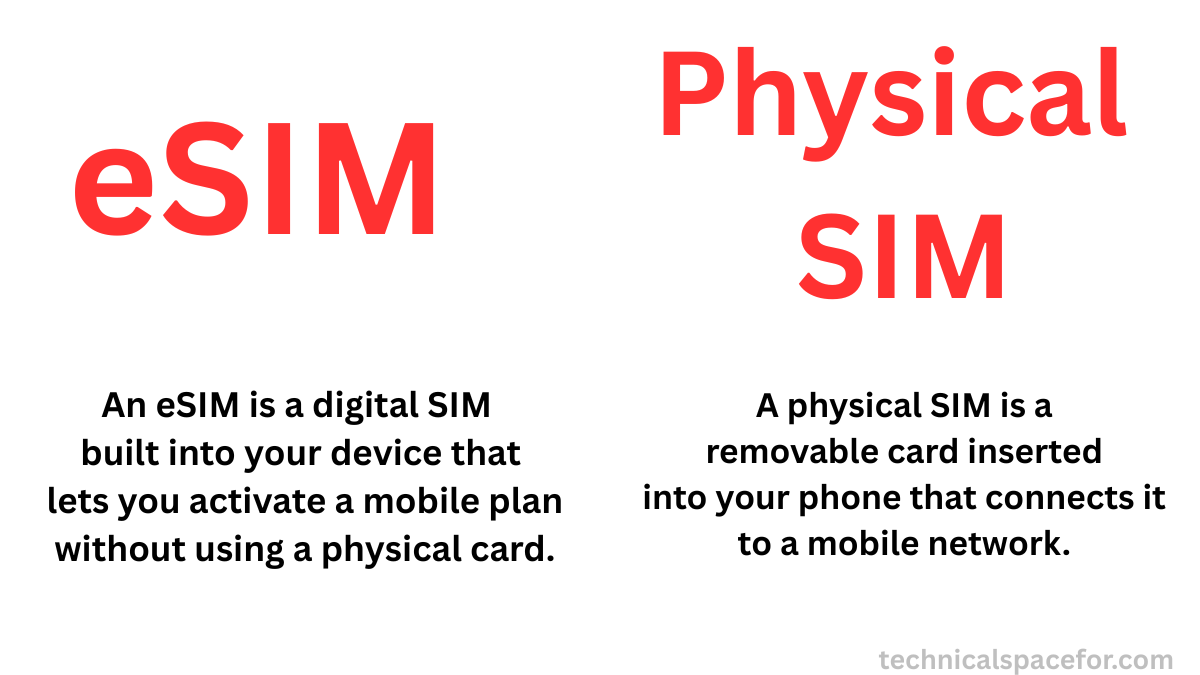
eSIM vs physical SIM: comparing digital convenience with traditional removable SIM cards
The main difference between an eSIM and a physical SIM is how they are used and managed. A physical SIM is a removable card that you insert into your phone, while an eSIM is built into your device and works digitally.
With a physical SIM, you need to remove and replace the card when switching devices or carriers. In contrast, an eSIM allows you to switch networks by downloading a plan, making the process faster and more convenient.
While both serve the same purpose of connecting your device to a mobile network, they differ in how they are installed, used, and managed.
The table below highlights the key differences to help you quickly compare and decide which one suits you best.
eSIM
Physical SIM
Embedded in the device
Removable card
Activated digitally (QR code / app)
Inserted manually into SIM slot
No need to swap cards
Requires swapping SIM cards
Easy to switch carriers digitally
Must replace SIM to switch carriers
Can store multiple profiles
Usually one profile per SIM
Supported on newer devices only
Works on almost all devices
Great for travel (instant plans)
Need to buy local SIM when traveling
Cannot be lost or damaged physically
Can be lost or damaged
More secure (harder to remove)
Easier to remove
Requires setup to transfer devices
Easy to move between devices
What Is a Physical SIM Card and How Does It Work?
A physical SIM card is a small, removable chip that stores your mobile phone’s subscriber information, allowing your device to connect to a carrier’s network. It contains important data like your phone number, network authorization, and sometimes contacts. When you insert a SIM card into your phone, it identifies you to the network, enabling you to make calls, send messages, and use mobile data.
Physical SIM cards are easy to swap between devices, which makes them convenient if you change phones frequently or travel internationally. However, unlike eSIMs, they require a physical card for each device and carrier.
A physical SIM card works by storing your mobile subscriber information, such as your phone number and carrier details. When you insert it into your phone, it connects your device to your carrier’s network, allowing you to make calls, send messages, and use mobile data. The SIM card acts like an ID card for your phone, letting the network recognize and authenticate your device.
It is removable, so you can easily switch it between compatible phones, making it convenient for device upgrades or international travel.
What is the cost of using an eSIM compared to a physical SIM?
The cost of using an eSIM is usually similar to a physical SIM, but eSIM plans can sometimes be slightly more expensive, especially for international or multi-country use, due to convenience and flexibility.
When comparing eSIMs and physical SIMs, cost is an important factor to consider. While the monthly plan fees are often similar, there are differences in activation, travel options, and extra charges that can affect your overall expense. Here are the main points to understand about the cost of using an eSIM versus a physical SIM.
Plan Pricing Is Often Similar For standard mobile plans with the same data, talk, and text, many carriers charge about the same price whether you use an eSIM or a physical SIM. There’s usually no difference in the monthly service cost itself.
Activation and Card Fees eSIM activation is often free or included when you sign up, while physical SIM cards can sometimes have a small fee for the card itself, delivery, or replacement.
Travel eSIM Plans vs Local SIMs For travel or short-term data, eSIM plans (especially from travel eSIM providers) are often competitive or cheaper than buying physical SIMs from local carriers, particularly for short trips. However, prices vary by destination, and local physical SIMs can be cheaper in some countries for longer stays.
Hidden Cost Differences Physical SIMs can incur shipping, replacement, or store purchase costs, whereas eSIMs eliminate these physical card expenses.
Are there any benefits of using an eSIM?
Using an eSIM offers several advantages over traditional SIM cards. From easy digital activation to better security and travel convenience, eSIMs make managing multiple carriers and plans simpler while reducing the risk of loss or damage.
Here are the main benefits of using an eSIM.
Convenient Activation eSIMs can be activated digitally via QR code or carrier app—no need to handle physical cards.
Multiple Carrier Profiles Many eSIMs can store multiple network profiles on a single device, making it easy to switch carriers or plans without changing SIMs.
Ideal for Travel You can download local data plans instantly when traveling, avoiding the need to buy and swap physical SIM cards.
Space-Saving Design Because they are embedded in the device, eSIMs save space inside smartphones, allowing for slimmer designs or extra features like larger batteries.
Less Risk of Loss or Damage Unlike physical SIMs, eSIMs cannot be lost, stolen, or physically damaged.
Enhanced Security Being embedded makes eSIMs harder to remove or tamper with, offering better protection against theft or unauthorized use.
Supports Dual SIM Functionality Many modern phones allow using both a physical SIM and an eSIM simultaneously, letting you manage work and personal numbers on one device.
Hardware Improvements: Without a physical SIM tray, manufacturers have more internal space for larger batteries or improved water/dust resistance.
Which should I choose: local SIM or eSIM?
Choosing between a local SIM and an eSIM depends on your needs and how you use your phone. If you want the easiest setup with digital activation, the ability to store multiple plans, and great flexibility for switching carriers or getting travel data instantly, an eSIM is often the better choice — especially for short trips or frequent travelers.
You need to choose a physical SIM when your device doesn’t support eSIM, but Even if your phone supports eSIM, you can choose a physical SIM when staying long-term in one country, traveling to places where eSIM isn’t supported, needing to swap SIMs between multiple devices, or preferring instant activation without relying on Wi-Fi.
if you need wide compatibility, plan to stay in one place for a long time, or your phone doesn’t support eSIM, then a local physical SIM might be more practical and sometimes more affordable for long-term use.
In short:
Choose eSIM for convenience, flexibility, and travel.
Choose local SIM for simplicity, broad support, and long-term stays.
eSIM FAQs: Frequently Asked Questions
1. Are there any disadvantages of using esim on iphone ?
Yes, there are some disadvantages of an eSIM on iphone. Unlike physical SIM cards, eSIMs cannot be easily removed or quickly transferred between devices, making it less convenient in situations like phone loss or switching devices. The setup and activation process can also be more complex, often requiring QR codes, apps, and a stable internet connection.
Additionally, not all carriers fully support eSIM, which may limit your options, especially when traveling. Since eSIM is embedded in the device, it offers less flexibility and depends on software, meaning bugs or system issues can sometimes affect connectivity. In certain regions, limited eSIM support can also make physical SIM cards a more reliable choice.
2. Are there any disadvantages of using esim on Android ?
Yes, there are several disadvantages of eSIM on Android devices. Unlike physical SIM cards, eSIMs cannot be easily removed or swapped, making it less convenient to switch devices or handle emergencies. The setup process can be more complicated, often requiring QR codes, apps, and a stable internet connection for activation.
Additionally, not all Android phones and mobile carriers fully support eSIM, which can limit your options. Since eSIM depends on software, bugs or system issues may sometimes affect connectivity, and it offers less flexibility compared to a physical SIM. Furthermore, in some regions, especially when traveling, eSIM support may still be limited, making physical SIM cards a more reliable choice.
3. Is eSIM better than a physical SIM when traveling?
eSIM is generally better than a physical SIM when traveling because it allows instant activation, easy switching between countries, and no need to physically swap SIM cards, making it very convenient for short trips and multi-country travel. However, physical SIM cards can be a better option for long-term stays, as they are often cheaper, provide a local phone number for calls and SMS, and may offer better coverage in some regions.
Overall, eSIM is ideal for convenience and flexibility, while physical SIM is more suitable for extended travel and reliability.
4. How do you activate and manage an eSIM compared to a SIM card?
Activating and managing an eSIM is done entirely digitally, whereas a physical SIM card requires manual insertion into your device. With eSIM, you typically scan a QR code, download a carrier profile, or use a mobile app to activate your plan, and you can manage or switch plans directly from your phone settings. In contrast, a physical SIM must be physically inserted, removed, or replaced when changing carriers or devices.
Overall, eSIM offers more convenience and flexibility through software, while physical SIM cards provide a simpler, hands-on setup.
5. What should I know before changing from a SIM card to eSIM?
Before switching from a physical SIM card to an eSIM, you should make sure your device supports eSIM and that your mobile carrier offers compatible plans. It’s important to have a stable internet connection for activation, as the setup is done digitally using a QR code or carrier app. You should also back up your data and confirm whether your current SIM can be easily transferred or reactivated if needed.
Additionally, keep in mind that switching devices or troubleshooting issues may be less convenient with eSIM compared to simply swapping a physical SIM, so understanding the activation and transfer process in advance can help avoid problems.
Conclusion: Is eSIM Right for You?
While eSIM technology offers modern convenience and flexibility, it’s important to understand the disadvantages of an eSIM before making the switch. From limited device and carrier support to difficulties in switching devices and reliance on internet activation, eSIM may not be ideal for every user. However, for those who value digital convenience, travel flexibility, and the ability to manage multiple plans easily, eSIM can still be a great option.
Ultimately, the right choice depends on your needs—if you prioritize simplicity and compatibility, a physical SIM may be better, but if you prefer a more advanced and flexible experience, eSIM is worth considering.
Choosing between the [Samsung Galaxy S26 vs S26+ vs S26 Ultra] can be confusing, especially with so many similar features. In this guide, we compare all Galaxy S26 models in detail, including specifications, key differences, and which model is best for your needs in 2026.
Backside view of Samsung Galaxy S26, S26+, and S26 Ultra highlighting camera layout and design differences
The Samsung Galaxy S26 series includes three main models: the standard Galaxy S26, the Galaxy S26+, and the premium Galaxy S26 Ultra. When comparing the Samsung Galaxy S26 vs S26+ vs S26 Ultra, each model is designed for different types of users. The base model offers balanced performance at a more affordable price, while the Plus version provides a larger display and better battery life.
On the other hand, the Ultra model stands out with advanced camera features, powerful performance, and premium design. In this Galaxy S26 models comparison, we will explore the key differences, specifications, and help you decide which model is the best choice for your needs in 2026.
Samsung Galaxy S26 vs S26+ vs S26 Ultra: Key Differences
When comparing the Samsung Galaxy S26 vs S26+ vs S26 Ultra, the key differences mainly come down to display size, battery capacity, camera performance, and overall features. The Galaxy S26 is the most compact and affordable option, making it suitable for everyday users who want a balanced smartphone. The Galaxy S26+ offers a larger screen and bigger battery, which is ideal for users who prefer more screen space and longer usage time.
In contrast, the Galaxy S26 Ultra is the most advanced model, featuring a high-end camera system, premium build quality, and top-level performance. Overall, each model serves a different purpose, so choosing the right one depends on your budget and how you plan to use your device.
Samsung Galaxy S26 vs S26+ vs S26 Ultra: Specs Comparison Table
To better understand the differences between the Samsung Galaxy S26 vs S26+ vs S26 Ultra, it’s important to compare their core specifications side by side. The table below highlights the key specs, including display, performance, camera, battery, and pricing, so you can quickly see which model offers the best value for your needs.
Feature
Galaxy S26
Galaxy S26+
Galaxy S26 Ultra
Operating System
Android 16,up to 7 major Android upgrades, One UI 8.5
Android 16, up to 7 major Android upgrades, One UI 8.5
Android 16, up to 7 major Android upgrades, One UI 8
Processor
Qualcomm Snapdragon 8 Elite Gen 5 (3nm)
Qualcomm Snapdragon 8 Elite Gen 5 (3nm)
Qualcomm Snapdragon 8 Elite Gen 5 for Galaxy (3nm)
Now that we’ve looked at the overall specifications, let’s break down the Samsung Galaxy S26 vs S26+ vs S26 Ultra in more detail. In this section, we compare each model directly to highlight their real-world differences and help you choose the right device based on your needs.
S26 vs S26+
When comparing the Galaxy S26 vs S26+, the main differences come down to size and battery life. Both models offer similar performance, camera quality, and core features, but the Galaxy S26+ comes with a larger display, making it better for watching videos, gaming, and multitasking. It also includes a bigger battery, which provides longer usage time throughout the day.
On the other hand, the Galaxy S26 is more compact and easier to use with one hand, making it ideal for users who prefer a lightweight and portable smartphone.
S26 vs S26 Ultra
The comparison between the Galaxy S26 and S26 Ultra shows a significant gap in features and performance. While the Galaxy S26 is designed for everyday use with balanced specifications, the Galaxy S26 Ultra is a premium flagship device with advanced capabilities.
The Ultra model offers a superior camera system, including high-resolution sensors and powerful zoom features, making it perfect for photography enthusiasts. It also includes a larger display, a bigger battery, and support for the S Pen, which adds extra productivity features.However, these upgrades come at a higher price compared to the standard S26.
S26+ vs S26 Ultra
When comparing the Galaxy S26+ vs S26 Ultra, both devices offer strong performance and large displays, with a 6.7-inch screen on the S26+ and a 6.9-inch screen on the S26 Ultra, but the Ultra model clearly stands out as the more advanced option.
The Galaxy S26+ is a great choice for users who want a bigger screen and Galaxy S26 Ultra is a great choice for users who want longer battery life without spending too much. In contrast, the Galaxy S26 Ultra offers top-tier features such as a more advanced camera system, premium design, and S Pen support.
If you need the best performance and camera capabilities, the Ultra is the better choice, while the S26+ is ideal for those who want a balance between price and performance.
Pros and Cons of Samsung Galaxy S26 Series
Pros
Strong performance across all models with the latest processor
Premium design and build quality
Smooth display with 120Hz refresh rate
Good camera performance on all devices
Multiple options to fit different budgets and needs
Cons
Higher price, especially for the Ultra model
Limited major upgrades compared to previous generation
Large size may not be comfortable for all users
S Pen only available on the Ultra model
No expandable storage option
Overall, the Samsung Galaxy S26 series offers a great balance of performance, design, and features. However, the choice depends on your budget and whether you need premium features like the advanced camera and S Pen available on the Ultra model.
FAQ ( Frequently Asked Questions )
Which Galaxy S26 model is best?
The Galaxy S26 Ultra is the best model in the series, offering the most advanced camera, premium design, and top-level performance. However, if you are looking for a more affordable option, the Galaxy S26 or S26+ can be a better choice.
What is the difference between S26 and S26+?
The main difference between the Galaxy S26 and S26+ is the display size and battery capacity. The S26+ has a larger screen and a bigger battery, while the S26 is more compact and easier to use with one hand.
Is the Galaxy S26 Ultra worth buying in 2026?
Yes, the Galaxy S26 Ultra is worth buying if you want the best features, especially for photography, performance, and productivity. It is ideal for power users, but it comes at a higher price.
Which Galaxy S26 model should I buy?
You should choose the Galaxy S26 if you want a compact and affordable device, the S26+ if you prefer a larger screen and better battery life, and the S26 Ultra if you want the most advanced features and camera performance.
Does the Galaxy S26 series support 5G?
Yes, all models in the Galaxy S26 series support 5G connectivity, allowing faster internet speeds and better network performance.
Is there a big difference between S26+ and S26 Ultra?
Yes, the S26 Ultra offers a more advanced camera system, higher-end features, and S Pen support, while the S26+ focuses on providing a large display and good battery life at a lower price.
Final verdict: Which Galaxy S26 should I buy ?
Choosing between the Samsung Galaxy S26 vs S26+ vs S26 Ultra depends mainly on your budget and how you plan to use your smartphone. Each model is designed for a different type of user, so the best choice comes down to your personal needs.
If you want a compact, affordable, and well-balanced smartphone, the Galaxy S26 is the right choice. It offers solid performance, good camera quality, and all the essential features without a high price.
If you prefer a larger display and longer battery life, the Galaxy S26+ is a better option. It is ideal for watching videos, gaming, and multitasking while still maintaining a reasonable price compared to the Ultra model.
However, if you want the best of everything, the Galaxy S26 Ultra is the ultimate flagship. It delivers the most advanced camera system, premium design, powerful performance, and additional features like S Pen support. This model is perfect for users who want top-tier performance and are willing to pay more for it.
Samsung Galaxy S26 Ultra is one of Samsung’s most advanced flagship phones, released on March 11, 2026. It is the slimmest Ultra ever and comes with an upgraded Snapdragon 8 Gen 5 processor, faster 60W wired charging, a large display with a unique built-in Privacy Display, five advanced cameras, and Galaxy AI features. Its long-lasting battery and advanced camera system ensure excellent performance for both work and entertainment.
The Samsung Galaxy S26 Ultra Specifications highlight these premium features, showing why this phone delivers a truly top-tier mobile experience, and the phone is available in six stunning colors, giving users plenty of style options.
Explore the Color Variants of the Samsung Galaxy S26 Ultra
Last year, Samsung released the Samsung Galaxy S25 Ultra, and this year, Samsung released the Samsung Galaxy S26 Ultra with several upgrades.
The Samsung Galaxy S25 Ultra and S26 Ultra have the same prices for the 256 GB and 512 GB models, but the 1 TB model of the S26 Ultra is slightly more expensive at $1,799.99 compared to $1,659.99 for the S25 Ultra.
You can also check the Samsung Galaxy website for the official prices.
The prices of Samsung Galaxy S26 Ultra are shown below in the table :
Storage
Price (USD)
256 GB
$1,299.99
512 GB
$1,499.99
1 TB
$1,799.99
This table shows the official US prices of the Samsung Galaxy S26 Ultra according to storage capacity. Prices may vary depending on the region, retailer, taxes, or ongoing promotions.
Storage
Price (GBP)
256 GB
~£1,280–£1,449
512 GB
~£1,450–£1,530
1 TB
~£1,530
This table shows the official UK prices of the Samsung Galaxy S26 Ultra based on storage capacity. Prices may vary depending on the retailer, region, taxes, or special promotions.
Samsung Galaxy S26 Ultra Specifications
The Samsung Galaxy S26 Ultra Specifications highlight a powerful flagship smartphone with a stunning AMOLED display, advanced 200MP camera system, fast performance, and a long-lasting 5000mAh battery, making it one of the most impressive Galaxy devices. More details are given below.
Operating System: Android 16, up to 7 major Android upgrades, One UI 8
Processor: Qualcomm Snapdragon 8 Elite Gen 5 for Galaxy (3nm)
Dimensions: 163.6 x 78.1 x 7.9 mm (6.44 x 3.07 x 0.31 inch)
Special Features: Galaxy AI features, S Pen support, Samsung DeX
Display and Premium Design
This phone features a sleek premium design with durable materials and a refined finish.
Display Features
The Samsung Galaxy S26 Ultra boasts a 6.9-inch Dynamic AMOLED 2X display with a high-resolution of 3120 × 1440 pixels, delivering crisp, sharp, and vibrant visuals. The front is protected by Corning Gorilla Glass Armor 2, ensuring excellent durability against scratches and minor drops.
With a peak brightness of 2600 nits, the display remains bright and clear even under direct sunlight, making it perfect for watching videos, gaming, or browsing outdoors. These display features are a key highlight of the Samsung Galaxy S26 Ultra Specifications.
Privacy Display
The Samsung Galaxy S26 Ultra introduces the world’s first mobile Privacy Display, designed to protect your personal information. With this feature, you can customize what to hide on your screen, including specific apps, incoming notifications, settings, the lock screen, or even when entering your PIN or password in secure folders. By manually turning on the Privacy Screen, the entire display becomes less visible to those around you, ensuring your data stays private.
In addition to enhanced privacy, the Galaxy S26 Ultra also features a refined design with a new glass camera island that seamlessly integrates with the device, combining both functionality and a premium look.
Design and Build
The Samsung Galaxy S26 Ultra measures 163.6 × 78.1 × 7.9 mm, making it the slimmest Ultra model ever while maintaining a perfectly balanced design. The back is made of Gorilla Glass Victus and features a durable Armor Aluminum frame, giving the phone a premium and sturdy feel. It also includes the largest vapor chamber in Samsung Galaxy history, ensuring efficient heat dissipation for smooth performance during gaming and heavy use.
Additionally, the device is IP68 rated, meaning it is water and dust resistant up to 1.5 meters for 30 minutes, providing extra durability and peace of mind. These design details are an important part of the Samsung Galaxy S26 Ultra Specifications.
The Samsung Galaxy S26 Ultra is designed with a clean and functional layout. On the right side, it has two buttons: a power button for turning the phone on/off and locking the screen, and a volume button for adjusting sound. The left side has no buttons, keeping the design sleek and minimal. At the top, there are two openings: a primary microphone and an air vent, while the bottom houses the USB-C charging port, another microphone, the speaker grill, and the S Pen slot (if included). This thoughtful arrangement ensures both ease of use and a premium design.
Camera System and Photography Features
The powerful camera setup of the Samsung Galaxy S26 Ultra designed for stunning photos and videos.
The Samsung Galaxy S26 Ultra features the brightest camera system in Samsung Galaxy history, designed to capture clear and detailed photos in different lighting conditions. The phone has five cameras in total, including four rear cameras: a main wide camera, an ultra-wide camera, a telephoto camera, and a periscope telephoto camera for zoom photography.
In addition, it also includes one front camera for selfies and video calls, giving users a versatile camera system for both photos and videos.
Rear Cameras :
200MP main camera
This phone has a 200-megapixel main wide camera that can capture very detailed and high-resolution photos. Its ProVisual Engine processes images in real time to keep textures sharp and colors clear, helping produce rich, high-quality pictures. The f/1.4 aperture allows more light to enter the camera, helping take brighter photos, especially in low-light conditions. The 23mm wide lens is suitable for everyday photography such as landscapes, portraits, and general shots.
The 1/1.3-inch sensor helps capture more light and detail, while the 0.6µm pixels assist in producing sharp images.
It also includes multi-directional PDAF (fast autofocus), which quickly focuses on subjects, and OIS (Optical Image Stabilization) to reduce blur caused by hand movement. These advanced camera features are an important part of the Samsung Galaxy S26 Ultra Specifications.
50MP ultra-wide camera
This phone includes a 50-megapixel ultra-wide camera that can capture a much wider scene (120° field of view) compared to the main camera. It is perfect for landscape photos, group pictures, and large environments.
The f/1.9 aperture allows a good amount of light to enter the camera, helping produce bright and clear photos even in moderately low light. The 1/2.5-inch sensor and 0.7µm pixels help capture detailed images.
It also features dual-pixel PDAF, which provides fast and accurate autofocus, and Super Steady video, which helps keep videos smooth and stable even when you are moving or walking. These ultra-wide camera capabilities are another highlight of the Samsung Galaxy S26 Ultra Specifications.
50MP periscope telephoto (5× optical zoom)
This phone includes a 50-megapixel periscope telephoto camera that is designed for long-distance photography. The lens provides 5× optical zoom, allowing you to capture clear photos of faraway subjects without losing image quality.
The f/2.9 aperture helps the camera capture enough light for detailed images. The 111mm focal length is useful for zoom photography such as wildlife, sports, or distant objects.
It also features PDAF (fast autofocus) to quickly focus on the subject and OIS (Optical Image Stabilization) to reduce blur and keep zoomed photos sharp.
The periscope telephoto camera also supports up to 100× AI-powered Space Zoom, using the telephoto lens and AI processing to capture distant subjects clearly. These zoom capabilities are another impressive part of the Samsung Galaxy S26 Ultra Specifications.
10MP telephoto (3× optical zoom)
This phone also includes a 10-megapixel telephoto camera that supports 3× optical zoom, allowing you to take clear photos of subjects that are a little far away without losing image quality.
The f/2.4 aperture helps capture good images in normal lighting conditions, while the 67mm focal length is useful for portrait photos and moderate zoom shots.
It also features PDAF (fast autofocus) for quickly focusing on the subject and OIS (Optical Image Stabilization) to reduce blur and keep images sharp, especially when zooming.
Video Recording :
The rear camera of the Samsung Galaxy S26 Ultra includes advanced features such as Laser Autofocus for fast focusing, Best Face for better group photos, Horizon Lock for level videos, and LED flash for low-light photography. It also supports auto-HDR and panorama mode to improve photo quality. For video recording, the camera can capture 8K video at 24/30fps, 4K at up to 120fps, and 1080p slow-motion videos up to 240fps.
Additional features like 10-bit HDR, HDR10+, stereo sound recording, and gyro-EIS stabilization help produce clearer, smoother, and more detailed videos making the camera a key highlight of the Samsung Galaxy S26 Ultra Specifications.
Front Camera:
The front camera of the Samsung Galaxy S26 Ultra features a 12-megapixel wide-angle lens with an f/2.2 aperture and dual-pixel autofocus, allowing it to quickly focus and capture clear selfies. It also supports HDR and HDR10+, which help balance lighting and improve colors in photos.
In addition, the camera uses an AI Image Signal Processor (ISP) to enhance image quality by accurately adjusting highlights and shadows, producing natural skin tones and better details such as hair and eyebrows for more realistic-looking selfies. These features are also part of the Samsung Galaxy S26 Ultra Specifications.
Video Recording:
The selfie camera of the Samsung Galaxy S26 Ultra supports video recording up to 8K resolution, allowing users to capture very detailed videos. It also features super image stabilization, which helps keep videos smooth and stable even when there is movement. The front camera can record 4K videos at 30fps or 60fps and 1080p videos at 30fps, making it suitable for high-quality video calls, vlogging, and social media recording. These video capabilities further enhance the Samsung Galaxy S26 Ultra Specifications.
Photography Features
Nightography video
The camera of the Samsung Galaxy S26 Ultra is designed to perform very well in low-light conditions. The 200MP wide-angle camera now features a brighter f/1.4 aperture, which improves lens brightness by about 47%, allowing the camera to capture more light. This helps produce clearer, brighter, and more detailed photos and videos at night. The telephoto camera with an f/2.9 aperture is also about 37% brighter, improving zoom shots in darker environments.
In addition, advanced noise reduction technology works with the phone’s processor to reduce image noise during nighttime video recording. This ensures that videos remain sharp, vibrant, and detailed even after sunset. Whether you are recording city lights, night landscapes, or indoor events, the camera can capture more vivid and cinematic moments with clear and bright results at night. These improvements further highlight the Samsung Galaxy S26 Ultra Specifications.
Turn your photos into stickers with just one tap
On the Samsung Galaxy S26 Ultra, a new space called Creative Studio allows us to create our own original sticker sets. We can combine text, sketches, and photos to design unique stickers. By simply entering a short text description or drawing a rough sketch, Galaxy AI generates creative sticker designs automatically. These stickers can then be added to the keyboard and easily shared with friends, making it another interesting feature of the Samsung Galaxy S26 Ultra Specifications.
Photo assist
Photo Assist on the Samsung Galaxy S26 Ultra uses Galaxy AI to make photo editing simple and powerful. We can edit images by typing a short instruction in natural language, and the AI will automatically apply the changes. We can quickly adjust photos, remove or add objects, and enhance images with studio-level editing tools. With Photo Assist, even complex photo edits can be completed easily in just a few seconds, making it another smart feature in the Samsung Galaxy S26 Ultra Specifications.
Performance and Processor Power
The Samsung Galaxy S26 Ultra is powered by the Snapdragon 8 Elite Gen 5 for Galaxy, a customized processor designed specifically for Samsung devices. It is considered one of the most powerful processors in Samsung Galaxy history, built to handle multitasking, gaming, and Galaxy AI features smoothly. The processor includes an advanced CPU, GPU, and NPU, which improve overall performance.
Compared to the previous model, the NPU is about 39% faster for AI tasks, the GPU offers around 24% better graphics performance comparison with Galaxy S25 Ultra and the CPU improves processing speed by about 19%. This makes the phone ideal for demanding activities such as high-end mobile gaming and AI-powered features.
The device also features a new vapor chamber cooling system with improved thermal management, allowing heat to dissipate more efficiently and keeping performance stable during long gaming sessions. As a result, users can enjoy fast, smooth, and responsive gameplay with better graphics and realistic lighting effects. These performance improvements are an important part of the Samsung Galaxy S26 Ultra Specifications.
Battery Life and Charging Technology
The Samsung Galaxy S26 Ultra features an ultra-long-lasting 5000mAh battery with ultra-fast charging technology. It supports Super Fast Charging 3.0, allowing the device to charge quickly without affecting battery health. Under optimal conditions, the phone can reach around 75% battery in about 30 minutes, making it convenient for users with busy schedules.
In addition, the powerful battery can provide up to 31 hours of video playback on a single charge, ensuring long-lasting performance for streaming, gaming, and everyday use. These battery features are another highlight of the Samsung Galaxy S26 Ultra Specifications.
Software Experience and AI Features
The Samsung Galaxy S26 Ultra runs on Android 16 with Samsung’s One UI, offering a smooth and user-friendly software experience. It also includes Galaxy AI features that help with tasks like photo editing, translation, and productivity, making the phone smarter and easier to use in everyday situations. In addition, its customized processor enhances AI performance through improvements to the NPU, GPU, and CPU, enabling faster processing and better overall performance. These software features are also part of the Samsung Galaxy S26 Ultra Specifications, and other features are explained below.
Now Nudge
Now Nudge, a new feature powered by Galaxy AI on the Samsung Galaxy S26 Ultra, makes daily tasks faster and easier. It reads the context on your screen and suggests helpful shortcuts, intelligently anticipating your next action. For example, if a friend or family member asks for photos from a recent trip, Now Nudge can automatically select the photos from your Gallery. Once you choose the images, you can send them with just a few taps, saving time and effort. This smart feature is also part of the Samsung Galaxy S26 Ultra Specifications.
Now Brief
With Now Brief on the Samsung Galaxy S26 Ultra, you can simplify your daily routine. This feature tracks your activities and understands your habits better than ever, providing concise updates throughout the day. It can suggest exercise playlists, reminders for important appointments, and even highlight special moments during travel, helping you stay organized and make the most of your day. This intelligent feature is also included in the Samsung Galaxy S26 Ultra Specifications.
Pros and Cons
The Samsung Galaxy S26 Ultra Specifications highlight many impressive features, including powerful performance, a stunning AMOLED display, an advanced 200MP camera system, and a long-lasting 5000mAh battery. However, like any flagship smartphone, it also has a few drawbacks such as its high price, large size, and the lack of a microSD card slot.
Understanding the pros and cons of the Samsung Galaxy S26 Ultra Specifications can help users decide whether this premium device is the right choice for them. The pros and cons are listed in two sections below.
Pros
Top‑tier performance: Fast and smooth performance for all tasks.
Advanced camera system: Captures sharp and clear photos and videos.
Privacy display feature: Keeps your screen content private from prying eyes.
S Pen integration: Easy note-taking and precise control with the S Pen.
Long software support: Get updates and security patches for years.
Premium build: Stylish and durable design with high-quality materials.
Cons
High price tag: Expensive compared to other phones.
Display issues for some users: Some users may notice screen problems.
No native Qi2 magnets: Lacks built-in Qi2 magnetic support.
Incremental upgrades over S25 Ultra: Only small improvements from the previous model.
No microSD card slot: Cannot expand storage with a memory card.
Size and weight: Feels big and heavy for some users.
Final Verdict: Is It Worth Buying?
The Samsung Galaxy S26 Ultra offers impressive upgrades over its predecessor, including advanced cameras, a faster processor, and an enhanced display. While the 1 TB model is slightly more expensive than the S25 Ultra, the overall performance, design, and features make it a strong choice for a premium smartphone.
If you’re looking for the latest technology, the Samsung Galaxy S26 Ultra Specifications show that it delivers a versatile camera system, powerful performance, and a sleek design—making it well worth considering.
Samsung Galaxy launched its new S26+ on February 25, 2026, and it is expected to release globally on March 11, 2026. People are very excited about this phone because it comes with powerful performance, a great camera system, long battery life, and smart AI features that make daily use easier. In this Samsung Galaxy S26 Plus Review:, we will look at the Galaxy S26+’s design, features, camera, battery, storage options, price, and whether it’s worth waiting for.
The Samsung Galaxy S26+ showcases a large immersive display on the front and a sleek premium design with a triple-camera system on the back.
The Samsung Galaxy S26+ is available in six colors: Cobalt Violet, Sky Blue, Black, and White. Samsung also offers two special colors — Silver Shadow and Pink Gold — that are only available on its official online store.
[ Color availability may differ depending on the country and mobile carrier. ]
Samsung Galaxy S26+ specifications at a glace
In this Samsung Galaxy S26 Plus Review, here are the key specifications of the device, including its display, processor, camera system, battery capacity, and other important features you should know before buying.
Operating System
Android 16, up to 7 major Android upgrades, One UI 8.5
The Samsung Galaxy S26+ features a powerful triple-camera setup designed to capture sharp photos and detailed 4K videos.
The Samsung Galaxy S26+ comes with a powerful triple camera setup, including a 50MP main camera, 10MP telephoto lens with 3× zoom, and a 12MP ultra-wide camera, along with a 12MP front camera for selfies and video calls.
The Samsung Galaxy S26+ includes several useful camera features that help users capture better photos and videos. It supports Nightography for low-light photography, Optical Image Stabilization for steady shots, and 3× optical zoom for distant subjects.
The phone also offers HDR photos, portrait mode, panorama mode, and 8K video recording. With Samsung’s ProVisual AI engine, the camera can automatically improve colors, brightness, and details for clearer images.
Battery Life and Charging Speed
The Samsung Galaxy S26+ is equipped with a 4,900 mAh battery that can easily last a full day with normal use. The phone supports 45W fast charging, allowing it to reach about 69% battery in around 30 minutes. It also supports wireless charging and reverse wireless charging, so you can charge accessories like earbuds or smartwatches directly from the phone.
Software and AI Features
The Samsung Galaxy S26+ runs on Android 14 with One UI 6.1, offering a smooth and user-friendly experience. The phone is powered by Samsung’s advanced Exynos 2600 (2nm) processor, paired with the Xclipse 960 GPU, delivering fast performance, efficient power usage, and improved graphics for gaming and everyday tasks.
It also comes with AI-powered features that enhance everyday use, such as automatically improving photos and videos, providing smart app suggestions, enabling faster voice commands, and supporting better multitasking. In addition, Samsung includes advanced security and privacy tools to help keep your data safe while using the phone.
Expected Price and Release Date
The Samsung Galaxy S26+ was officially announced on February 25, 2026, with pre-orders opening shortly after. The phone is expected to launch globally on March 11, 2026. It comes in two storage options — 256 GB and 512 GB — with the 256 GB model priced at $1,099.99 and the 512 GB version at $1,299.99. The Galaxy S26+ is priced similarly to other flagship phones like the iPhone 17 Pro (reveiw), making it a direct competitor in the premium smartphone market.
If you’re looking for a high-end flagship with advanced features, powerful performance, and ample storage, the Samsung Galaxy S26+ is shaping up to be one of the most anticipated phones of 2026.You can also check the price of the Samsung Galaxy S26(review), which is about $200 cheaper than the S26+. Both phones share many core features, including the same camera setup and chipset, but the S26+ offers a bigger display, larger battery, and faster charging, which helps justify its higher price.
Storage Variant
Expected US Price
256 GB
$1,099.99
512 GB
$1,299.99
Samsung Galaxy S26+ Pros and Cons (Expected)
Before deciding if the Samsung Galaxy S26+ is the right phone for you, here’s a quick look at its expected advantages and drawbacks based on leaks and early information.
Pros
Powerful performance for gaming and multitasking
Triple camera setup with advanced features (Nightography, 8K video)
Smooth, high-refresh-rate display
Long-lasting battery with fast and wireless charging
Premium design and build
Cons
Expensive starting at $1,099.99
Large size may feel bulky
Modest upgrades compared to previous models
Charger may not be included
Final Verdict: Is Samsung Galaxy S26+ Worth Waiting For?
The Samsung Galaxy S26+ looks like one of the most promising flagship phones of 2026. In this Samsung Galaxy S26 Plus Review, we can see that with its powerful performance, advanced camera system, smooth display, and long‑lasting battery, it caters well to both everyday users and power users alike. The addition of AI‑enhanced software features makes everyday tasks easier and more intuitive.
While the price is on the higher side and the upgrades may not feel massive compared to its predecessor, the Galaxy S26+ still offers a solid all‑round experience that many will find worth the wait — especially if you’re looking for a premium smartphone with great performance and cutting‑edge capabilities.