Welcome to this Samsung Galaxy A25 Review, where we take a look at one of Samsung’s most popular budget-friendly phones. The Samsung Galaxy A25 5G was announced on December 11, 2023, and officially released on December 16, 2023. It comes with a slim 8.3 mm (0.33 inches) body and a large 6.5-inch display, offering a comfortable and modern design. The phone includes a strong 5,000mAh battery, a triple camera system with a powerful 50MP main camera, and smooth performance powered by the Exynos 1280 chip. According to the Samsung Galaxy A25 specs, it also supports fast charging, has stereo speakers, and benefits from Samsung’s reliable software updates. These Samsung Galaxy A25 features make it a great choice for users who want solid performance at an affordable price.
Connectivity : 5G, Wi-Fi 6 (802.11 a/b/g/n/ac), Bluetooth 5.3, NFC, and comprehensive location services (GPS, GLONASS, etc.), plus a USB-C port and a 3.5mm headphone jack
Colors : Blue Black, Blue , Yellow
All three color options of the Samsung Galaxy A25, designed to match different styles and preferences.
Camera Performance & Features
The triple camera system of the Samsung Galaxy A25, designed for clear and detailed everyday photos.
The Samsung Galaxy A25 5G comes with a versatile triple rear camera that makes taking photos easy and enjoyable. It has a 50MP main camera with an ƒ/1.8 aperture, OIS, and EIS, so your pictures stay clear and stable even when your hands move. The camera also supports LED flash, panorama, and HDR, and it can record videos in 4K@30fps and 1080p@30/60fps with gyro-EIS for smoother results. The phone also includes an 8MP ultrawide camera with an ƒ/2.2 aperture for wide landscape shots, and a 2MP macro camera with an ƒ/2.4 aperture for close-up photos. You also get digital zoom up to 10x on the rear camera. On the front, the 13MP selfie camera with an ƒ/2.2 aperture captures sharp selfies and records 1080p@30fps video. Overall, these Samsung Galaxy A25 features offer high-resolution photos, steady videos, wide-angle shots, and reliable performance, even though replacing the protective lens glass may be needed in some cases.
Design Quality and Display Experience
The clean and minimal design of the Samsung Galaxy A25, built for comfortable everyday use.
This phone offers a clean and modern design with a comfortable feel in the hand. It comes with a 6.5-inch Super AMOLED display that delivers bright and vibrant colors, protected by Corning Gorilla Glass 5 for better durability. The screen supports 1,000 nits brightness (HBM) and Eye Comfort Shield, making it easy to use both outdoors and at night. The display has a 1080 x 2340 resolution, a 19.5:9 ratio, and around 396 ppi, giving you sharp and clear visuals for videos, browsing, and gaming. The body size is 161 x 76.5 x 8.3 mm, and it is built with a glass front, plastic frame, and plastic back, keeping it lightweight. The Samsung Galaxy A25 features also include Dual-SIM support, USB Type-C, and a 3.5mm earjack, which many users still appreciate. Overall, these Samsung Galaxy A25 specs make the Samsung Galaxy A25 5G a practical and user-friendly phone for everyday use.
Battery Life and Charging Performance
The Samsung Galaxy A25 5G comes with a large 5,000mAh battery that can easily last up to 2 days on normal use, making it very reliable for daily tasks. According to the Samsung Galaxy A25 specs, the phone offers up to 21 hours of video playback and up to 124 hours of audio playback, which is great for watching movies or listening to music for long periods. It supports 25W Super Fast Charging, so you can recharge the battery quickly, although the charger is sold separately. One thing to note is that wireless charging is not supported, but the fast wired charging is still very convenient. Overall, these Samsung Galaxy A25 features make the phone a strong choice for users who want long battery life and fast charging performance.
Price and Availability of A25 5G
The Samsung Galaxy A25 5G was launched at an affordable price, making it a good choice for budget-friendly users. In the United States, the Samsung Galaxy A25 price started at around $300 (specifically $299.99), offering strong value for its features. In Europe, the phone was released for around €300, which also placed it in the mid-range segment. With this pricing, the Samsung Galaxy A25 5G became easily accessible to many users looking for a powerful phone without spending too much.
Final Thoughts: Should You Buy the Samsung Galaxy A25?
In this Samsung Galaxy A25 Review, the phone is a good choice for people who want a reliable and affordable smartphone. The Samsung Galaxy A25 5G works smoothly for everyday tasks like watching videos, using apps, and browsing the internet. The Samsung Galaxy A25 features a clear display, a long-lasting 5,000mAh battery, and a 50MP triple camera that takes good photos. It also supports fast charging and has stereo speakers. Even though it doesn’t have wireless charging or top-end performance, it still gives great value for its price. Overall, if you need a simple, strong, and budget-friendly phone, the Galaxy A25 is a smart buy.
The Xiaomi 15 Ultra sets a strong first impression as a next-generation flagshi released on February 27, 2025, with a global launch on March 2, 2025. In this Xiaomi 15 Ultra Review, the phone shows how it blends a refined, classic design with the latest mobile technology. The device uses the powerful Snapdragon 8 Elite Mobile Platform built on a 3nm process, which helps it deliver fast, smooth, and efficient performance for both daily tasks and professional use. The phone also runs on Xiaomi HyperOS 2, giving it a cleaner, smarter, and more AI-driven user experience.
One of the biggest highlights of this phone is its new Leica Summilux optical lens system, which offers full focal-length coverage and makes it easy to capture beautiful, detailed photos in any situation. With its premium build, strong performance, and advanced camera features, the Xiaomi 15 Ultra clearly positions itself as one of the Best phones 2025 and stands proudly as a true Xiaomi 2025 flagship.
Xiaomi 15 Ultra – Experience unmatched performance, premium design, and next-gen mobile innovation.
Camera : 50MP Main + 50MP ultra-wide + 50MP telephoto (macro capable) + 200MP telephoto ( for distant subjects ) + 32 MP Front
Screen : 6.73inch
Refresh rate : 120Hz LTPO AMOLED display
Brightness: Up to 3200 nits peak
Resolution: 3200 x 1440 (WQHD+)
RAM: 12GB / 16GB LPDDR5X
Storage: 256GB / 512GB / 1TB UFS 4.0
Durability: IP68 dust and water resistance
Connectivity: Wi-Fi 7, Bluetooth 6.0, NFC, USB-C 3.2
Weight : 226gram
Colors : Black, White, Silver Chrome, Green
Camera System: The Highlight of the Xiaomi 15 Ultra
Capture every moment with stunning clarity — powered by Xiaomi’s latest Leica Summilux optics.
This phone uses Xiaomi’s Guardian Structure and a refined camera-inspired design, giving it a strong and premium look. It has a round and smooth camera module, and it uses 3D camera deco with Corning Gorilla Glass 7i and an anti-scratch coating, making it tougher with 82% higher nanoindentation hardness. The camera system is powered by the next-gen Leica quad camera setup, and it includes a 1-inch 50MP main lens, a 50MP ultra-wide lens, a 50MP 70mm floating telephoto lens, and a 200MP 100mm periscope telephoto lens. All of these lenses are Leica-tuned, and they deliver natural colors, excellent clarity, and strong performance in both bright and low-light situations.
The main camera uses a 50MP 1-inch Sony LYT-900 sensor, and it supports variable focal lengths of 23mm, 28mm, and 35mm with an f/1.63 aperture and OIS for clear and stable shots. The ultra-wide camera is a 50MP Samsung sensor with a 14mm focal length, f/2.2 aperture, and a 6P lens, giving it sharp and wide landscape performance. The floating telephoto lens uses a 50MP Sony IMX858 sensor, and it offers a 70mm focal length, f/1.8 aperture, OIS, and the ability to take macro shots from just 10cm away. The periscope telephoto lens features a 200MP Samsung HP9 sensor, and it supports 100mm optical zoom and 200mm in-sensor zoom, letting it capture far-away subjects with high detail and strong low-light clarity. The front camera is 32MP, and it delivers sharp selfies with good color accuracy.
This phone uses Xiaomi’s AISP 2.0 AI photography system, and it enhances every photo by improving light, sharpness, and color automatically. The camera supports all-focal-length photography, and it gives users creative freedom from ultra-wide to long-range telephoto zoom. The lenses use advanced Sony and Samsung sensors, and they capture more light for stronger night performance. The 70mm floating telephoto lens provides excellent macro ability and spatial compression, making portraits look more professional. It also supports 67mm filters with an adapter, and this gives photographers more creative control like real camera equipment.
Overall, this phone delivers a powerful and flexible camera experience with excellent optical zoom, strong low-light performance, and pro-level features across all lenses.
Design & Build Quality
Xiaomi 15 Ultra – Premium Build, Iconic Design
The Xiaomi 15 Ultra has a premium design with a strong 6M42 high-strength aluminum frame that feels solid and comfortable in your hand. Its quad-curved wraparound frame is CNC-crafted, giving it a smooth and elegant look while still being very durable. This phone blends classic camera-style design with modern durability, making it stand out as a true Xiaomi 2025 flagship.
It also comes with IP68 dust and water resistance, so it can handle everyday accidents with ease. To keep performance smooth, it uses the Xiaomi 3D Dual-Channel IceLoop cooling system, which helps manage heat even during heavy tasks. The phone runs on the powerful Snapdragon 8 Elite chipset, and this makes it one of the Best phones 2025 in both performance and build quality. Overall, the Xiaomi 15 Ultra offers a tough, stylish, and premium design that feels great to use every day.
Display: Next-Level Visual Experience
Xiaomi 15 Ultra – Stunning UltraVision Display
The Xiaomi 15 Ultra has a beautiful 6.73-inch WQHD+ (3200×1440) LTPO AMOLED display that delivers sharp details and rich colors. This screen supports an adaptive 1–120Hz refresh rate, making everything feel smooth whether you are scrolling, gaming, or watching videos. It also gets extremely bright with up to 3200 nits peak brightness, so it stays clear even under strong sunlight. The phone features Xiaomi Shield Glass 2.0, which adds strong protection with +25% better drop resistance, helping the screen stay safe during daily use. Its All Around Liquid Display design with elegant curves and ultra-thin bezels gives it a premium, immersive look. For better video quality, the display supports Dolby Vision, HDR10+, and HDR Vivid, making movies and photos look more dynamic and realistic. Overall, this advanced screen easily makes the Xiaomi 15 Ultra one of the Best phones 2025 for display quality.
Battery Life & Charging Speed
The Xiaomi 15 Ultra comes with a strong 5410mAh battery, giving you enough power to last through a full day of heavy use. It supports 90W wired charging and 80W wireless charging, so even if the battery runs low, you can recharge it very quickly. This combination of a big battery and ultra-fast charging makes this phone reliable for gaming, streaming, and daily multitasking. Although the charger needs to be purchased separately, the overall battery experience is still excellent. With such impressive battery performance, the Xiaomi 15 Ultra stands out as a true Xiaomi 2025 flagship and easily ranks among the Best phones 2025 for users who want long-lasting power and fast charging.
Key Features of Xiaomi 15 Ultra
Xiaomi 15 Ultra features the next-generation Xiaomi Guardian Structure, crafted with exquisite detail, like the new form high-strength aluminum frame, Corning Gorilla Glass 7i protected camera deco, and durable back, giving users a more reassuring experience.
The brand-new photography kit features an innovative detachable shutter button and thumb support. The exclusive Fastshot mode interface provides a new-level Leica shooting experience.
Price and Availability
The Xiaomi 15 Ultra is priced at $1,335.81 in the United States, £895.00 in the United Kingdom, and €847.40 in countries like Germany, France, and Spain. This makes it a premium flagship phone, but still more affordable than many other top-level devices in the same category. For users who want powerful performance, an advanced camera system, and a stylish design, the Xiaomi 15 Ultra offers strong value for its price in every region.
Final Verdict – What Makes It the Potential Best Phone of 2025 ?
The Xiaomi 15 Ultra stands out as one of the strongest candidates for the Best phones 2025 title because it delivers an excellent balance of performance, design, and camera quality. With its powerful Snapdragon 8 Elite chip, advanced Leica camera system, strong battery life, and premium build, this phone offers everything users expect from a true flagship. Its display, fast charging, and AI-powered HyperOS 2 experience make it even more reliable for daily use and creative work.
When looking at the overall package, this device truly shows why many people consider it one of the most complete smartphones of the year. In this Xiaomi 15 Ultra Review, it becomes clear that the 15 Ultra is not just another high-end phone—it is a serious Xiaomi 2025 flagship that has the potential to be the best phone of 2025.
Many people wonder why you need an Apple Watch, and the answer becomes clear once you start using one.. The Apple Watch has become one of the most popular gadgets in the world, and there’s a good reason for that. It’s not just a watch—it’s a health tracker, fitness coach, safety device, and mini-smartphone on your wrist. Whether you want to improve your health, stay connected to the people you care about most, or simply make your daily life easier, the Apple Watch can help more than you might expect. In this post, we’ll look at the most important benefits of having an Apple Watch and why it might be the perfect device you didn’t know you needed.
Experience next-level performance, health tracking, and connectivity with the Apple Watch Ultra 3. Rugged, stylish, and packed with advanced features.
One of the biggest Apple Watch benefits is how it helps you understand your health in real, everyday situations. The Apple Watch may be small, but its powerful features make a big difference in staying healthy and aware. I will now explore this in detail.
Get Notified When Your Blood Pressure Is High
The Apple Watch can help you stay on top of your blood pressure by notifying you if it detects signs of high blood pressure. It uses a special optical sensor on your wrist to collect heart data, and an algorithm analyzes how your blood vessels respond over a 30-day period. This way, the watch can alert you to possible hypertension early, helping you better understand your health and take action when needed.
Receive Real-Time Heart Notifications & Alerts
Apple Watch notifies you instantly when your heart rate is too high or too low — helping you stay informed and safe.
Your Apple Watch keeps track of your heart rate all day, and can alert you if things are off. If your heart rate goes higher or lower than the limits you set, the watch will send a notification. so You can take action and consult your doctor. It can also check for irregular rhythms that may suggest atrial fibrillation (AFib), and let you know if something unusual is detected. These alerts make the Apple Watch a powerful tool for staying on top of your heart health—and they work quietly in the background, so you don’t have to watch your wrist every second.
ECG on Your Wrist Anytime, Anywhere
The Apple Watch ECG app helps you record your heartbeat and detect irregular rhythms anytime.
With the ECG app, With the ECG feature on the Apple Watch, you can check your heart rhythm anytime, right from your wrist. The watch uses built-in sensors to measure your heartbeat when you place your finger on the Digital Crown. In just 30 seconds, it can tell you if your heart rhythm is normal or if there might be signs of irregularity, like atrial fibrillation (AFib). The results are saved in the Health app on your iPhone, so you can easily share them with your doctor if needed.
Better Sleep, Better Health
Apple Watch helps identify signs of sleep apnea by tracking breathing patterns and nightly disruptions.
The Apple Watch can help you sleep better and improve your overall health. By wearing it at night, it tracks how long you sleep and the different sleep stages, like light, deep, and REM sleep. You can also set bedtime reminders and wake-up alarms to keep a consistent sleep routine. In the morning, the watch shows a summary of your sleep, helping you understand your habits and make small changes for healthier rest.
Track Your Daily Health Status
The Apple Watch makes it easy to keep an eye on your overall health every day with the Vitals app. It tracks important metrics like your heart rate, respiratory rate, wrist temperature, and sleep duration. Over time, it learns what’s normal for you and can alert you if something seems unusual. This helps you understand your body better and take small steps to stay healthy, even before any problems appear.
Understand Your Cycle Easily and Accurately
The Cycle Tracking app on Apple Watch helps you keep track of your period, symptoms, and even basal body temperature. It can also use your heart rate and wrist temperature while you sleep to predict your next period or fertile window more accurately. This feature can be especially helpful for family planning, giving you insights when you need them most. You can also turn on notifications to get alerts about upcoming periods or fertile windows. As always, your data is private and secure, so you can track your cycle confidently.
Fitness Features That Keep You Motivated Every Day
The Apple Watch is packed with features to help you stay active and reach your fitness goals. From tracking your daily movement and workouts to sending reminders and celebrating your achievements, it keeps you motivated every day. With tools like Activity Rings, custom workouts, heart rate tracking, and training insights, the watch makes it easier and more fun to stay on top of your health and fitness routine. I will now explore this in detail.
Complete Your Rings, Achieve Your Fitness Goals
Apple Watch Activity Rings help you move more, stand often, and stay active — one ring at a time.
The Apple Watch for health and fitness helps you stay active every day with its three Activity Rings: Move, Exercise, and Stand. The Move ring shows how many active calories you burn through any kind of movement, from walking to climbing stairs. The Exercise ring tracks how many minutes of exercise you do, whether it’s a run, a walk, or a short burst of activity. The Stand ring reminds you how often you stand and move for at least one minute during 12 different hours of the day. These Apple Watch features give gentle reminders, personalized coaching, and rewards as you close each ring, making it fun and easy to reach your fitness goals, one ring at a time.
Measure How You Move, Anytime, Anywhere
Your Apple Watch tracks all the ways you move — not just workouts. From strength training and running to Pilates and yoga, it offers a variety of ways to monitor your activity. The watch measures your active calories, how many minutes you exercise, and how often you stand throughout the day. It also shows your progress with helpful metrics like Heart Rate Zones, Power, and Elevation, so you can see how hard you’re working and how far you’ve come. These features make it easy to stay active and keep track of your fitness anytime, anywhere.
Boost Your Fitness Routine
The Apple Watch gives you many ways to stay active — from strength training and running to Pilates and yoga. You can create custom workouts with time and distance intervals, including periods for warm-up, cooldown, and recovery. The watch tracks important metrics like Heart Rate Zones, Power, and Elevation, so you can see how hard you’re working and monitor your progress. With the Up Next workout view, you always know what’s coming in your session, helping you stay organized and focused. These Apple Watch features make it easier to push yourself, stay consistent, and improve your fitness over time.
A powerful tool for Reaching Fitness Goals
The Apple Watch is more than just a timepiece — it’s a smart fitness partner that helps you reach your daily activity goals. With the Activity app, you can track how many calories you burn, how many minutes of exercise you do, and how often you stand. The watch also provides training load insights, showing how the intensity and duration of your workouts affect your body over time. This helps you make informed decisions about when and how to adjust your workouts, especially if you’re training for a big event. Gentle reminders, personalized coaching, and digital awards motivate you to stay consistent and reach your fitness goals.
Durable for Any Adventure, On Land or Underwater
The Apple Watch is built to handle all kinds of adventures, whether you’re hiking, biking, running, or enjoying water activities like swimming and surfing. For snorkeling, the Depth app, depth gauge, and water temperature sensor on Apple Watch Series 11 let you explore safely down to 6 meters. If you want to go deeper, the Apple Watch Ultra 3 supports scuba diving up to 40 meters and provides information about your depth, time underwater, and water temperature. The watch also has a Water Lock feature to prevent accidental taps in wet conditions and eject water from the speaker afterward. With these features, the Apple Watch is a durable companion for exploring both land and water.
Access Maps Without Internet
You don’t need an internet connection to use maps on your Apple Watch. With the Maps app, you can see detailed hiking maps for all U.S. national parks. You can also create your own hiking routes and download them to your iPhone, and they’ll automatically sync to your watch so you can navigate offline. Once on your watch, you get turn‑by‑turn directions, place names, and estimated arrival times, making it easy to stay on track even in areas with no signal. This feature makes your Apple Watch a reliable companion for exploring trails, parks, and outdoor adventures.
Connectivity : Stay Connected Without Checking Your Phone
Apple Watch keeps you connected to calls, messages, and notifications — even when your phone isn’t around. Image credit: Apple (apple.com)
The Apple Watch makes it easy to stay connected on the go. You can call, text, pay, listen to music, and use apps — all without having your iPhone nearby. With a cellular plan that supports 5G, everything is faster, whether you’re streaming music, downloading apps, or sending messages. These Apple Watch features let you stay in touch no matter where you are.
Enjoy your favorite songs anywhere — download, play, or stream music right from your Apple Watch.
With Apple Music, you can stream over 100 million songs directly on your watch. You can also download new apps straight from the App Store, and make purchases quickly and securely using Apple Pay. The convenience of doing all this from your wrist is one of the major Apple Watch benefits, so you never have to pull out your phone.
Apple Watch is great for the whole family. With Apple Watch for Kids, even children without their own iPhone can make calls, text, ask Siri questions, listen to music, use apps, and share their location safely. It’s a smart way to keep everyone connected while giving kids independence.
Traveling abroad is easier too. The watch can automatically translate messages into your preferred language using Apple Intelligence from your iPhone. You can also download languages to your watch so you can use the Translate app without Wi‑Fi, cellular, or your iPhone. These Apple Watch features make communication seamless wherever you go.
Finally, the Smart Stack on the watch suggests the most relevant information throughout the day. You can see your sleep score in the morning, get notified about rain, or know when your Uber is arriving — all right from your wrist. This personalized convenience is one of the biggest Apple Watch benefits, helping you stay organized and connected without constantly checking your phone.
Safety Features That Can Save Your Life
Apple Watch provides safety features like Fall Detection and Emergency SOS to keep you protected at all times. Image credit: Apple (apple.com)
The Apple Watch puts emergency assistance at your fingertips. By pressing and holding the side button, you can quickly connect with emergency services and get help when you need it most.
The watch includes safety features designed to protect you in serious situations. It can detect if you’ve had a hard fall or been in a severe car crash and automatically contact emergency services, share your location, and notify your emergency contacts. Even if you’re off the grid, the Apple Watch Ultra 3 can reach help via satellite, making sure you’re never completely out of reach.
Apple Watch also offers peace of mind on your wrist with the Check In feature. You can notify a friend or loved one when you arrive at a destination automatically. You can even start a Check In from the Workout app — for example, when going for a run at night — so someone knows you’re safe.
Change Your Style in Seconds
With the Apple Watch, changing your style is fast and easy. You can switch watch bands in different styles, materials, and colors, and choose from watch faces that you can fully customize. Change the colors, layouts, and information shown on your watch face to match your mood, outfit, or the moment. These Apple Watch features make it simple to make your watch truly your own.
Final Verdict
If you’re wondering why you need an Apple Watch, the answer is simple: it’s a complete companion for your health, fitness, and safety. With features that track your activity, workouts, sleep, heart health, and cycles, it helps you stay aware and motivated every day. Its connectivity options keep you in touch even without your phone, while built-in safety tools give peace of mind for you and your loved ones. Whether you’re exploring the outdoors, working on your fitness goals, or simply staying connected, the Apple Watch offers benefits that make everyday life easier, healthier, and safer. It’s a device designed to support you wherever life takes you.
When it comes to Android smartphones, the biggest rivalry has always been Google Pixel vs Samsung Galaxy. Both brands represent the very best of what Android can offer—combining powerful hardware, sleek design, and cutting-edge innovation. While Samsung has long dominated the market with its feature-packed Galaxy lineup, Google’s Pixel phones bring a pure, AI-driven Android experience that’s hard to match. Whether you’re looking for the best camera, smoothest software, or most value for your money, this comparison will help you decide which flagship truly deserves a spot in your pocket.
Design of Google Pixel 9 and Galaxy S25 from left to right.
Introduction : Google Pixel vs Samsung Galaxy
The Google Pixel series represents Google’s vision of what an ideal Android smartphone should be—simple, intelligent, and deeply integrated with Google’s software ecosystem. The first Pixel phone was launched in October 2016, marking Google’s move from the Nexus line (which it co-developed with other manufacturers) to building its own fully in-house smartphone hardware. Since then, the Pixel lineup has grown to include models like the Pixel, Pixel Pro, and Pixel Fold, catering to both casual users and tech enthusiasts. Renowned for their exceptional camera performance, powered by Google’s computational photography and AI-driven image processing, Pixel devices have redefined smartphone photography standards. Beyond the camera, Pixel phones are celebrated for their clean Android experience, timely updates, and exclusive AI features like the Google Assistant, Magic Eraser, and Call Screen. With each generation, Google continues to blend sleek design, smart features, and software optimization to create a seamless Android experience that reflects the company’s deep integration of hardware and artificial intelligence.
The Samsung Galaxy series is one of the most iconic and successful smartphone lineups in the world, representing Samsung Electronics’ innovation and dominance in the mobile industry. The Galaxy brand was first introduced in June 2009 with the launch of the Samsung Galaxy GT-I7500, running on the early Android operating system. Over the years, Samsung has expanded the Galaxy family into multiple sub-series, including the Galaxy S (flagship smartphones), Galaxy Note (stylus-equipped productivity devices), Galaxy Z (foldable phones like the Z Fold and Z Flip), and Galaxy A and M series (mid-range and budget options). Known for their cutting-edge AMOLED displays, powerful Exynos and Snapdragon processors, and feature-rich One UI software, Galaxy devices have consistently pushed boundaries in design, performance, and innovation. From introducing curved screens to pioneering foldable phone technology, Samsung’s Galaxy lineup has evolved into a global symbol of Android excellence and premium craftsmanship.
Design and Build Quality: Pixel vs Galaxy
When it comes to design, both Google Pixel and Samsung Galaxyphones look premium, but they approach it differently—especially when you compare materials, size, and ergonomics. Samsung Galaxy phones use sleek metal-and-glass construction with glossy finishes and curved displays. They often feel futuristic and luxurious, with large screens that make a bold impression. The phones are designed to feel solid in the hand, with rounded edges and careful attention to comfort despite their larger size.
Google Pixel phones, on the other hand, focus on simplicity and practicality. They usually have matte or textured finishes that resist fingerprints and feel comfortable to hold. The distinctive camera bar on the back gives them a unique look, while the overall size and shape are designed to fit well in your hand, making them very user-friendly. In short, if you want flashy, luxurious design, the Galaxy stands out. If you prefer a clean, minimalist phone that feels comfortable and practical, the Pixel is the winner.
Display and Visual Experience
When it comes to display quality, both the Samsung Galaxy and Google Pixel phones offer stunning screens, but they stand out in different ways. The Samsung Galaxy series, like the S24 and newer models, uses Dynamic AMOLED 2X technology, delivering incredibly bright and vibrant displays with deep blacks and rich contrast. With a peak brightness of around 2,600 nits and an adaptive 1–120Hz refresh rate, Galaxy screens look sharp and smooth whether you’re scrolling through apps or watching videos outdoors.
The Google Pixel phones also have impressive displays, using high-quality OLED panels that focus more on color accuracy and natural tones rather than oversaturated colors. Recent Pixel models, like the Pixel 8 and Pixel 9, reach up to 2,000 nits of brightness and support a 120Hz refresh rate, offering a great balance between brightness and smooth performance.
if you love bright, colorful, and eye-catching screens, the Samsung Galaxy takes the win. But if you prefer realistic colors and a softer, more natural viewing experience, the Google Pixel might be the better choice.
Camera Performance: Who Takes the Better Shot?
When we compare image quality, low-light performance, AI processing, and more, the battle between Samsung Galaxy and Google Pixel gets really interesting. Samsung Galaxy flagship models often feature a 200 MP main camera along with ultra-wide and telephoto lenses, capturing incredible detail in well-lit scenes. They also include powerful optical zoom and advanced low-light modes thanks to large sensors and smart image processing. Samsung’s software and AI enhancements help reduce noise and bring out fine details even in tricky lighting conditions.
Google Pixel phones focus on smart software and AI as much as hardware. Recent Pixel models use a 50 MP main camera with features like Super Res Zoom and Night Sight, which improve photos in low light and help with framing and composition. The AI processing ensures images have natural skin tones, reduced noise, and consistent quality, even in challenging conditions. While Galaxy phones excel in resolution and zoom, Pixel phones rely on intelligent computation to make photography simple and reliable.
if you want maximum detail and zoom options, the Galaxy is the winner. If you prefer a phone that takes great photos effortlessly, especially in low light, the Pixel stands out for its smart AI processing.
Performance and Software Experience
When we compare processors, RAM, smoothness, Android updates, and UI between Google Pixel and Samsung Galaxy, both phones deliver strong performance, but in different ways.
On the Pixel side, Google’s newer phones use Tensor-series chips designed for AI and efficiency. Recent Pixel models come with up to 12 GB or 16 GB of RAM, which helps with multitasking and smooth performance. Pixel phones are also known for getting Android updates immediately, so you always have the latest features and security. The Pixel UI is clean and simple, focusing on speed and ease of use.
Samsung Galaxy phones, on the other hand, use top-tier processors like Snapdragon or Exynos and offer high RAM for powerful multitasking. Samsung’s One UI adds many extra features and customization options on top of Android, making the interface rich but sometimes a bit heavier than Pixel’s clean UI. Samsung also provides up to four major Android updates and five years of security updates for its devices, keeping them secure and up-to-date.
if you want fast, clean software with timely updates, the Pixel is a great choice. If you prefer feature-rich UI, powerful hardware, and flexibility, the Galaxy stands out. Both are excellent, but it depends on whether you like simplicity or extra features.
Battery Life and Charging Speed
When we compare battery life and charging speed between the Google Pixel 9 (and its close siblings) and the Samsung Galaxy S25 (and its siblings), both are strong—but their focus and accessories differ a bit.
On the Pixel side, Google has equipped its phones with large batteries and fast‑charging support. For example, the Pixel supports up to 45 W wired charging with a USB‑C charger, and wireless charging is also included. Google uses USB‑C port for charging and recommends a USB‑C power adapter that supports USB Power Delivery (PD) for best results. The combination of a decent battery size and smart software means you’ll get reliable day‑long use, and the charging setup is straightforward.
On the Galaxy side, Samsung’s S25 series also offers large battery capacities (e.g., up to 5,000 mAh in the Ultra model) and fast‑charging capabilities. The S25 Ultra and S25 Plus support up to 45 W wired charging, while the base S25 model supports around 25 W wired charging. The charging port is USB‑C, and you’ll need a USB‑C charger that supports PPS (Programmable Power Supply) and the right wattage to hit full speed. Samsung’s phones also support wireless charging (around 15 W in the S25 series) and a “reverse wireless charging” feature, which lets you use your phone to charge other devices. One thing to note: many Galaxy phones do not include the wall charger adapter in the box, so you may need to purchase one separately to achieve the maximum speeds.
if you want the fastest possible wired charging and lots of battery power, go with the Galaxy line—but make sure you have the right charger. If you prefer a phone that gives you strong battery life and a solid charging experience with minimal fuss (and you’re okay with slightly less blazing speed), the Pixel is a great choice.
Price & Market Value
When it comes to value, both Google Pixel and Samsung Galaxy offer flagship-level features, but at different price points. The Google Pixel 9 starts in the U.S. at around $799 for the 128 GB model and about $899 for the 256 GB version. For this price, you get Google’s clean software experience, fast updates, strong cameras, and a solid, practical design. It’s a great option if you want a high-quality Android phone without paying for extra premium features.
The Samsung Galaxy S25 starts at $799 for the base 128 GB model, $999 for the Plus version, and $1,299 for the Ultra variant. The higher price gives you more hardware features, including larger displays, advanced cameras, more RAM, and extra software capabilities. If you’re willing to invest more, you get a phone packed with extras and higher-end specs. In short, choose the Pixel for value and simplicity, or the Galaxy if you want premium features and are okay spending more.
Final Verdict
When comparing Google Pixel vs Samsung Galaxy, it’s important to recognise that each brand offers several models across different price ranges. On the Pixel side you’ll find models like the Google Pixel 9, the more premium Google Pixel 10, and mid‑range or “a” variants (such as the Pixel 9a) aimed at value‑conscious buyers. Meanwhile the Galaxy line includes flagship models like the Samsung Galaxy S25, the ultra‑premium Samsung Galaxy S25 Ultra, and also more affordable options in the “A” or mid‑range series. By covering the full spectrum of models from both brands, you get a clearer view of how value, features, and performance vary — and how the choice in the Google Pixel vs Samsung Galaxy debate depends on which model you pick.
Apple iPad A16 (11th Generation) Review: This iPad was released in March 2025 and is designed for students, professionals, and everyday users. It is powered by the A16 Bionic chip, which makes apps run smoothly, multitasking easy, and games or creative work fast. The 10.9-inch Liquid Retina display shows bright and sharp colors, and the cameras are improved for photos, videos, and video calls. Other highlights include long battery life, USB-C charging, and support for the latest iPadOS features. This iPad is available in Silver, Space Gray, Blue, and Pink, combining style, performance, and functionality in one device.
The Apple iPad 11th Generation (2025) showcases its slim, sleek design and premium build from an angled perspective.
The 10.9-inch Liquid Retina display of the Apple iPad 11th Generation (2025) delivers bright colors, sharp details, and a smooth visual experience.
The Apple iPad 2025 (11th Generation) has a simple and stylish design that feels light and easy to hold. It’s about 7.0mm thick and weighs around 470 grams, so you can carry it anywhere without feeling heavy. The tablet has a 10.9-inch Liquid Retina display that shows bright and clear colors, making videos, photos, and apps look great. With a brightness of up to 600 nits, the screen stays easy to see even under sunlight. The flat edges and smooth rounded corners give it a clean, modern look. Made from strong aluminum, the iPad looks premium and feels solid in your hands — perfect for studying, working, or relaxing with your favorite shows.
Performance and A16 Chip Power
The Apple iPad 2025 (11th Generation) is powered by the A16 Bionic chip, the same powerful processor used in Apple’s latest iPhones. This chip makes everything run fast and smooth — whether you’re browsing the web, editing photos, or playing graphics-heavy games. The A16 chip includes a 6-core CPU and a 5-core GPU, giving the iPad excellent performance for multitasking and creative work. Apps open quickly, animations feel fluid, and switching between tasks is effortless. It also handles video editing, drawing, and online meetings without any lag. Thanks to its efficient design, the iPad stays cool and saves battery even during heavy use. Overall, the Apple iPad 2025 delivers impressive speed and performance that makes everyday tasks and entertainment feel easy and enjoyable.
Camera and Multimedia Experience
The Apple iPad 11th Generation (2025) features a 12MP rear camera and a 12MP Ultra Wide front camera with Center Stage for sharp photos and video calls.
The Apple iPad 2025 (11th Generation) comes with improved cameras that make video calls, photos, and videos look clearer and sharper. On the back, it has a 12-megapixel wide camera that captures bright and detailed pictures, while the 12-megapixel Ultra Wide front camera with Center Stage keeps you perfectly in frame during video calls. Whether you’re joining an online class, attending meetings, or chatting with friends, the camera adjusts automatically to keep you visible. The iPad also records 4K video, making it great for content creators and vloggers. When it comes to sound, the stereo speakers deliver clear and rich audio, perfect for watching movies or listening to music. Combined with the Liquid Retina display, the Apple iPad 2025 offers a smooth and immersive multimedia experience that’s ideal for both work and fun.
Battery Life and Charging
The Apple iPad 2025 (11th Generation) delivers up to a full day of use under typical conditions, letting you browse the web, watch videos, or work without constantly needing a charger. In testing, it managed around 11 hours and 25 minutes of continuous usage on Wi‑Fi. For charging, the tablet uses a USB‑C port and supports standard wired charging. A full charge takes approximately 2 hours, and it reaches about 33% charge in the first 30 minutes. While the charging speed isn’t the fastest on the market, the iPad balances long-lasting battery life with practical charging, making it a reliable choice for everyday use.
Pros and Cons
The Apple iPad 2025 (11th Generation) is a versatile tablet that performs well for work, study, and entertainment. Like any device, it has its strengths and weaknesses, so it’s important to consider both before making a purchase. Here’s a quick overview of its main advantages and drawbacks:
Pros:
Powerful A16 Chip: Handles multitasking, gaming, and creative apps smoothly.
Lightweight and Sleek Design: Easy to carry and stylish, with a 10.9-inch Liquid Retina display.
Long Battery Life: Can last up to a full day on typical usage.
High-Quality Cameras: 12MP rear and front cameras with Center Stage for clear video calls.
Good Storage Options: Available in 128GB, 256GB, and 512GB variants.
Cons:
No Fast Charging: USB-C charging is standard but not the fastest.
Limited Base Storage: 128GB may not be enough for heavy users without opting for higher-priced models.
Price
The Apple iPad 2025 (11th Generation) launched in the U.S. at a starting price of $349 for the 128 GB Wi‑Fi model. Higher‑storage versions were priced around $449 for 256 GB and $649 for 512 GB. These pricing tiers made the 11th‑generation iPad one of the most accessible full‑sized iPads in Apple’s lineup, offering the A16 chip and improved storage without raising the base cost. The actual price may vary based on region, storage capacity, and connectivity (Wi‑Fi vs Wi‑Fi + Cellular), so be sure to check the official Apple website for the current, official price in your country.
Final Verdict
Thank you for reading this Apple iPad A16 (11th Generation) Review. The iPad is a great all-around tablet that is easy to use and powerful. With the A16 Bionic chip, 10.9-inch Liquid Retina display, better cameras, and long battery life, it works smoothly for school, work, games, or watching videos. Its slim design, light weight, and colors—Silver, Space Gray, Blue, and Pink—make it look good and easy to carry. While charging is not super fast and the base 128GB storage may not be enough for everyone, the Apple iPad A16 (11th Generation) is a solid choice for anyone looking for a reliable, modern tablet in 2025.
Apple’s iPad Air M3, released in May 2025, brings a perfect combination of power and portability to the mid-range tablet market. In this iPad Air M3 Review, we will explore everything you need to know about this lightweight yet powerful device — from its performance with the new M3 chip, battery life, and display quality, to camera features, pricing, and whether it’s worth buying. Whether you are a student, professional, or casual user, this review will help you decide if the iPad Air M3 is the right tablet for your needs.
Apple iPad Air M3: Thin, portable, and packed with the powerful M3 chip for all-day productivity.
The iPad Air M3 combines a slim, lightweight design with a bright and vibrant Liquid Retina display for clear visuals and immersive viewing experiences.
The Apple iPad Air M3 retains the clean, minimalist aluminum chassis that has defined the Air series, with subtle refinements that elevate its premium feel. The device comes in four distinctive finishes—Blue, Purple, Starlight, and Space Gray—allowing users to express their personal style while maintaining that unmistakable Apple look. At just 6.1 mm thick and weighing around 460 g for the 11-inch model and 616 g for the 13-inch version, it perfectly balances sturdiness and portability, making it ideal for both creative work and everyday use.
On the display side, the iPad Air M3 features a fully laminated Liquid Retina panel with LED back-lighting and IPS technology. This bonding process reduces the gap between the glass and display, improving clarity and touch responsiveness—especially when used with the Apple Pencil. It supports the wide-color P3 gamut, True Tone for natural color balance, and includes both a fingerprint-resistant oleophobic coating and an anti-reflective treatment for a smoother viewing experience.
Brightness differs between models: the 11-inch iPad Air M3 offers up to500 nits, while the larger 13-inch version reaches600 nits, delivering excellent visibility in a variety of lighting conditions. With its laminated design, vivid colors, and edge-to-edge display, the iPad Air M3 provides an immersive visual experience that’s as beautiful as it is functional.
Performance and M3 Chip Benchmarks
The biggest highlight of the new iPad Air (2025) is the powerful Apple M3 chip. This is the same chip used in some of Apple’s MacBooks, so it brings desktop-level power to a thin and lightweight tablet. The M3 chip is built on a 3-nanometer process, making it faster and more efficient than the M2 chip in the previous iPad Air.
In real use, the iPad Air M3 runs smoothly no matter what you do — whether it’s browsing the web, editing photos, watching videos, or multitasking between apps. Apps open instantly, and everything feels fast and responsive. For creators, the M3 chip also handles design apps like Procreate and video editing tools like LumaFusion with ease.
When it comes to benchmarks, the M3 chip shows a 10–20% performance improvement over the M2 version. On Geekbench 6, it scores around 3,000 points in single-core and over 11,000 in multi-core tests, which is very impressive for a tablet. This means the iPad Air M3 is more future-proof and can handle demanding apps for years to come.
The GPU (graphics performance) also gets a boost, making games and visual apps run more smoothly. However, under heavy use, the device can get slightly warm and may slow down a little after long gaming or editing sessions — but this is normal for thin tablets.
Overall, the iPad Air M3 truly lives up to its promise of being a lightweight tablet with pro-level power. It’s not just for casual use — it’s also capable enough for creative professionals and students who want strong performance without the higher price of an iPad Pro.
Battery Life and Charging
When it comes to battery life, the new iPad Air M3 performs exactly how you’d expect from Apple — long-lasting and reliable. Thanks to the power-efficient M3 chip, this iPad can easily deliver up to 10 to 12 hours of battery life on a single charge. Whether you’re browsing the web, streaming videos, writing notes, or doing light photo editing, the iPad Air M3 can easily last a full day of use without needing to plug in.
Even during more demanding tasks like video editing, gaming, or multitasking, the battery still holds up well. The M3 chip not only boosts performance but also helps manage energy more efficiently, giving users a great balance between speed and endurance.
For charging, the iPad Air M3 uses a USB-C port, which offers faster and more convenient charging compared to the older Lightning connector. Using the 20W charger included in the box, it takes about two hours to fully charge the device from 0% to 100%. If you use a higher-watt charger (like from a MacBook), you can recharge it even faster.
Overall, the iPad Air M3’s battery life and charging speed make it a dependable choice for students, professionals, and everyday users. Whether you’re working, studying, or relaxing with your favorite shows, this iPad keeps going strong all day — proving that great performance doesn’t have to come at the cost of battery life.
Camera and Media Capabilities
The iPad Air M3 features a powerful rear camera that captures sharp photos and high-quality videos, perfect for work, study, or creative projects.
The Apple iPad Air M3 has a great camera setup that makes taking photos, recording videos, and video calling easier and more enjoyable. On the back, it has a 12MP wide camera that takes clear, detailed pictures and can record 4K videos with bright colors. The front camera is also 12MP and now sits on the longer side of the iPad, which makes video calls look more natural when you’re holding the iPad sideways or using a keyboard. This small change makes FaceTime calls and online meetings feel more comfortable and professional.
The iPad Air M3 also delivers really good sound. Its stereo speakers are placed in landscape orientation, giving you richer, more balanced audio when watching movies, playing games, or listening to music. The built-in microphones capture your voice clearly, making it perfect for recording, chatting, or streaming. Overall, the iPad Air M3 gives you everything you need for capturing memories, creating content, and enjoying your favorite entertainment.
Price
When the new iPad Air M3 was released in the United States, the starting price was $599 for the 11-inch Wi-Fi model and $799 for the 13-inch Wi-Fi model. Prices increase if you choose higher storage options or add cellular connectivity, but these are the official starting prices at launch. The iPad Air M3 offers great value for its performance, making it a strong choice for users who want premium features at a lower cost than the iPad Pro.
The price may be different depending on your country, model, or current promotions, so you can check the current price on Apple’s official website for the most accurate information.
Pros and Cons of the iPad Air
Pros
The Apple iPad Air M3 (2025) comes with many strong advantages that make it one of the best mid-range tablets you can buy. Powered by the M3 chip, it offers fast performance that rivals even some laptops. The tablet feels smooth and responsive whether you’re multitasking, drawing, or editing videos. Its lightweight design makes it perfect for travel, study, or work on the go. The bright and sharp Liquid Retina display is great for watching movies, creating digital art, or reading documents. Plus, with USB-C connectivity, you can connect accessories like external drives, displays, or cameras easily.
While the iPad Air M3 is impressive, it’s not perfect. The biggest limitation is the 60Hz display, which feels less smooth compared to the 120Hz screen on the iPad Pro. For professionals who do heavy video editing or 3D work, the iPad Pro may still be a better option. The base storage (64GB in some models) can also fill up quickly, especially for users who store large files. Additionally, Apple doesn’t include a headphone jack, and accessories like the Apple Pencil and keyboard are sold separately, which increases the total cost.
In points :
Display still limited to 60Hz (no ProMotion)
Base storage (64GB) is small for heavy users
Accessories are sold separately and expensive
No headphone jack
Slight thermal throttling during long heavy tasks
Final Verdict: Is It Worth Buying?
After going through this iPad Air M3 Review, it’s clear that Apple has created a tablet that perfectly balances power, design, and value. The M3 chip brings laptop-level performance to a thin and lightweight body, making it a great choice for students, professionals, and anyone who wants a reliable tablet for both work and entertainment. Everyday tasks like browsing, streaming, or taking notes feel smooth, and creative apps run fast and efficiently.
However, if you already own the previous iPad Air with the M2 chip, the upgrade may not feel very big. The performance is stronger, but the overall design and display remain similar. Still, for new buyers, the iPad Air M3 offers excellent value — combining the speed of a Pro model with the lightness and affordability of the Air series.
In short, the iPad Air M3 is a lightweight tablet with pro-level power, perfect for anyone who wants high performance without spending as much as an iPad Pro. It’s powerful, future-ready, and built to last — making it one of the best tablets you can buy in 2025.
The Apple iPad Pro M5 is one of the most powerful and sleek tablets Apple has released. It was announced on October 15, 2025, and released on October 22, 2025. With its fast M5 chip, bright and clear display, and thin and light design, it is perfect for work, study, or entertainment. Running on iPadOS 26 and starting at $999.00, it brings new features and improved usability. The iPad Pro M5 is available in two sizes, 11-inch and 13-inch, and comes in two colors: Silver and Space Gray, so you can choose the one that fits your needs best. In this iPad Pro M5 review, we will explore everything you need to know about this latest tablet.
A thin-and-light aluminum and glass design, available in 11-inch and 13-inch sizes, delivering fast performance and stunning visuals.
iPad Pro M5 with Ultra Retina XDR OLED screen with vibrant colors and sharp visuals
The iPad Pro M5 has a sleek and premium design, available in two sizes: 11-inch and 13-inch. The 11-inch model weighs 0.98 lb (444 g), and the 13-inch model weighs 1.28 lb (579 g), making both thin and light enough to carry easily. It is made from aluminum and glass, giving it a strong yet elegant feel. The tablet features an Ultra Retina XDR tandem OLED screen with up to 120Hz refresh rate for smooth visuals and up to 1600 nits brightness for clear viewing even in bright light. It charges through a USB-C port and supports fast charging with compatible adapters, including the 40W Apple adapter, so you can power up quickly anytime.
Performance and M5 Chip
The iPad Pro M5 delivers exceptional performance thanks to Apple’s powerful M5 chip. This high-quality processor makes multitasking, gaming, and creative work smooth and fast, whether you’re editing videos, running multiple apps, or using advanced productivity tools. With its efficient architecture, the M5 chip also helps extend battery life while maintaining top-tier performance. Combined with iPadOS 26, the iPad Pro M5 offers a responsive, seamless experience that can handle demanding tasks without slowing down, making it one of the most capable tablets on the market today.
Camera and Audio Features
12MP rear camera for sharp photos and 4K video, and a 12MP front TrueDepth camera with Center Stage for perfect video calls
The iPad Pro M5 comes with an advanced camera system designed for both creativity and productivity. It features a 12MP rear camera with a ƒ/1.8 aperture for sharp photos and 4K video recording, as well as a 12MP front TrueDepth camera that supports Face ID and Center Stage for smooth video calls. The tablet also includes four high-quality speakers, delivering rich and clear sound whether you’re watching movies, listening to music, or joining virtual meetings. With these powerful camera and audio features, the iPad Pro M5 is perfect for photography, video, and multimedia experiences.
Battery Life and Charging
The iPad Pro M5 offers impressive battery life, allowing up to 10 hours of web browsing or video playback on Wi-Fi, so it can easily last through a full day of work, study, or entertainment. It also supports fast charging via the USB-C port, reaching up to 50% charge in about 30 minutes with a compatible 40W or higher adapter. This combination of long-lasting battery and quick charging makes the iPad Pro M5 convenient for users who need a tablet that can keep up with their busy lifestyle.
Software and iPadOS 26 Features
The iPad Pro M5 runs on iPadOS 26, which brings a range of new features and improvements to make the tablet more powerful and easy to use. With iPadOS 26, users can enjoy better multitasking, customizable home screens, and enhanced app performance. It also supports advanced Apple Pencil features for drawing and note-taking, improved file management, and new productivity tools that help you get more done. Combined with the M5 chip, iPadOS 26 ensures a smooth, fast, and intuitive experience for work, study, and entertainment.
Connectivity and Ports
The iPad Pro M5 offers versatile connectivity options to meet modern needs. It comes with a USB-C port that supports fast charging, high-speed data transfer, and connection to external displays or accessories. The tablet also supports Wi-Fi 6E and 5G (on cellular models), ensuring fast and reliable internet connectivity wherever you go. With these features, the iPad Pro M5 makes it easy to connect to networks, devices, and peripherals, whether you’re working, streaming, or sharing files.
Price and Storage Options
The iPad Pro M5 comes in multiple storage options to suit different needs. The 256GB and 512GB models feature 12GB of RAM, while the 1TB and 2TB models come with 16GB of RAM for even better performance. According to the Apple official site, For the 11-inch model, the prices are: 256GB – $999, 512GB – $1,599, 1TB – $1,599, and 2TB – $1,999. For the 13-inch model, the prices are: 256GB – $1,299, 512GB – $1,499, 1TB – $1,899, and 2TB – $2,299. These options give users the flexibility to choose the right combination of storage and performance based on their needs and budget.
Pros and Cons of iPad Pro M5
Pros
Exceptional Performance: Powered by the M5 chip, it delivers up to 3.5x faster AI processing and 6.7x improved 3D rendering compared to the M1 model.
Stunning Display: Features an Ultra Retina XDR tandem OLED screen with up to 1600 nits brightness, offering vibrant visuals.
Long Battery Life: Provides up to 10 hours of web browsing or video playback on Wi-Fi.
Fast Charging: Achieves up to 50% charge in approximately 30 minutes with a compatible 40W or higher USB-C power adapter.
Advanced Connectivity: Supports Wi-Fi 7, Bluetooth 6, and 5G (on cellular models), ensuring fast and reliable connections.
Enhanced Multitasking: iPadOS 26 introduces a new windowing system, improving multitasking capabilities.
Premium Build: Maintains a thin and lightweight design, available in 11-inch and 13-inch models.
Cons
High Price Point: Starts at $999 for the 11-inch model, which may be expensive for some users.
Limited Design Changes: The design remains similar to the previous generation, lacking significant visual updates.
Accessory Costs: Optimal use often requires additional purchases like the Magic Keyboard and Apple Pencil, which add to the overall cost.
Should You Buy the iPad Pro M5?
In conclusion, the iPad Pro M5 is a powerful and versatile tablet that delivers exceptional performance, thanks to the M5 chip, a stunning Ultra Retina XDR tandem OLED display, and long-lasting battery life. With options for both 11-inch and 13-inch models and multiple storage configurations, it caters to a wide range of users, from professionals to creatives. If you’re looking for a premium tablet experience, this iPad Pro M5 review shows that it’s definitely worth considering—just keep in mind your needs and budget before making the purchase.
The Apple Watch Series 10 is here, and it brings a host of exciting updates and improvements. This Watch is Officially announced on September 9, 2024, this latest model features a brighter, larger display to faster performance and advanced health-tracking features, this latest model is designed to make your everyday life easier and more connected. In this Apple Watch Series 10 Review, we’ll take a close look at its design, performance, battery life, health features, software, and more to help you decide if it’s the right smartwatch for you.
the larger, brighter display and sleek design of the Apple Watch Series 10
The Apple Watch Series 10 has a sleeker and more stylish look that you’ll notice the moment you wear it. It comes in two sizes — 42 mm and 46 mm — offering a comfortable fit for different wrist types. The display uses a wide-angle LTPO3 OLED Always-On Retina screen that reaches up to 2,000 nits of brightness, making it easy to see even in bright sunlight, and can dim down to 1 nit for low-light environments. The aluminum model features Ion-X front glass, while the titanium version uses durable sapphire crystal for extra protection. It’s also water-resistant up to 50 meters and has IP6X dust resistance, so it’s ready for everyday use — from workouts to outdoor adventures. Overall, the Series 10 feels premium, comfortable, and perfectly balanced between style and toughness.
Performance and Speed – How fast it works
The Apple Watch Series 10 is built around the new S10 chip, which brings smooth, snappy performance whether you’re launching apps, using Siri, or switching between widgets. The dual‑core processor and four‑core Neural Engine help the watch feel responsive and keep up with what you want it to do. At the same time, the battery is designed to last all day and supports fast charging so you can top it up quickly. The combination of responsive performance and reliable battery makes the Series 10 feel like a truly capable smartwatch for daily life.
Battery Life – How long it lasts
Stay powered all day with the Apple Watch Series 10’s efficient battery and fast charging.
The Apple Watch Series 10 has a battery designed to keep up with your busy day, lasting up to 18 hours with normal use. If you switch to Low Power Mode, it can stretch even longer, giving you extra time when you need it most. The watch also supports fast charging, so you can quickly top it up and get back to tracking workouts, checking notifications, or using apps. Overall, the Series 10 gives you reliable power from morning to night, with options to make it last even longer when needed.
Health and Fitness Features – What it tracks for your health
The Apple Watch Series 10 comes with advanced health and fitness features to help you stay healthy every day. It can monitor your heart rate, track blood oxygen levels, and record your sleep. You can also take an ECG anytime for a quick look at your heart’s condition. The watch automatically tracks workouts like running, swimming, cycling, and even yoga, while keeping tabs on your daily activity and calories burned. With reminders to stand, move, and breathe, the Series 10 helps you stay active and healthy in a simple, easy way.
Software and Experience – What’s new in watchOS 11
watchOS 11 makes using the Apple Watch even smoother and more helpful in daily life. You can easily check important health info like your heart rate, blood oxygen, and sleep with the new Vitals app. The Training Load feature shows how intense your workouts are compared to your usual activity, so you can train smarter. The Smart Stack adapts to your routine, giving quick access to things like weather, music, and photos. Plus, new watch faces like Flux and Reflections look great on the Series 10’s bigger, brighter screen. Overall, watchOS 11 makes your Apple Watch feel more personal, useful, and fun to use every day.
New Features – What’s different in Series 10
The Apple Watch Series 10 introduces several new features that enhance its functionality and user experience. It boasts a larger, brighter display with a wide-angle OLED screen, making it easier to view content from various angles. The S10 SiP chip powers faster performance and enables intelligent features like the Smart Stack, which adapts to your daily routines. Health monitoring is improved with sleep apnea notifications and the ability to measure water temperature during swims. Additionally, the Series 10 supports faster charging, reaching up to 80% in just 30 minutes, ensuring you’re ready to go in no time.
Comparison with Series 9 – What has improved
The Apple Watch Series 10 brings several enhancements over the Series 9. It features a larger and brighter display, offering better visibility and a more immersive experience. The S10 chip powers faster performance, enabling smoother app launches and quicker responses. Health monitoring has been upgraded with new features like sleep apnea detection and a water temperature sensor, catering to swimmers and outdoor enthusiasts. Additionally, the Series 10 supports faster charging, reducing downtime and ensuring you’re ready to go when you need it. These improvements make the Series 10 a compelling choice for those seeking the latest in smartwatch technology.
Price and Availability – How much it costs and where to buy
The Apple Watch Series 10 was officially launched on September 20, 2024, with a starting price of $399 USD for the 42mm GPS model and $429 USD for the 46mm GPS model. Since its release, the Series 10 has been available through Apple and authorized retailers. For anyone interested in buying, it’s best to check official stores or trusted sellers to ensure authenticity and warranty coverage.
Final Verdict – Is it worth buying?
The Apple Watch Series 10 continues to set the standard for smartwatches, offering a larger, brighter display, faster performance, and advanced health features. With improved battery life, new watch faces, and useful software updates in watchOS 11, it’s both practical and stylish for everyday use. Whether you’re tracking workouts, monitoring your health, or just staying connected, the Series 10 delivers a smooth and enjoyable experience. Overall, if you’re looking for the latest in smartwatch technology, this Apple Watch Series 10 Review shows that it’s definitely worth buying.
Welcome to our Apple Watch Series 11 Review, where we explore everything new and exciting about Apple’s latest smartwatch. While the Series 11 looks similar to previous models, it brings several important updates and features. Powered by the S10 chip, it is faster and more efficient than ever. The watch also introduces Double Tap and Wrist Flick gestures for easier control without touching the screen, and on-device Siri can now access your health data to give smarter, faster responses. With a brighter display, improved battery life, and advanced fitness tracking, the Series 11 is designed to make your daily routine easier and more connected.
Compare the 42mm and 46mm Apple Watch Series 11 models to see the difference in screen size and wrist fit.
In this Apple Watch Series 11 Review, we’ll take a closer look at its design, performance, health features, and whether it’s worth upgrading from previous models.
The Apple Watch Series 11 features a brighter, wide-angle Always-On Retina display with thinner bezels for a clearer and more immersive view.
The Apple Watch Series 11 looks quite similar to the previous model, but it comes with a few nice upgrades that make a real difference. The screen is brighter, up to 2000 nits, so it’s much easier to see when you’re outside in bright sunlight. The edges around the display are thinner, giving it a cleaner and more modern look. You still get the same size options — 46mm or 42mm cases — made from aluminum or titanium, but Apple has added a few new colors to keep things fresh.
The Series 11 features a wide-angle Always-On Retina display, which means the screen stays visible even when your wrist is down, and it looks sharper from more angles. The Ion-X glass version now includes a ceramic coating that makes it twice as scratch-resistant as the Series 10, helping the watch stay looking new for longer.
It’s also built to handle everyday life — the Series 11 is water-resistant up to 50 meters, so you can wear it while swimming in the pool or ocean. Plus, it’s IP6X dust resistant, offering extra protection against dirt and dust.
Overall, while the design hasn’t changed dramatically, these small improvements make the Apple Watch Series 11 tougher, brighter, and more stylish than ever.
Performance & Speed: How Fast Is the S11 Chip?
The S11 chip, powering the Apple Watch Series 11, brings a significant boost in performance and speed compared to its predecessors. With a new architecture and upgraded core design, the S11 chip delivers up to 30% faster processing, making tasks like app launching, notifications, and real-time health tracking more seamless than ever. This performance upgrade not only enhances daily use but also allows for more complex features, such as live workout metrics and on-the-go maps, to run without lag.
Additionally, the improved power efficiency of the S11 chip contributes to better battery life, ensuring that users can enjoy all the advanced features of the Series 11 throughout the day without compromise. Whether you’re multitasking or engaging in intensive fitness tracking, the S11 chip ensures a smooth and lightning-fast experience.
Battery Life: Any Real Improvement?
The Apple Watch Series 11 brings some small but useful improvements to battery life. On a full charge, it can now last up to 24 hours, which is a bit longer than the previous model’s 18 hours. If you switch to Low Power Mode, the battery can extend to up to 38 hours, making it great for travel or long days without charging. Apple has also included fast charging, so you can get enough power for the day in just a short time. While it’s not a huge leap forward, these updates make the Series 11 more reliable and convenient for everyday use.
New Features in Apple Watch Series 11
The Apple Watch Series 11 introduces several exciting new features designed to enhance both functionality and user experience. Among the most notable upgrades are a more advanced health sensor suite, including improved blood oxygen monitoring and a more accurate ECG reading. The Series 11 also boasts a sleeker design with a larger display, offering more screen real estate for easier navigation and interaction with apps. Battery life has been extended, with Apple claiming up to 20% longer usage on a single charge.
Additionally, new fitness tracking capabilities like enhanced sleep monitoring and more detailed activity insights provide a deeper look into your health and wellness journey. Coupled with a faster processor and improved integration with the latest iOS features, the Apple Watch Series 11 is a game-changer for both tech enthusiasts and fitness-focused individuals.
Health & Fitness Tracking: Is It Smarter Now?
The Apple Watch Series 11 takes health and fitness tracking to a smarter and more advanced level. It still covers all the basics — tracking your heart rate, steps, calories, and sleep — but now it delivers even deeper insights into your overall well-being. The updated sensors and watchOS 11 make measurements faster and more accurate than ever.
This model supports a wide range of health features, including hypertension notifications, high and low heart rate alerts, irregular rhythm notifications, and low cardio fitness notifications to help you stay aware of your heart health. The ECG app lets you take an electrocardiogram anytime, while the Blood Oxygen app tracks your oxygen levels throughout the day. It also offers sleep scores to help improve your rest and introduces new sleep apnea notifications for early detection of potential issues.
With these upgrades, the Apple Watch Series 11 acts like a personal health assistant — smarter, more precise, and more focused on helping you understand and improve your daily health.
watchOS 11: Software Enhancements & UI Changes
With the release of watchOS 11, the operating system for the Apple Watch family, Apple has rolled out a major update that enhances both how the watch looks and how it works:
The new Vitals app gives a comprehensive health overview, tracking metrics like heart rate, respiratory rate, wrist temperature, sleep duration, and blood‑oxygen levels, and flags when a metric is outside your usual range.
The Smart Stack feature has been made much smarter: it now suggests widgets based on time, location or routine, supports interactive widgets, and brings in Live Activities so you can see real‑time updates at a glance.
Health and fitness tracking get important upgrades: you can now view your “training load” (how hard your workouts are compared to recent weeks), set different Activity‑ring goals by day, or pause your rings during rest, injury or illness without losing your streak.
New UI touches and features include a redesigned Photos watch face (which uses machine learning to select your best images), three fresh watch faces (like Flux and Reflections), a Translate app on the wrist supporting ~20 languages, and improved one‑hand controls (such as double‑tap gesture).
Many of these features are backwards‑compatible, meaning older supported Apple Watches (Series 6 and up) can get much of the value of this update without needing the latest hardware.
In short: watchOS 11 takes the familiar Apple Watch UI and experience and adds deeper health insights, smarter personalization, and more fluid interactions — making your watch feel more like a truly intelligent companion rather than just a notification display.
Series 11 vs Series 10
The Series 11 offers 5G cellular support (on compatible models) whereas the Series 10 is limited to LTE.
Battery life has improved: Series 11 is rated for up to 24 hours of normal use (and up to ~38 hours in a lower‑power mode) compared to the Series 10’s ~18 hours.
Durability of the display: The aluminum model of Series 11 uses an Ion‑X glass with a ceramic coating that reportedly gives “twice the scratch‑resistance” compared to Series 10’s aluminum version.
Health/fitness & software enhancements: Series 11 introduces features like a “Sleep Score”, hypertension alerts, and improved gesture controls in watchOS 26. Some of these are also enabled (via software update) on older models, but the Series 11 handles them more seamlessly.
Price & Availability: Is It Worth the Cost?
The Apple Watch Series 11 starts at $399 in the U.S.according to the official site for the base GPS model, with higher prices for the larger size or cellular version. It became available in September 2025 and is sold through Apple’s website, stores, and major retailers. For many users, the Series 11 is worth the cost thanks to its faster performance, longer battery life, and new health features like improved heart tracking and sleep monitoring.
However, if you already own a recent model like the Series 9 or 10, the upgrades may not feel big enough to justify the price. It’s a great buy if you want the latest and most advanced Apple Watch, but casual users might find better value in older models.
Pros & Cons of the Apple Watch Series 11
Pros
Improved battery life:The Series 11 offers up to 24 hours of use in normal mode, and up to 38 hours in low‑power mode.
Durable display: The screen uses glass that is claimed to be twice as scratch‑resistant as the prior generation.
5G connectivity (on supported models): This lets you use mobile data more freely without your phone nearby (depending on carrier and region).
Advanced health & wellness sensors: Features like blood‑oxygen monitoring, ECG, skin‑temperature sensing during sleep, and a “sleep score” for better sleep tracking.
Refined build and eco‑design: Lighter weight options, recycled materials, and smaller environmental footprint.
Cons
5G availability depends on region/carrier: The 5G feature might not be fully supported everywhere, so you may not get the full benefit depending on where you live and which carrier you use.
Premium price: Given its high cost (for full‑feature versions), you have to ask whether you’ll truly use the advanced features to justify the price.
Not a medical device: As with most smartwatches, the health/ECG/blood‑oxygen tracking features are helpful but not substitutes for professional medical equipment or advice.
Final Verdict: Should You Buy the Apple Watch Series 11?
If you’re new to Apple Watch or using an older model like Series 8 or below, the Apple Watch Series 11 is a great choice. It has a stronger design, longer battery life, faster charging, and smarter health features. These upgrades make it a very useful and reliable smartwatch.
However, if you already have a Series 10 or Series 9, the changes are not very big. The design looks almost the same, and many new features also come to older models through software updates.
Overall, the Apple Watch Series 11 Review shows that it’s one of the best smartwatches available right now — perfect for new users or those upgrading from older versions.
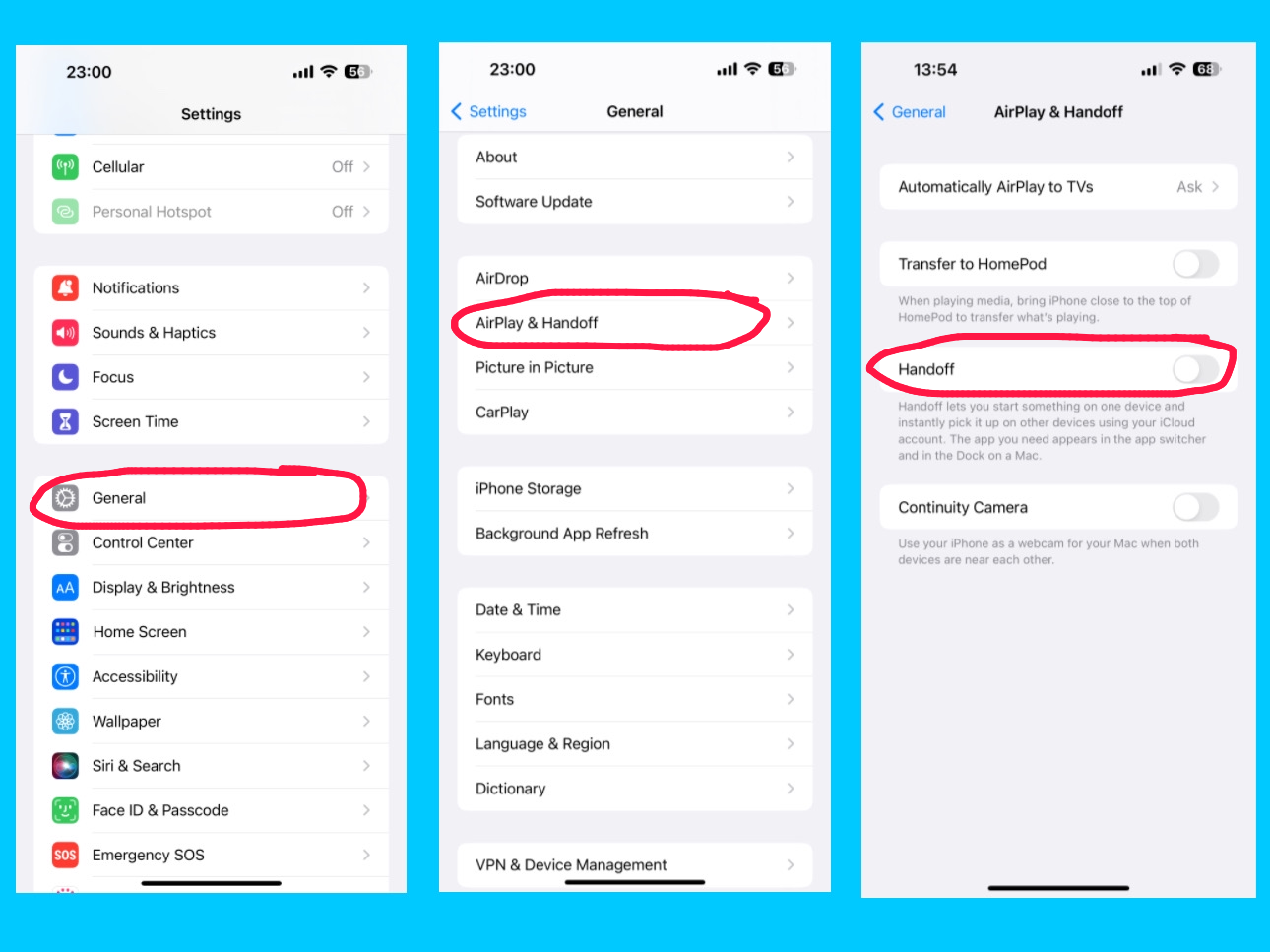
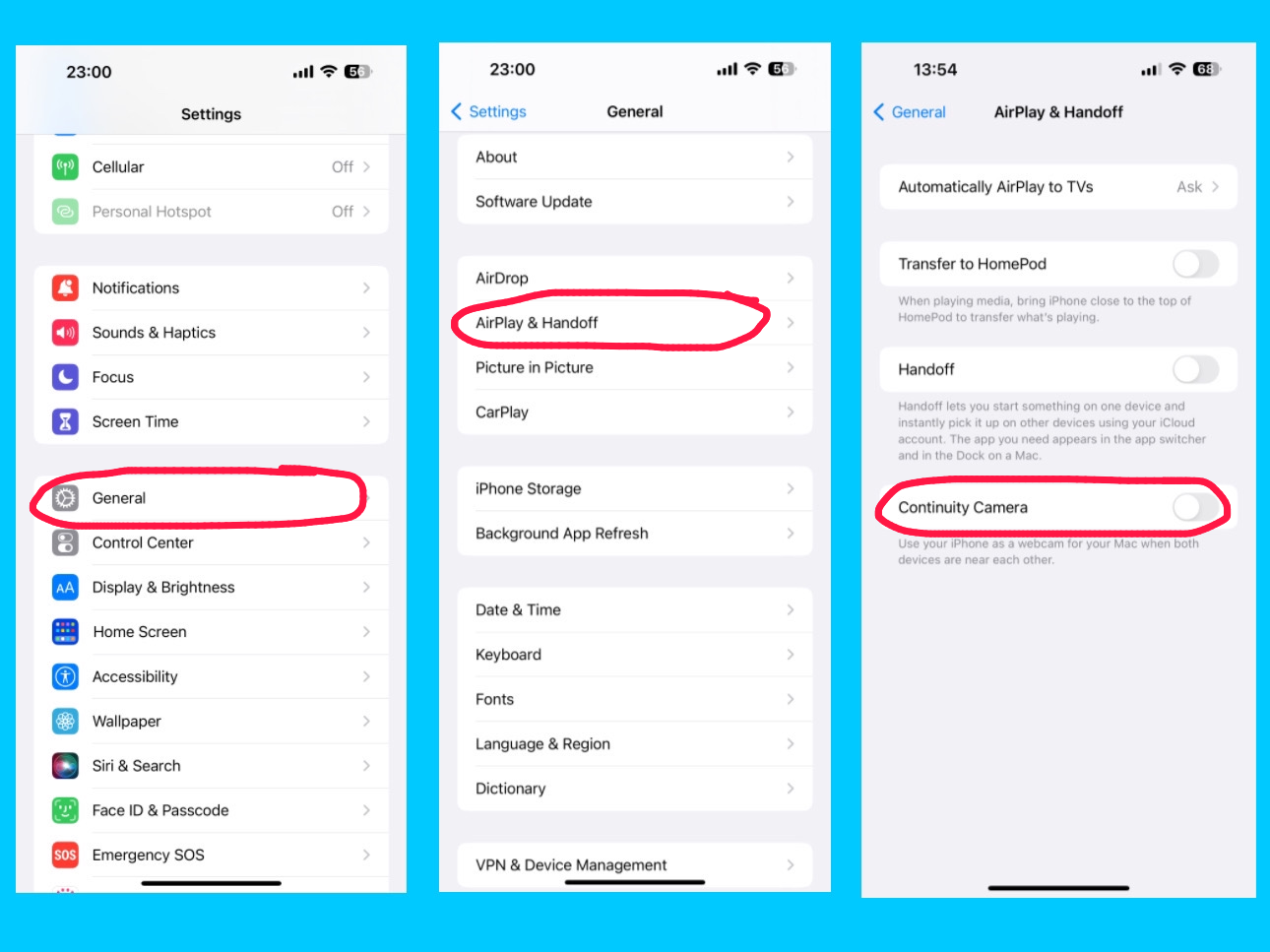
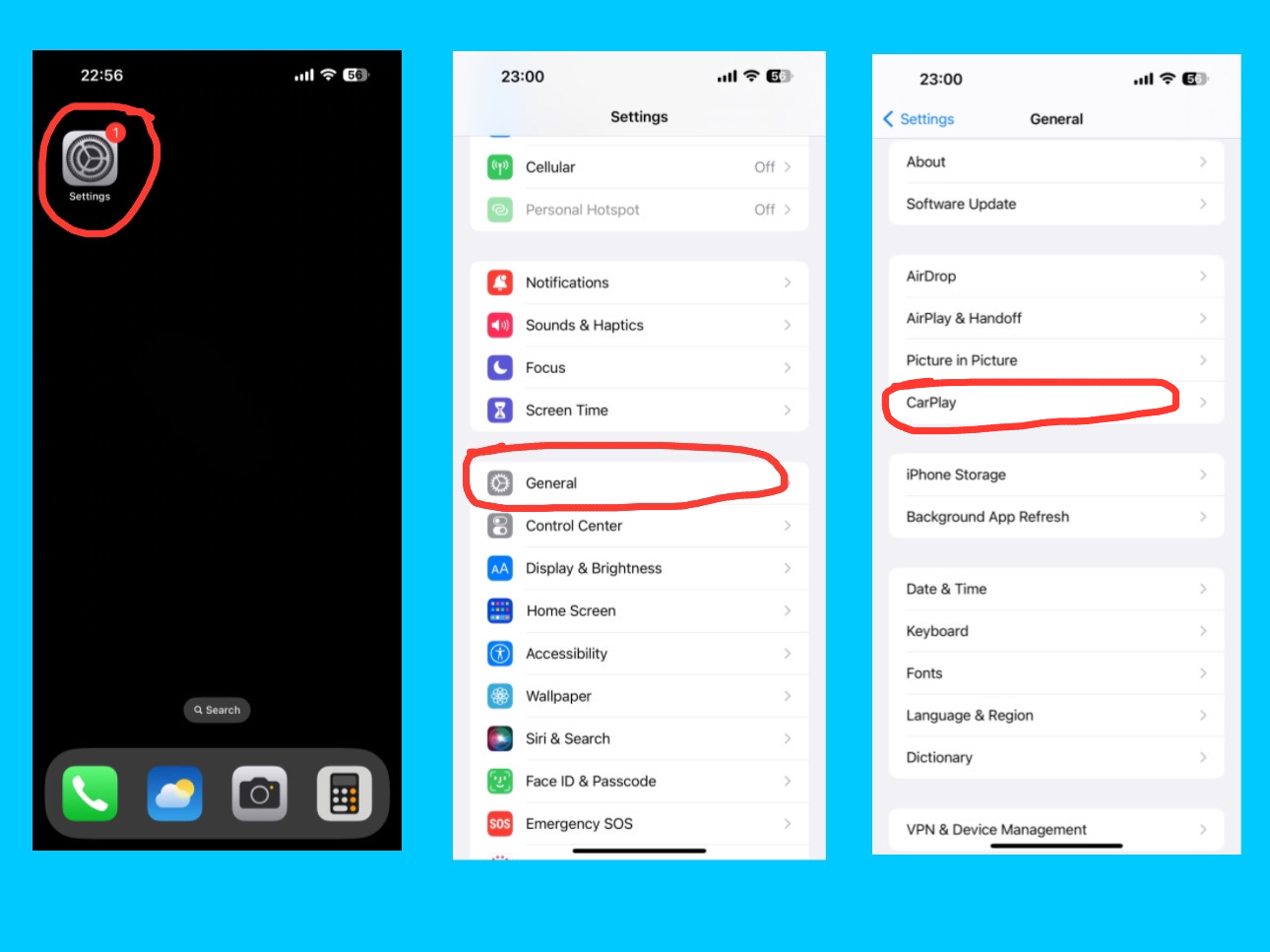
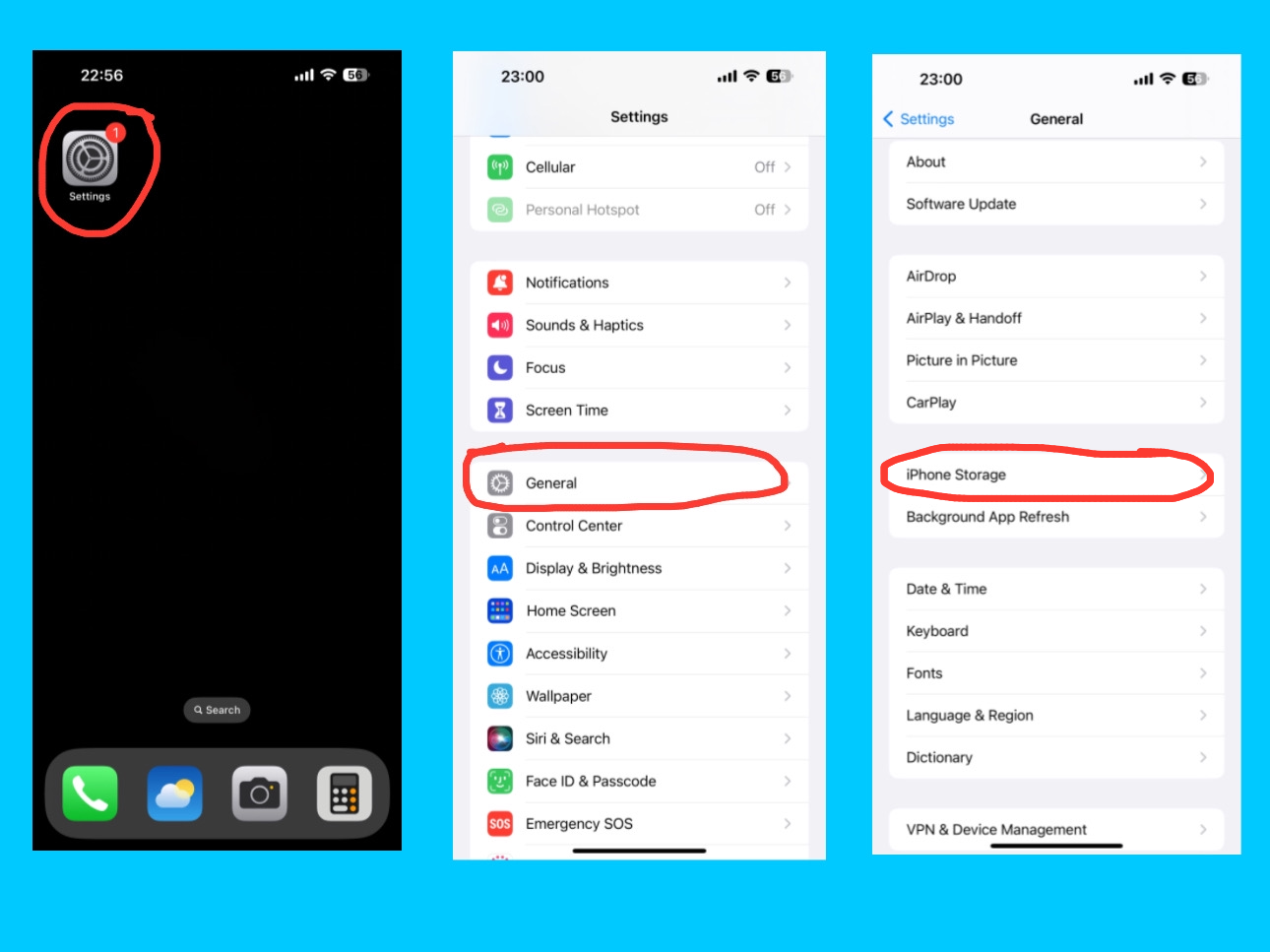
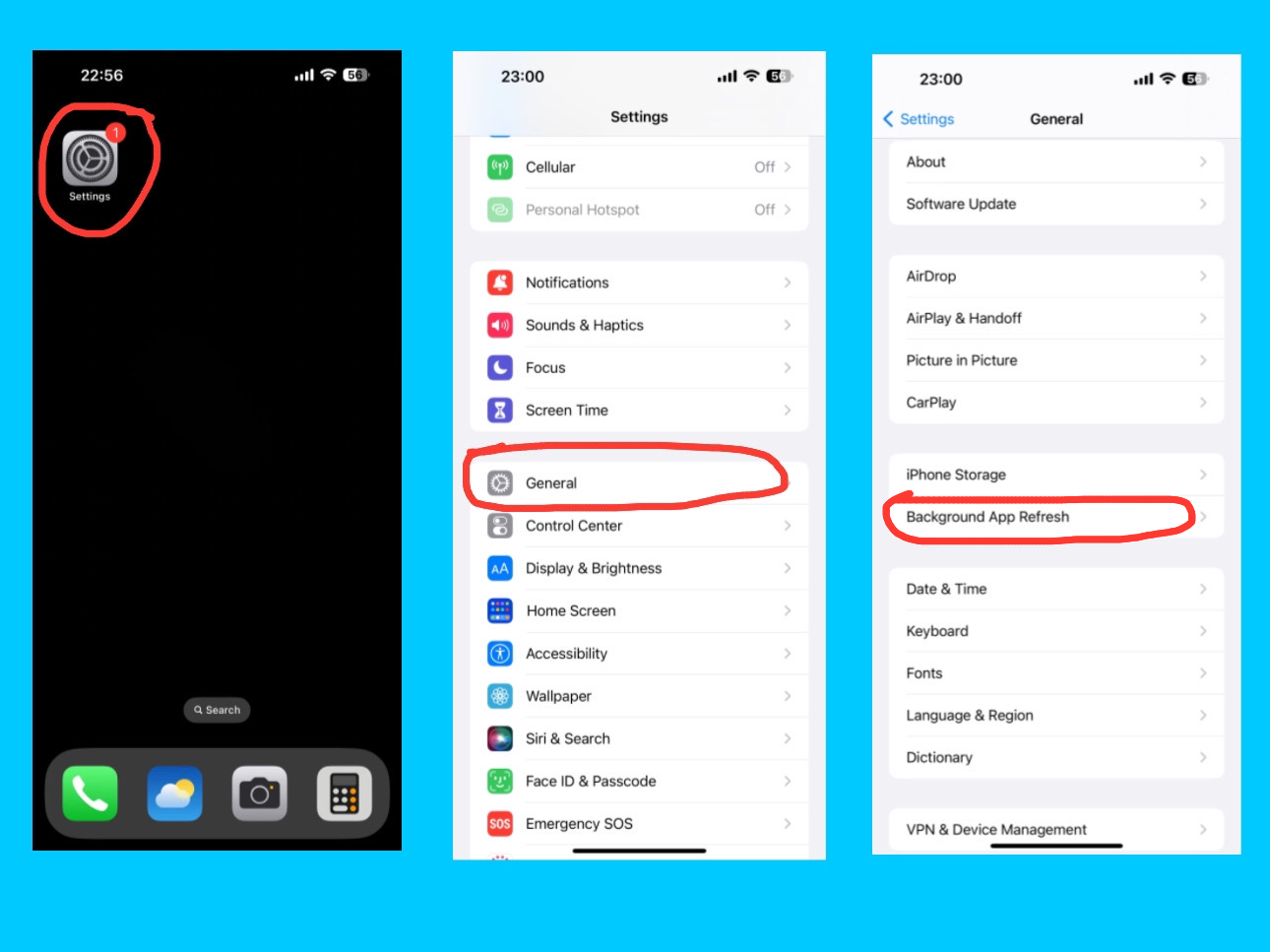
The iPhone 14 Pro Max General Settings are where you can manage all the essential features of your device. From checking your software updates and storage to using AirDrop, AirPlay & Handoff, Picture in Picture, CarPlay, and Background App Refresh, these settings help you get the most out of your iPhone. Whether you are a beginner or an experienced user, understanding these settings makes using your iPhone 14 Pro Max easier, faster, and more fun. If you want to know about Apple ID, Airplane Mode, Wi-Fi, Bluetooth, Cellular, Personal Hotspot, Notifications, Sounds & Haptics, Focus, and Screen Time settings, you can check this post — I’ve covered all of these settings.
General
General Settings of iPhone 14 Pro Max
The General setting is one of the most important sections on your iPhone 14 Pro Max. It controls the core system functions and overall performance of your device. From software updates to storage, AirDrop, background app refresh, and device information — this is where you manage the main settings that keep your iPhone running smoothly. There are more features and functions in this setting. For more details, visit Apple’s official iPhone User Guide.
About
General – About
The About section in the General settings gives you a complete overview of your iPhone 14 Pro Max. Here, you can easily check important details such as your model name, model number, iOS version, serial number, and storage capacity. It also shows how much available storage you have left, along with the number of photos, videos, apps, and songs stored on your device. In addition, you can find your Wi-Fi address, Bluetooth address, modem firmware, SEID, EID, IMEI number, and ICCID number — all in one place. Additionally, you can view your SIM details, carrier name, and network information to see which service your iPhone is currently using. You can even change your iPhone’s name here to anything you like, which helps you easily identify your device when connecting to other Apple products or networks.
Coverage Expired
General – About – Coverage Expired
In the About section of your iPhone 14 Pro Max, you might also see a message that says “Coverage Expired.” This means your iPhone’s limited warranty or AppleCare coverage has ended. When your coverage is active, this section usually displays details about your warranty and AppleCare plan, but once it expires, it simply shows “Coverage Expired.” Even if your coverage has ended, you can still get help and services by downloading the Apple Support app. Through the app, you can schedule a visit at an Apple Store or an Apple Authorized Service Provider, call or chat with an Apple advisor, troubleshoot issues, and much more. It’s a convenient way to get expert help and keep your iPhone working smoothly, even after your warranty period is over.
Certificate trust setting
Settings – About – Certificate Trust Settings
The Certificate Trust Settings in the About section of your iPhone 14 Pro Max allow you to manage which installed certificates are trusted by your device. Certificates are digital documents used to verify the identity of websites, apps, or networks and ensure secure connections. In this section, you can enable or disable trust for specific certificates, which affects how your iPhone connects securely to networks, email servers, or websites. This setting is especially useful for enterprise or school accounts, where custom certificates are required for secure access. By managing certificate trust, you can ensure your device stays secure while connecting to trusted services. Under the Certificate Trust Settings on your iPhone 14 Pro Max, you may also see Trust Store Version and Trust Access Version:
Trust Store Version:
Settings – About – Certificate Trust Settings – Trust Store Version
This shows the current version of Apple’s built-in list of trusted root certificates. These certificates help your iPhone verify the authenticity of websites, apps, and secure connections. Apple updates this list regularly to keep your device secure from untrusted or malicious sources.
Trust Asset Version:
Settings – About – Certificate Trust Settings – Trust Asset Version
This indicates the version of the system that manages which apps and services can access the trusted certificates on your device. It ensures that only authorized apps can use certificates for secure connections, helping maintain your iPhone’s security and privacy.
These versions help your iPhone stay up-to-date and protected when connecting to networks, websites, and other services that rely on secure certificates.
Software update
Settings – General – Software Update
The Software Update option on your iPhone 14 Pro Max lets you check for and install the latest iOS updates. Here, you can see the current version of your iPhone as well as the latest available version that you can download and install. Keeping your device updated ensures it has the latest features, security improvements, and bug fixes, helping your iPhone run smoothly and safely. You can manually check for updates or enable automatic updates, which will download and install new iOS versions overnight when your iPhone is connected to Wi-Fi and charging. Updates often include important security patches, fixes for software issues, and new features or system improvements. You can also view your update history to see which iOS versions have been installed. Regularly updating your iPhone ensures the best performance, security, and access to all new features.
Automatic updates
Settings – General – Software Update – Automatic Updates
Under the Software Update setting on your iPhone 14 Pro Max, you can find the Automatic Updates option. This allows you to turn on automatic downloading and installation of iOS updates, including security patches, system files, and other important updates. Once enabled, your iPhone can download new updates in the background and install them overnight while connected to Wi-Fi and charging, ensuring your device stays secure, up-to-date, and running smoothly without any manual effort.
AirDrop
Settings – General – AirDrop
The AirDrop option allows you to instantly share files, photos, videos, contacts, and more with nearby Apple devices, like iPhones, iPads, and Macs, without using email or messaging apps. It uses Bluetooth and Wi-Fi to create a secure and fast connection between devices. AirDrop also lets you control who can send you files with three options:
Everyone (any nearby Apple device can send you files)
Contacts Only (only people in your contacts can send files)
Receiving Off (you won’t receive files from anyone)
These settings help you manage privacy while keeping file transfers simple and secure across Apple devices.
AirPlay & Handoff
Settings – General – AirPlay & Handoff
The AirPlay & Handoff option on your iPhone 14 Pro Max lets you connect and share content seamlessly with other Apple devices. With Handoff, you can start an activity, like writing an email or browsing Safari, on your iPhone and continue it on your iPad or Mac without losing progress. The AirPlay feature allows you to stream music, videos, or your screen to Apple TV or other AirPlay-compatible devices. You can also enable your iPhone to automatically detect nearby Apple TVs for instant streaming. These features work across devices signed in with the same Apple ID, making it easy to switch between devices, share content, and stay productive or entertained effortlessly.
Automatically AirPlay to TV’s
Settings – AirPlay & Handoff – Automatically AirPlay to TVs
The Automatically AirPlay to TVs option under AirPlay & Handoff on your iPhone 14 Pro Max lets your device detect nearby Apple TVs or AirPlay-compatible smart TVs and connect automatically for streaming content. You can choose whether your iPhone should always, never, or only ask when connecting to a TV. This feature makes it quick and easy to stream videos, music, or your screen without manually selecting a device each time, providing a seamless entertainment experience across Apple devices.
Transfer to HomePod
Settings – General – AirPlay & Handoff – Transfer to HomePod
The Transfer to HomePod option under AirPlay & Handoff on your iPhone 14 Pro Max allows you to quickly move audio playback from your iPhone to a nearby HomePod. When this feature is enabled, simply bring your iPhone close to a HomePod, and the music, podcast, or any audio playing on your device will automatically transfer to the HomePod for continued listening. This provides a seamless and hands-free way to enjoy your audio on a more powerful speaker without manually connecting or selecting the device.
Handoff
Settings – AirPlay & Handoff – Handoff
The Handoff option under AirPlay & Handoff on your iPhone 14 Pro Max allows you to start a task on one Apple device and continue it on another seamlessly. For example, you can begin composing an email, browsing a webpage, or working on a document on your iPhone and then pick up exactly where you left off on your iPad, Mac, or Apple Watch. Handoff works across all Apple devices signed in with the same Apple ID and connected via Wi-Fi and Bluetooth, making it easy to switch devices without losing progress and stay productive across your Apple ecosystem.
Continuity Camera
General – AirPlay & Handoff – Continuity Camera
The Continuity Camera option under AirPlay & Handoff on your iPhone 14 Pro Max lets you use your iPhone as a camera or scanner for your Mac. With this feature, you can take a photo or scan a document on your iPhone, and it will instantly appear on your Mac in apps like Mail, Notes, or Finder. Continuity Camera works seamlessly across devices signed in with the same Apple ID, making it easy and fast to capture images or documents without needing cables or manual transfers.
Picture in Picture
Settings – General – Picture in Picture
The Picture in Picture (PiP) option on your iPhone 14 Pro Max allows you to watch videos or use FaceTime in a small floating window while using other apps. When you swipe up to go home or open another app, videos and FaceTime calls will automatically continue in Picture in Picture, so you don’t miss a moment. The PiP window can be moved around the screen, resized, or minimized, giving you a flexible and multitasking-friendly experience without interrupting your workflow or entertainment.
For example, you are on a FaceTime call and open Messages to reply to a text. The call continues in a small floating window while you type. For example, you are watching a video and check your email. The video keeps playing in a corner while you read your emails. This way, you can do multiple things at once without stopping your video or call.
CarPlay
Settings – General – CarPlay
CarPlay lets you connect your iPhone to your car’s built-in display so you can safely use iPhone features while driving. Once connected, you can use apps like Maps, Music, Messages, and Phone directly on your car’s screen. You can also control CarPlay with Siri voice commands, so you can make calls, send messages, or get directions hands-free.
iPhone Storage
Settings – General – iPhone Storage
The iPhone Storage setting shows how much space is being used on your device and what’s taking up that space — such as apps, photos, messages, and system data. You can check how much free storage is left and get recommendations to optimize storage, like offloading unused apps or storing photos in iCloud.
Background App Refresh
Settings – General – Background App Refresh
Background App Refresh allows apps to update their content even when you’re not using them. For example, your email app can fetch new messages or your news app can load the latest headlines while running in the background. You can choose to turn it on for Wi-Fi, Wi-Fi & Mobile Data, or off completely.
Conclusion
Understanding the iPhone 14 Pro Max General Settings is the key to getting the most out of your device. From managing software updates and storage to using AirDrop, AirPlay & Handoff, Picture in Picture, CarPlay, and Background App Refresh, these settings make your iPhone easier, faster, and more enjoyable to use. By exploring and customizing these options, you can fully unlock the power of your iPhone 14 Pro Max and make it work exactly the way you want.
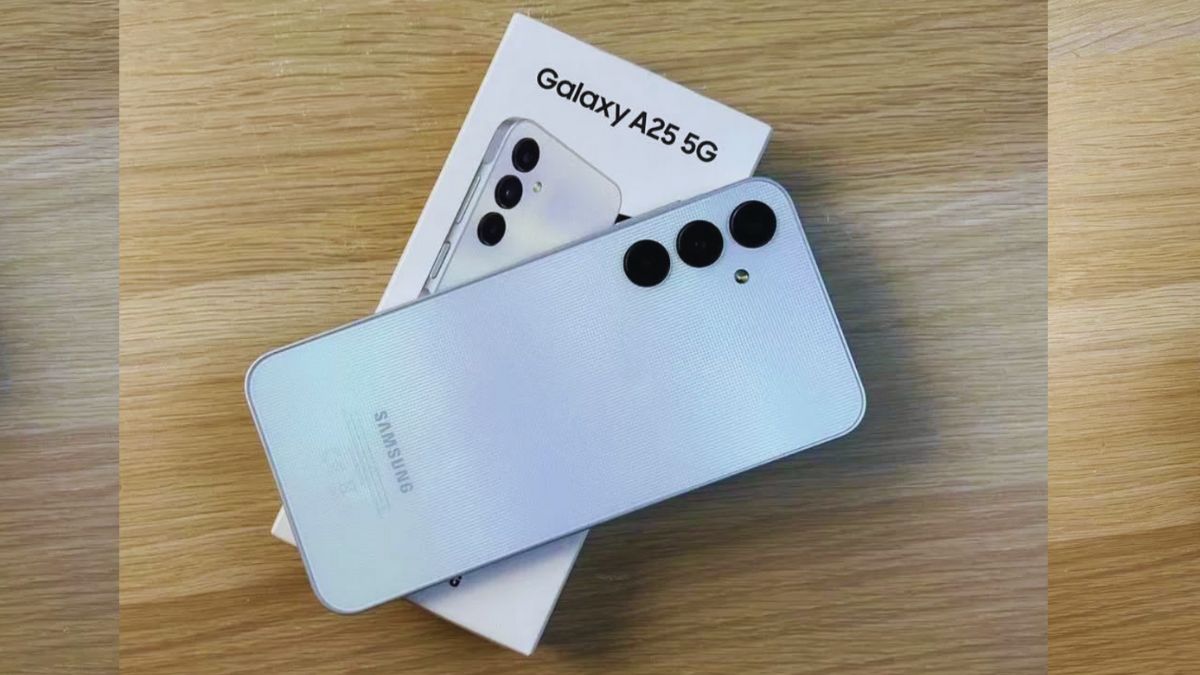
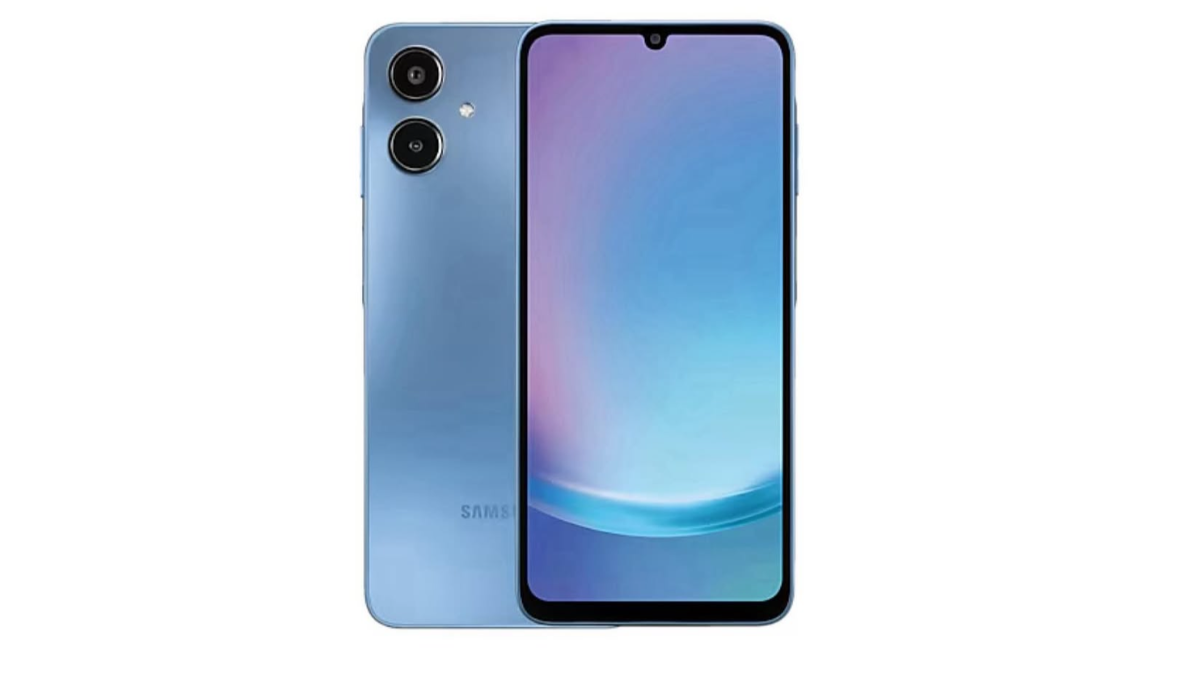
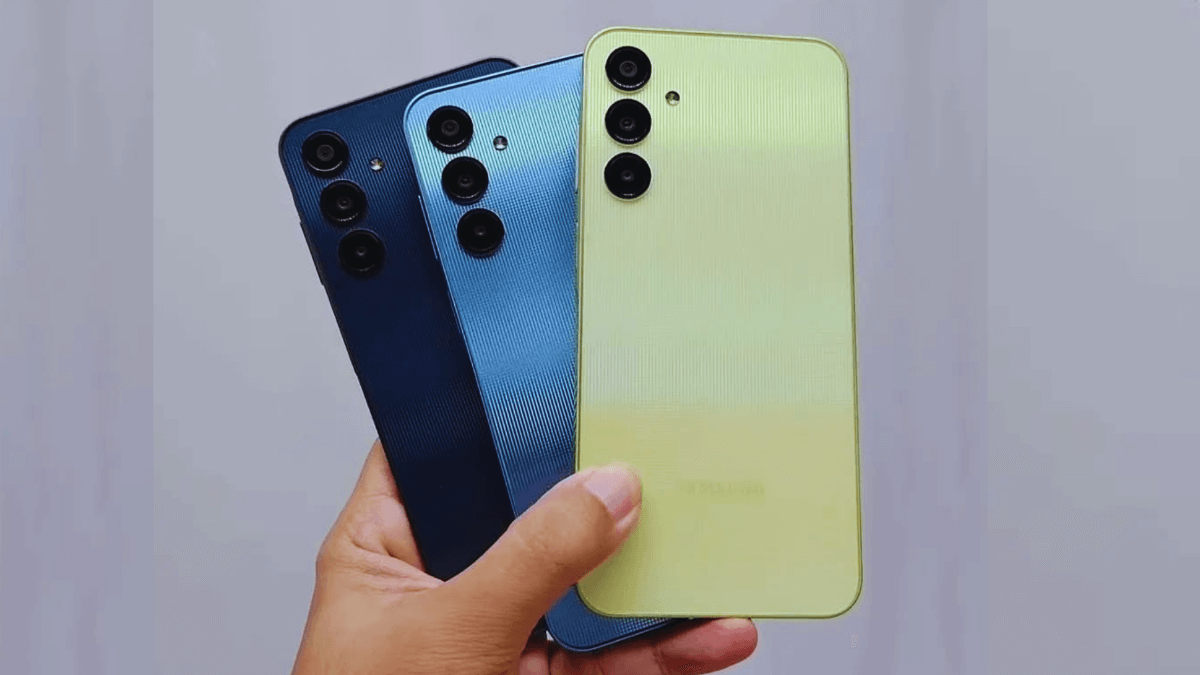
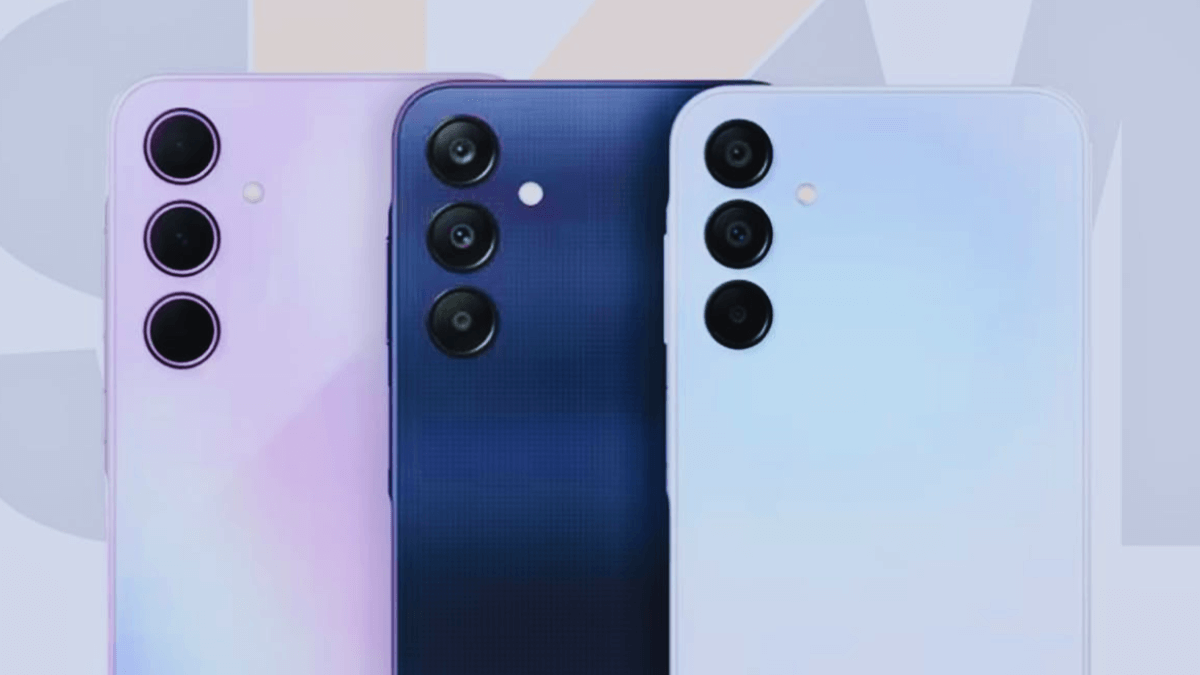
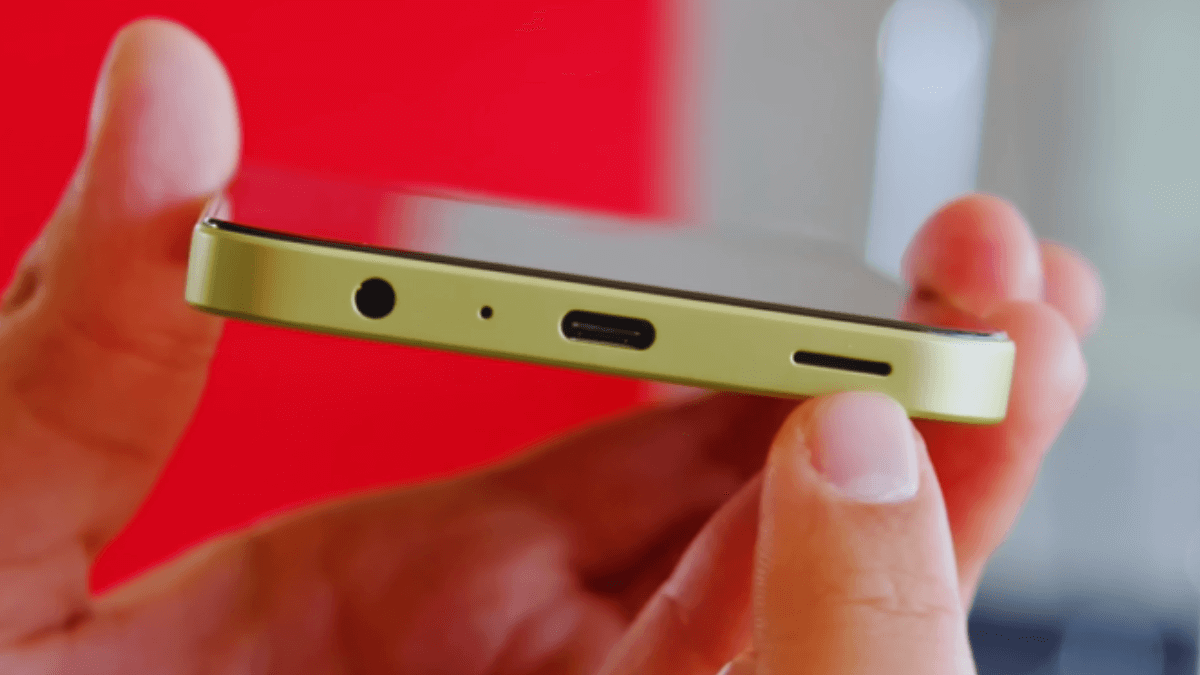
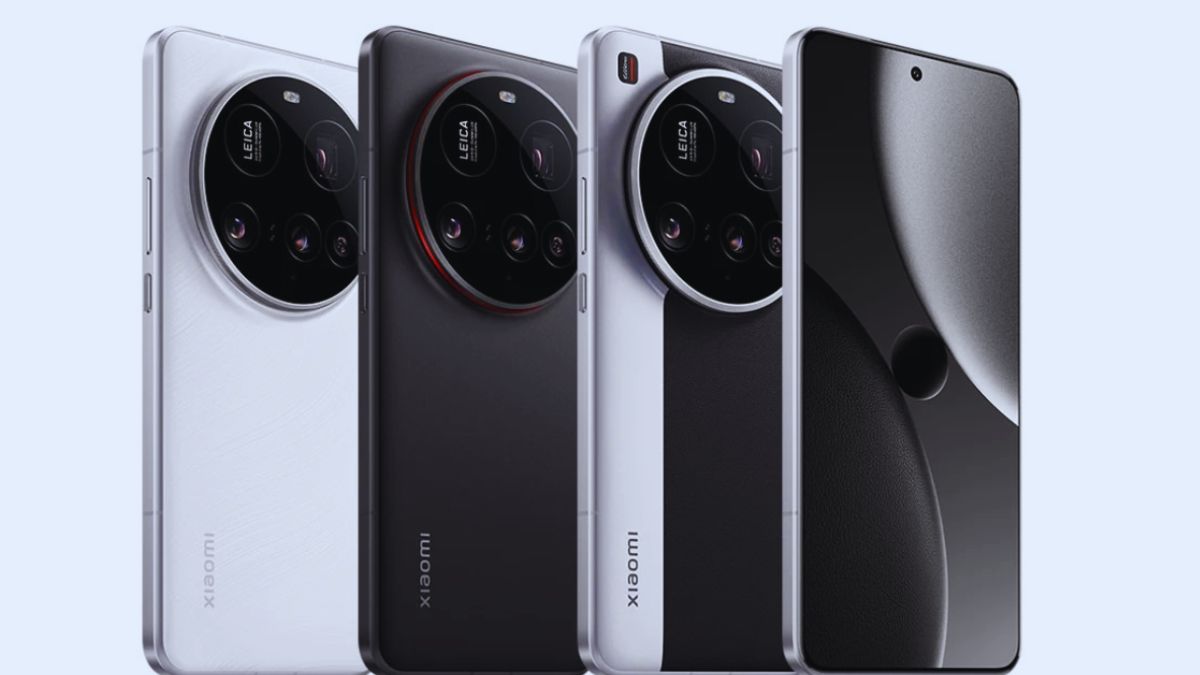
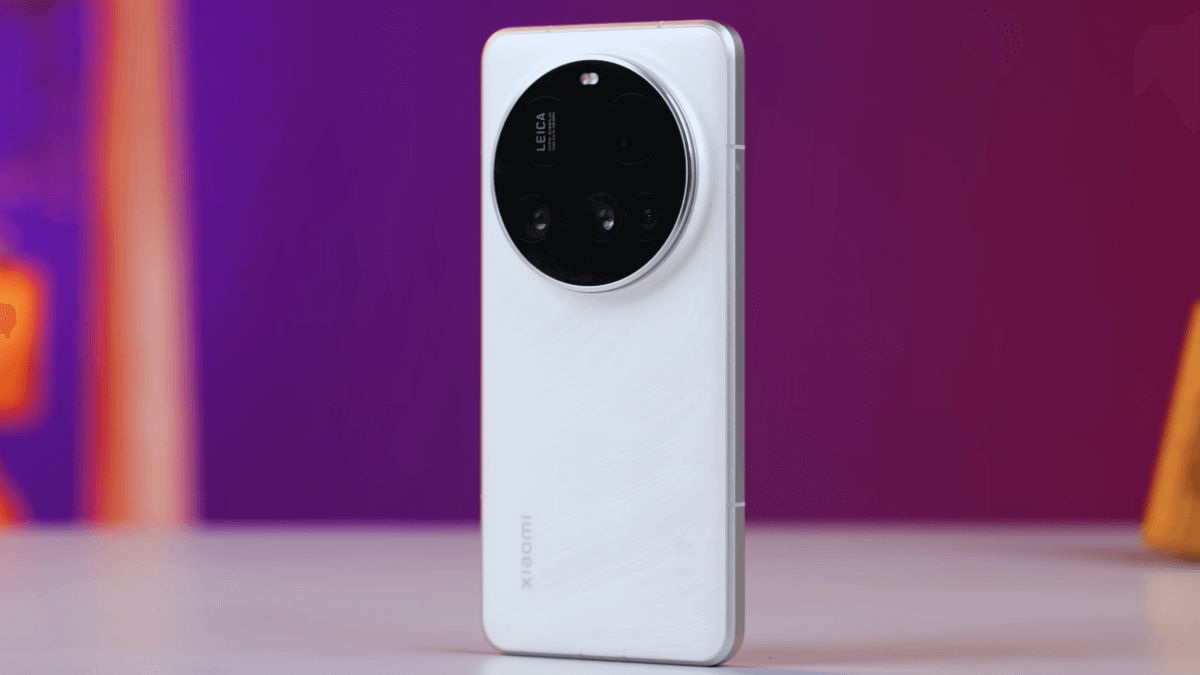
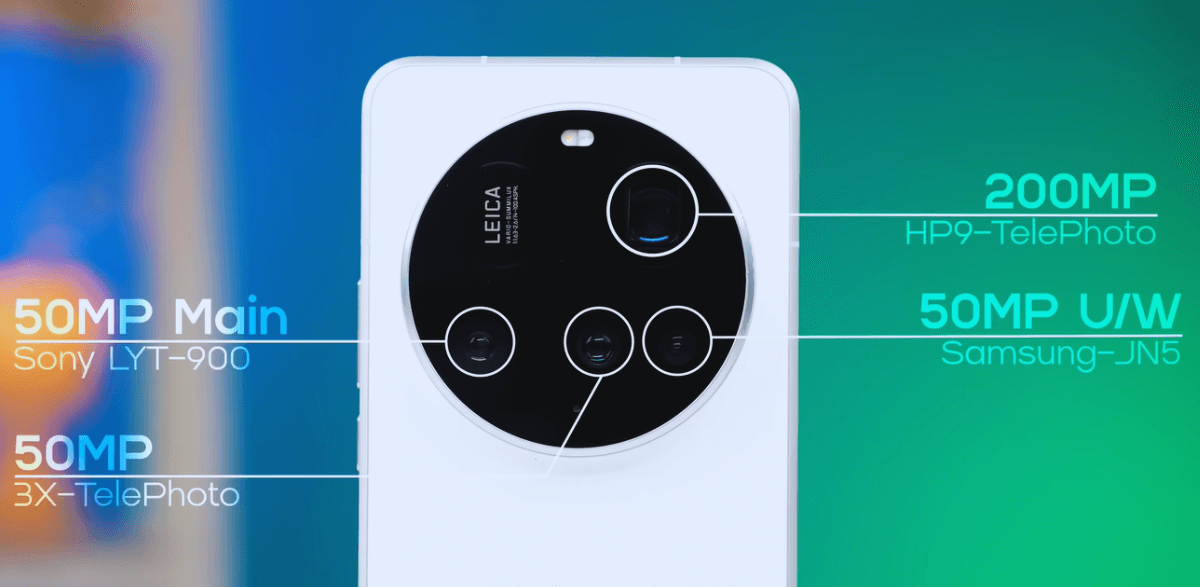
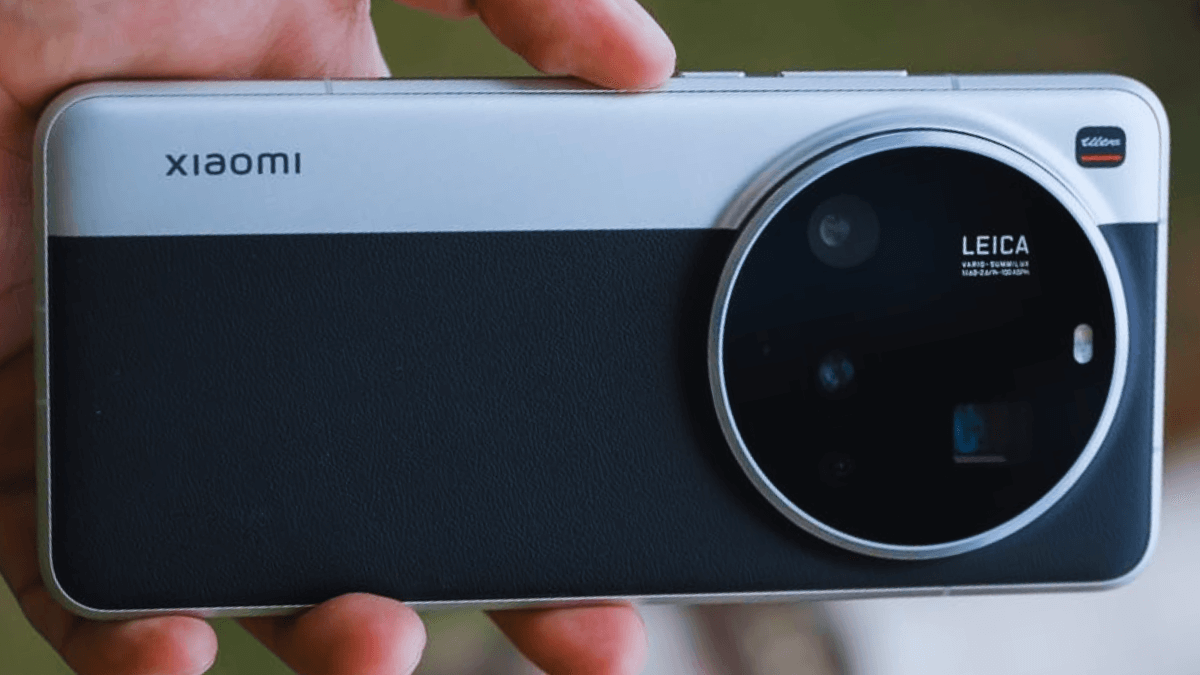

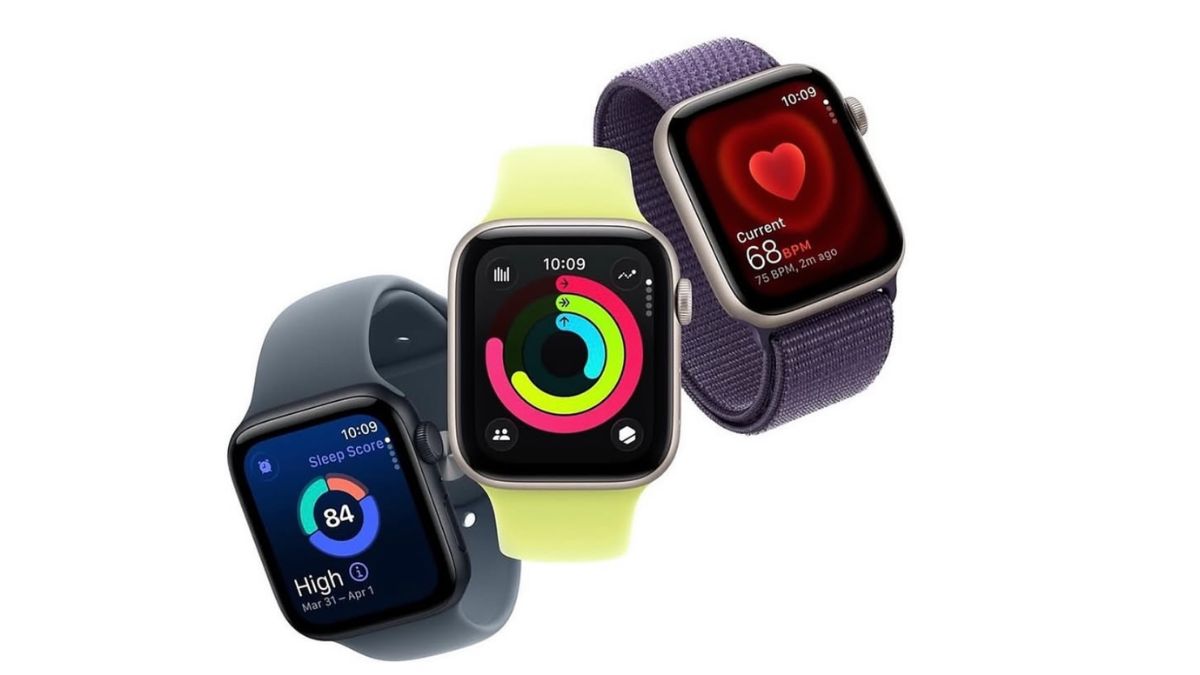
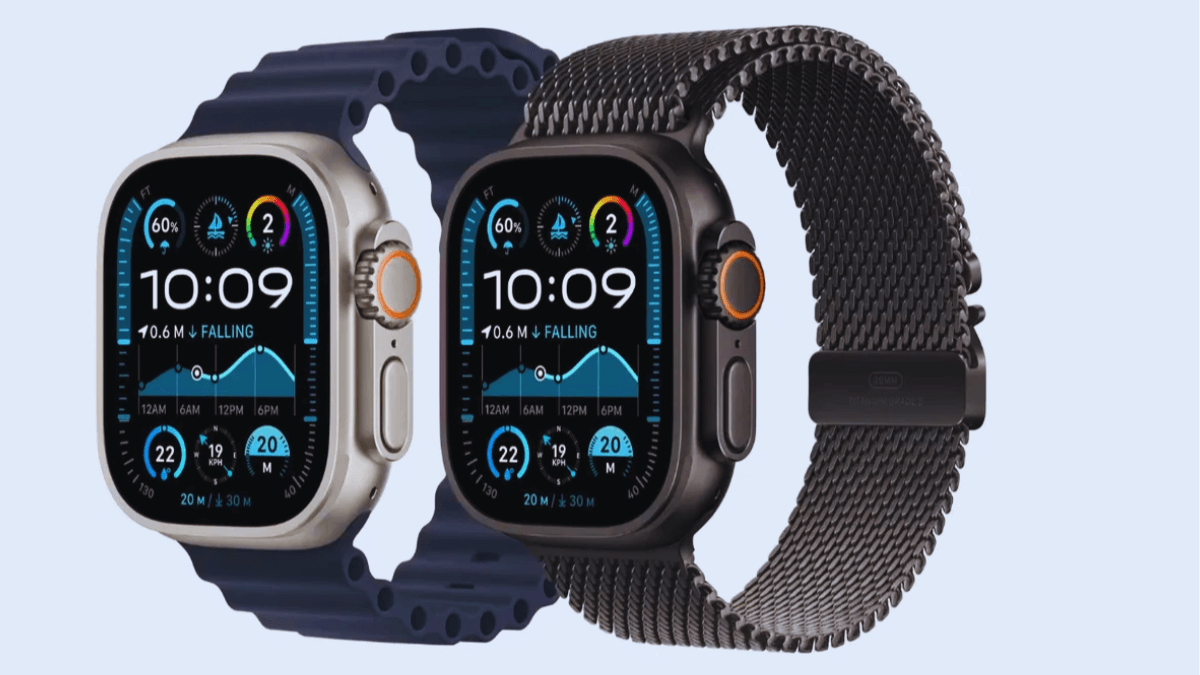
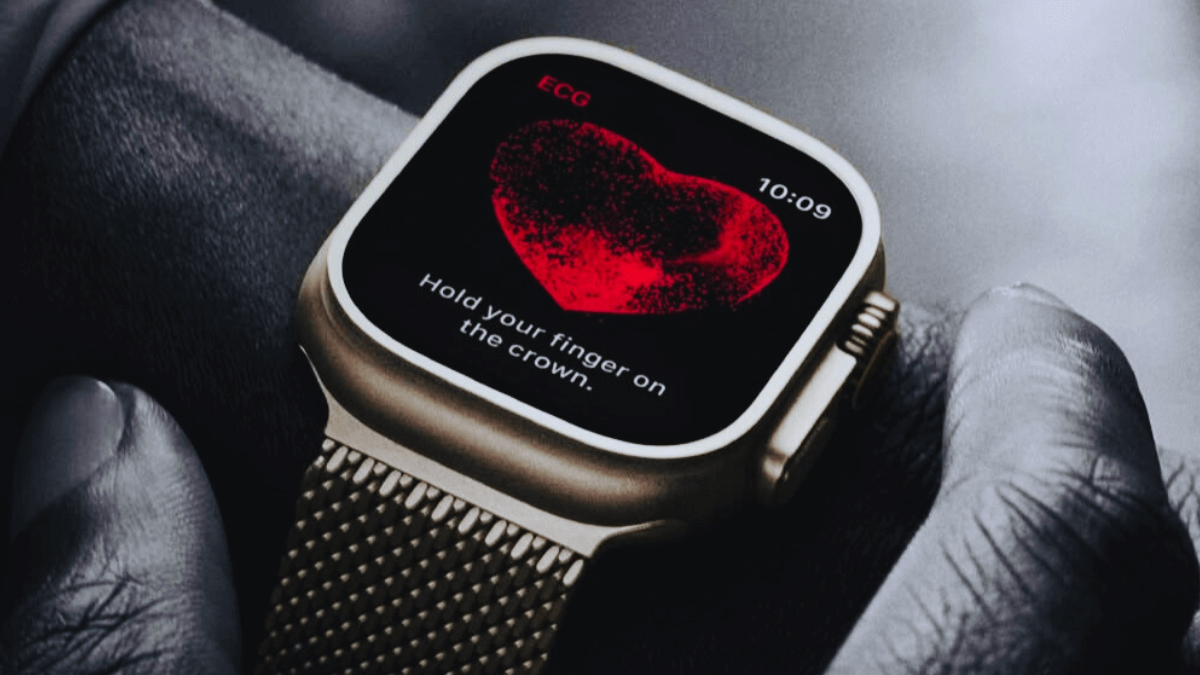
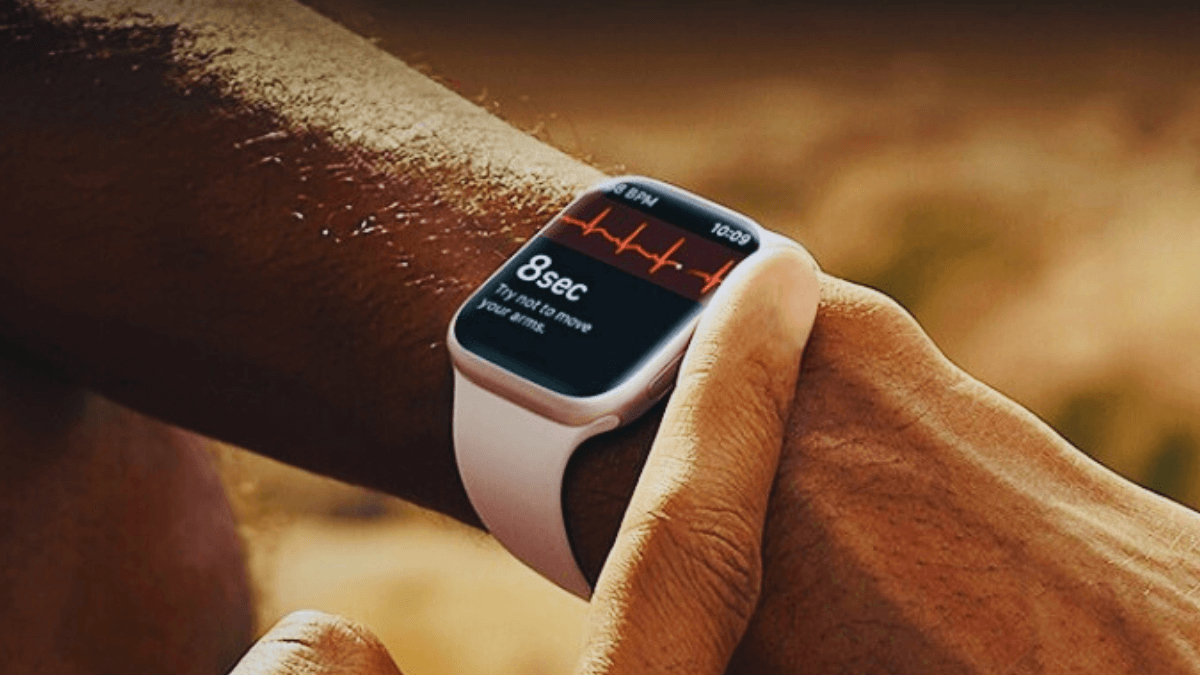

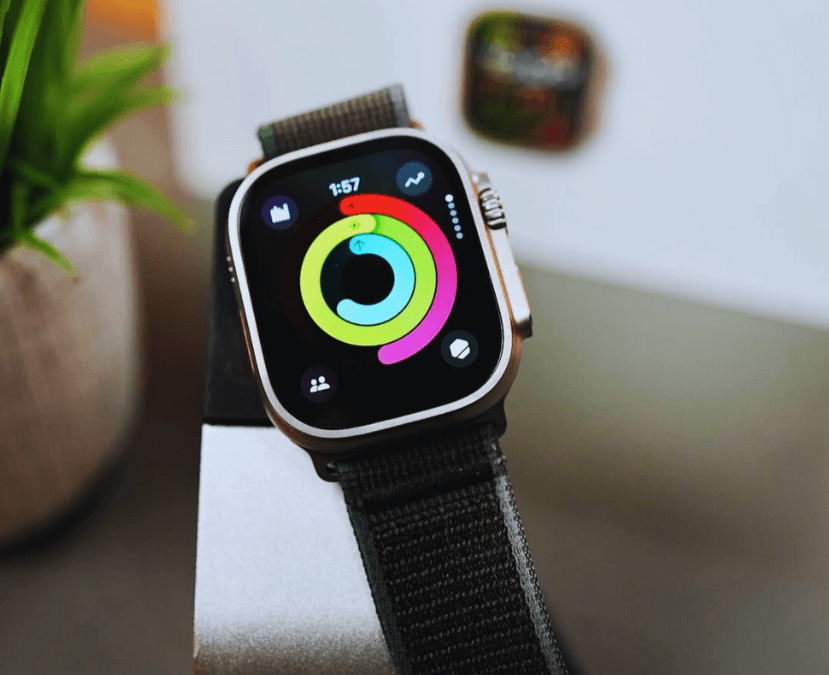
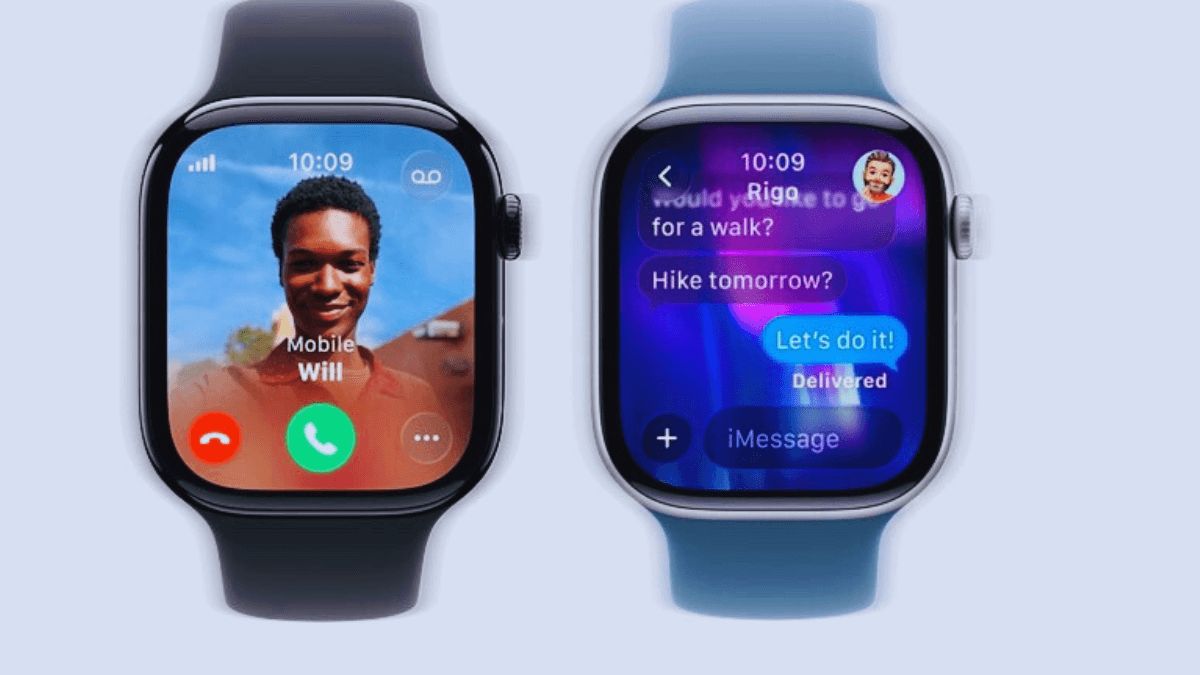
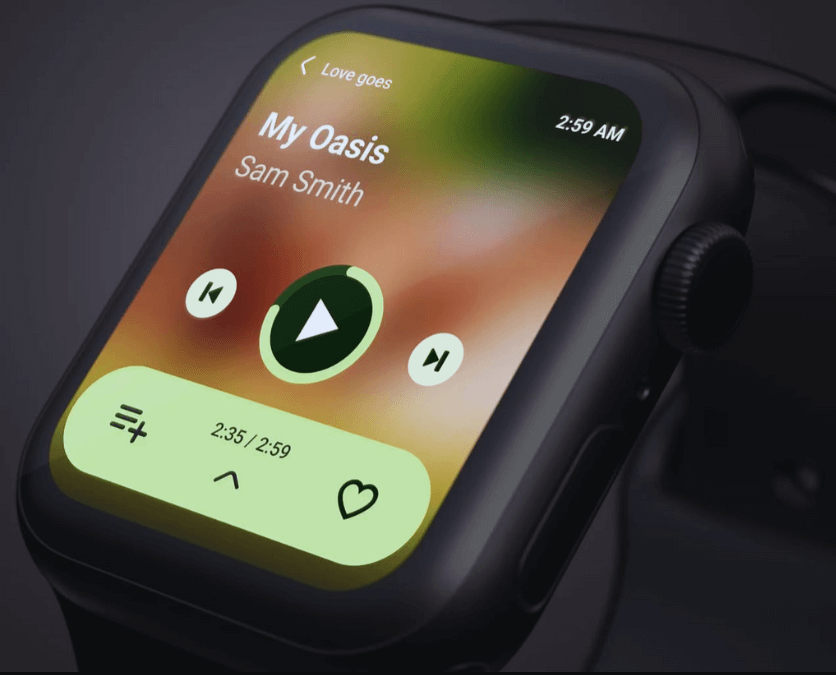
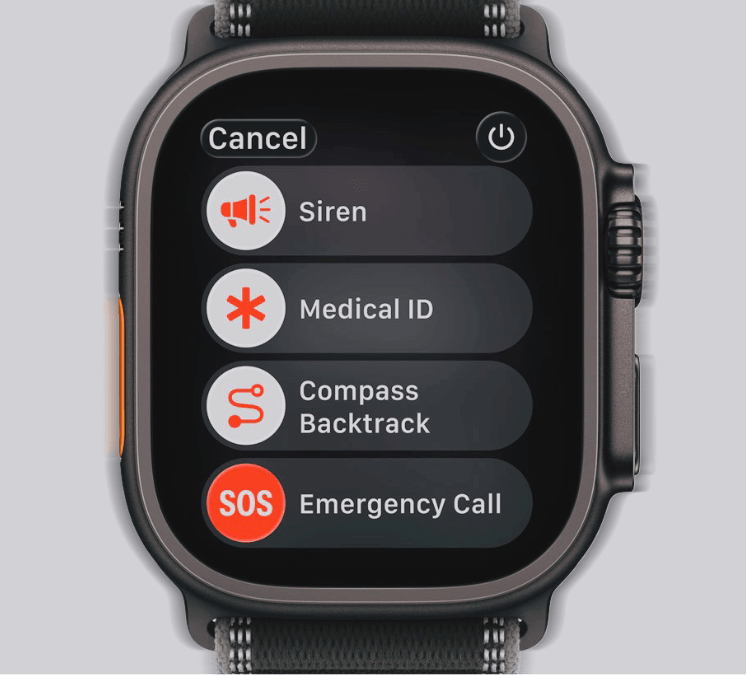
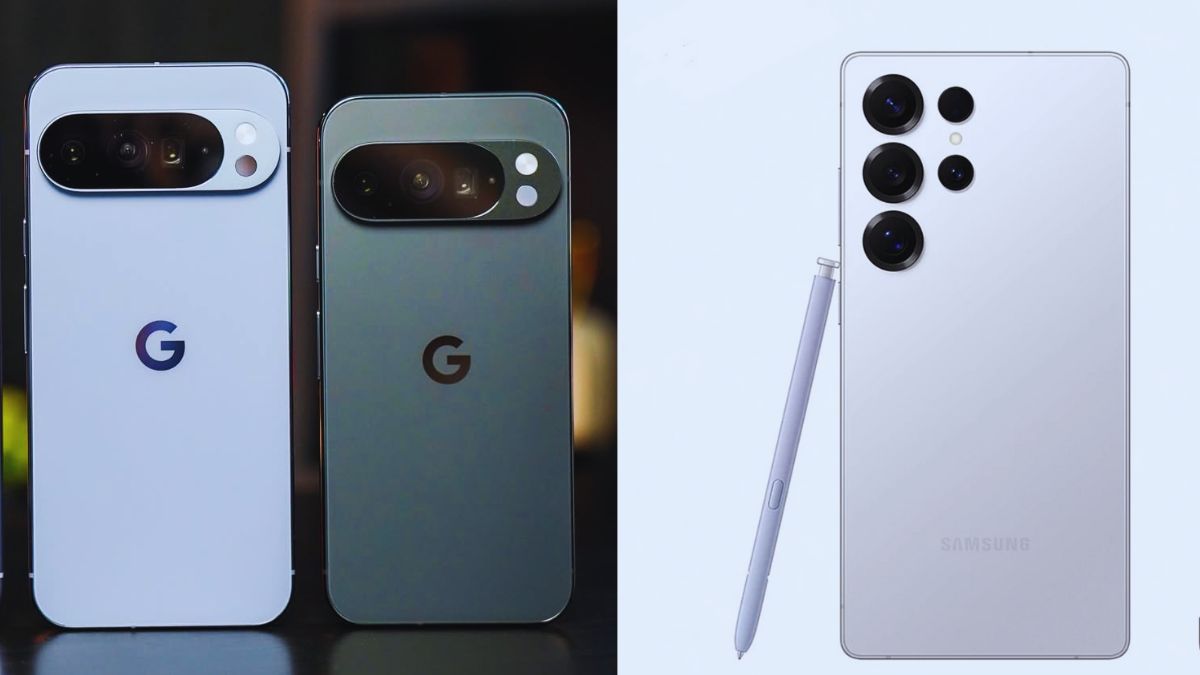
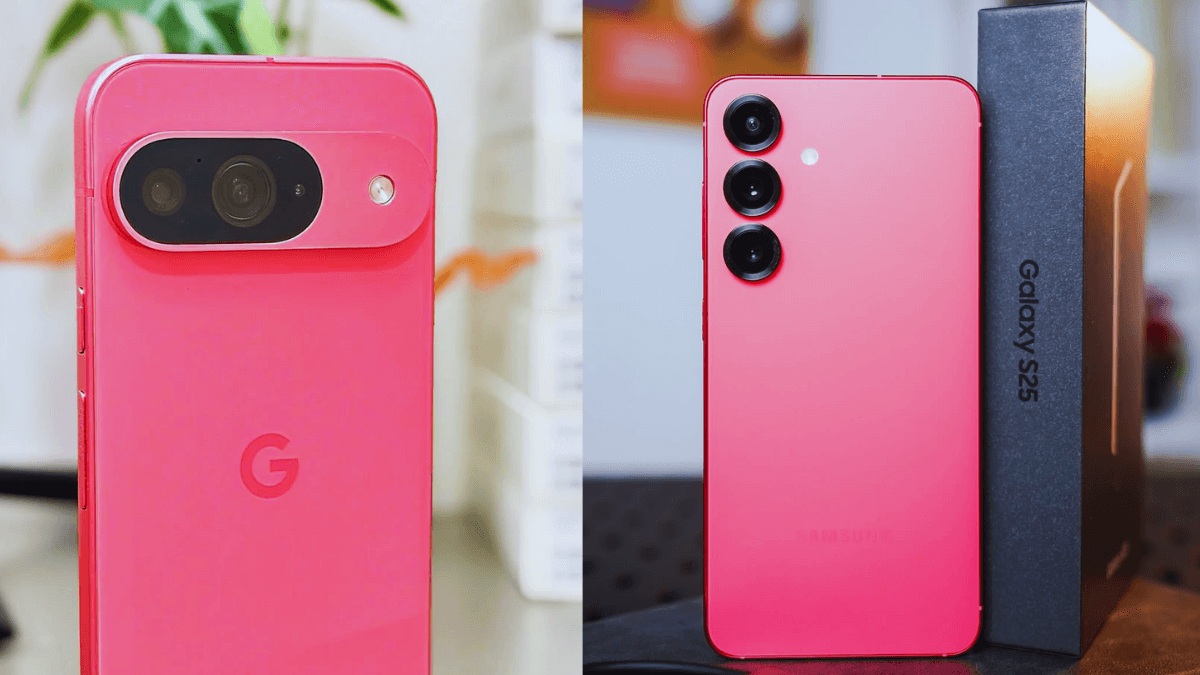
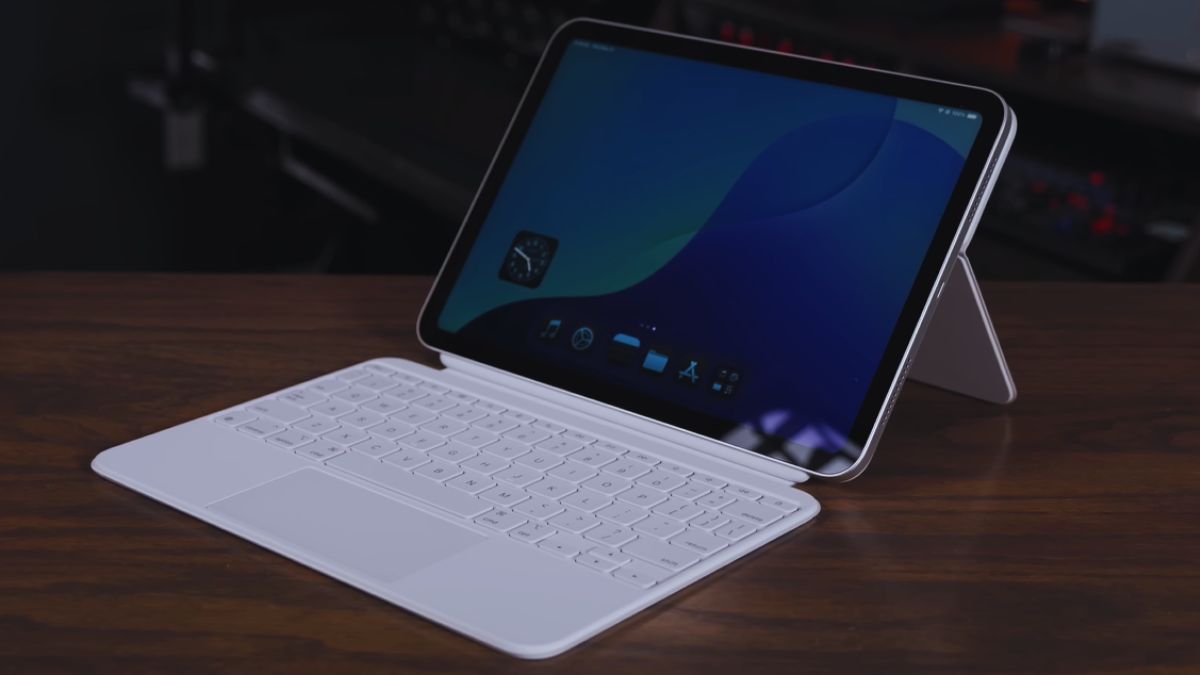

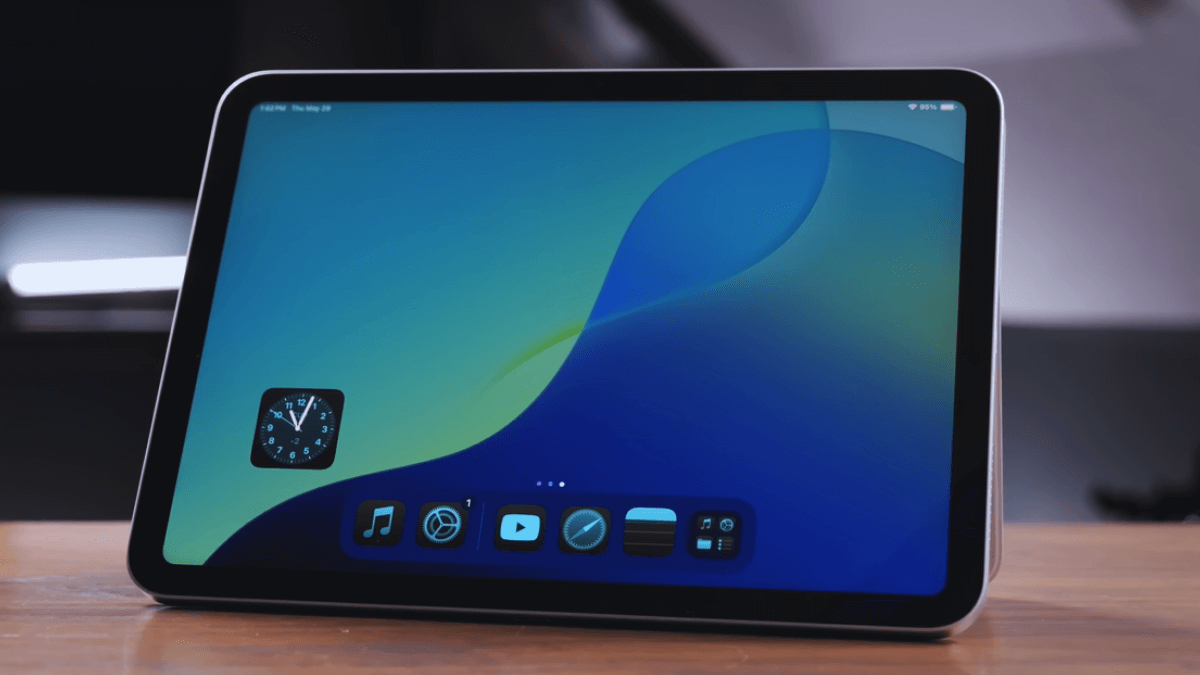
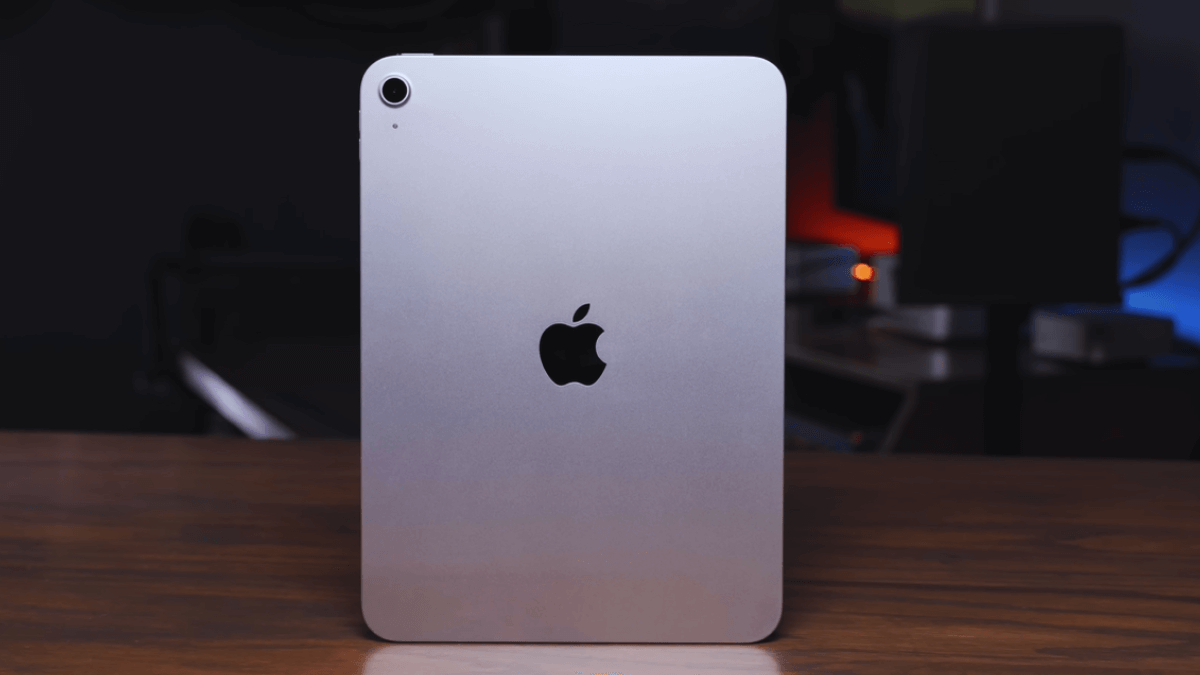
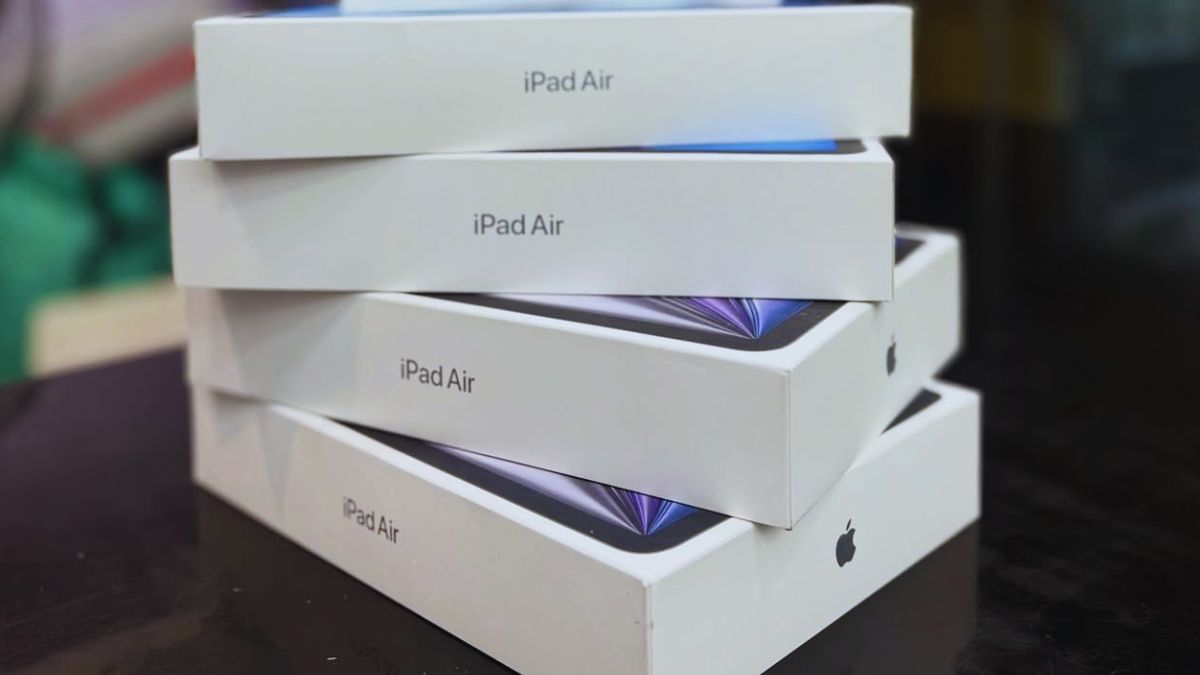
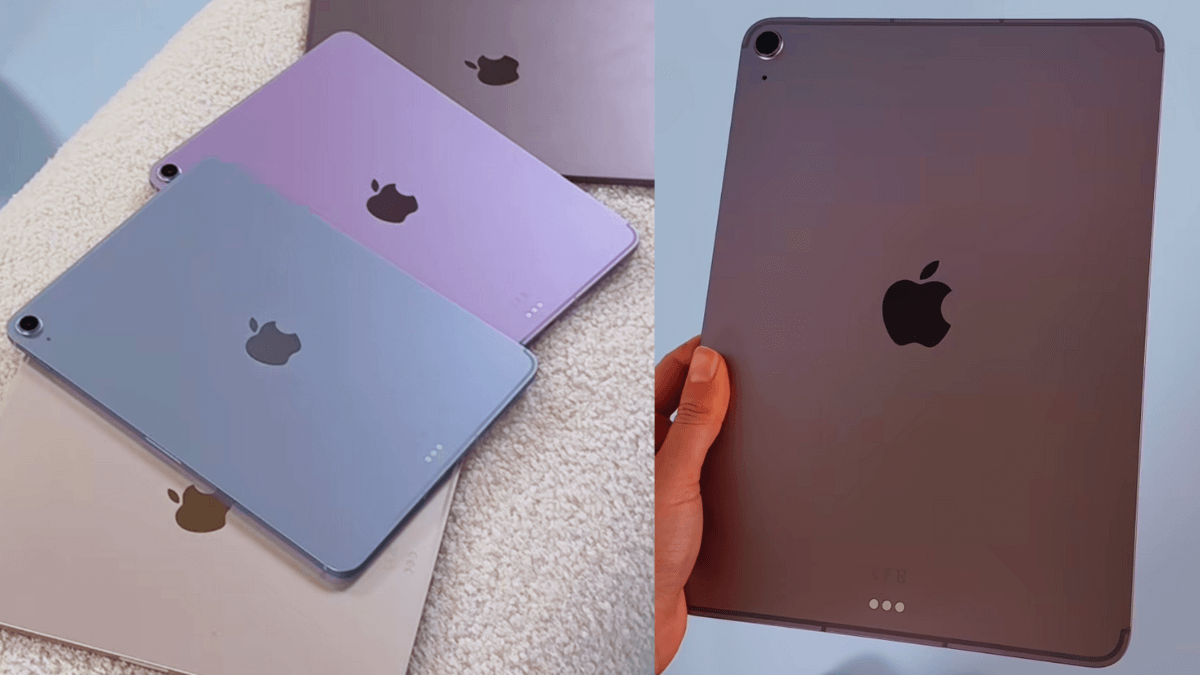
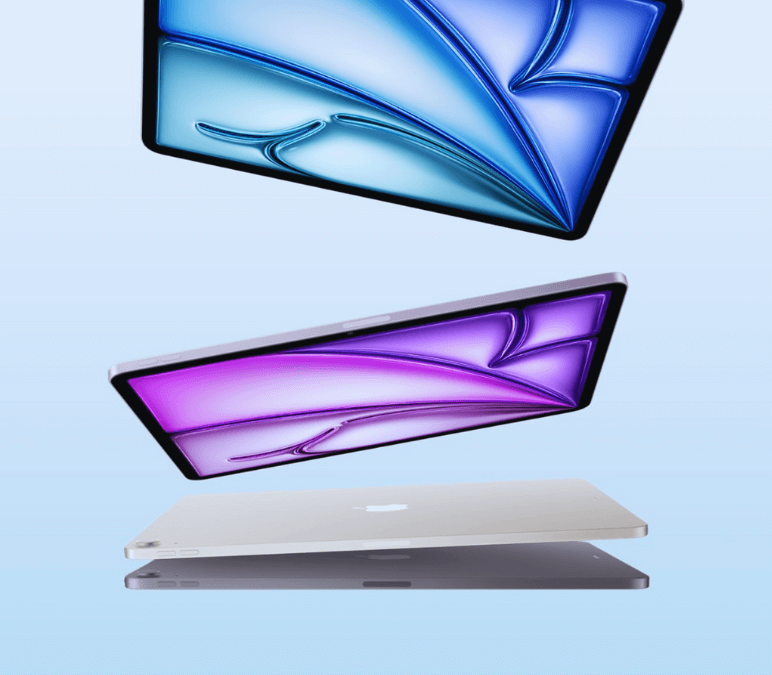
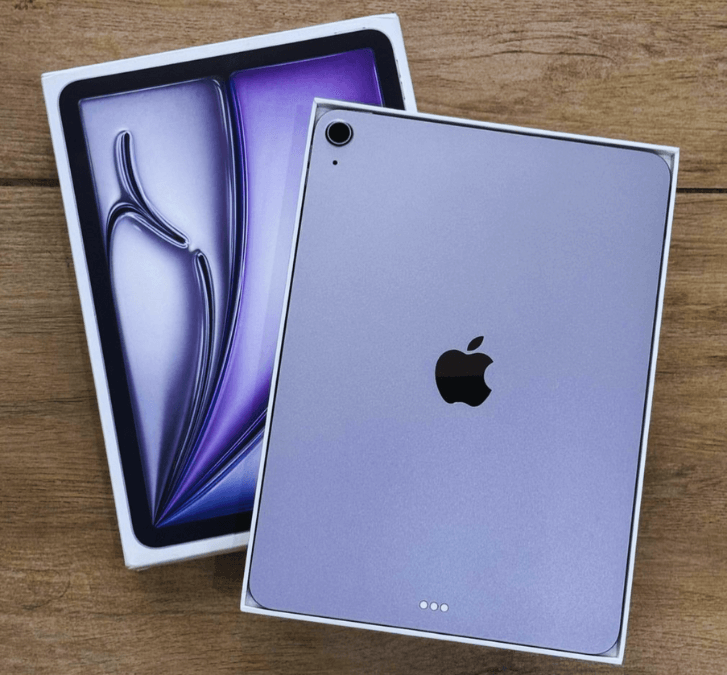
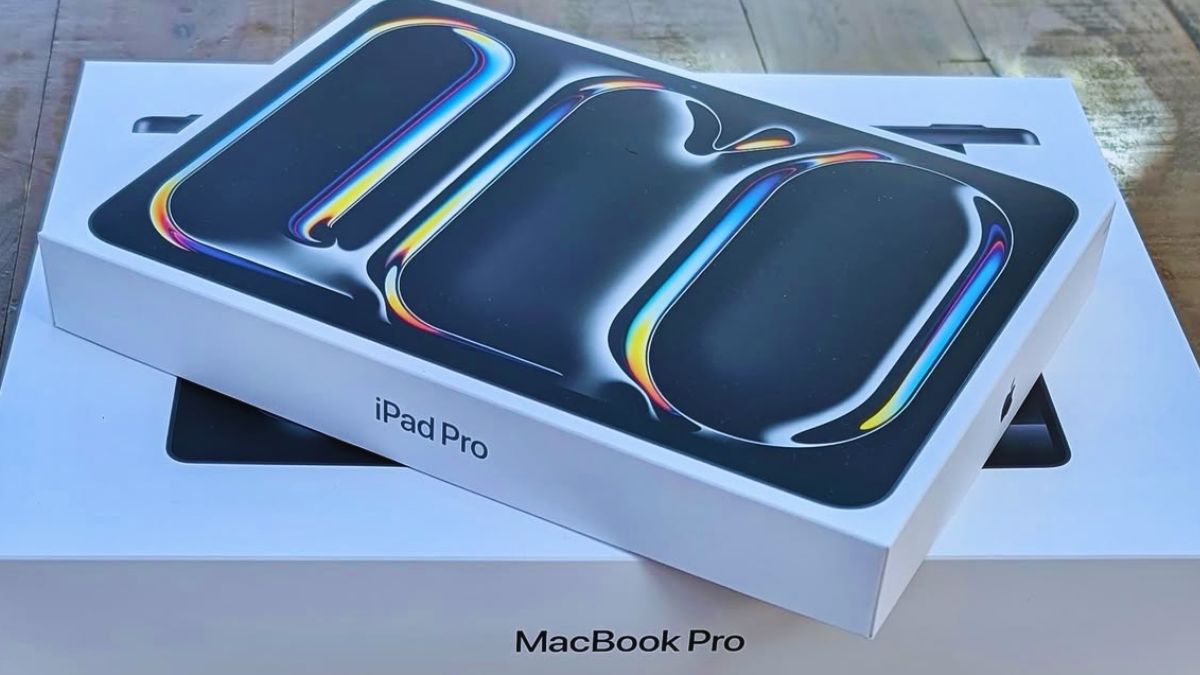
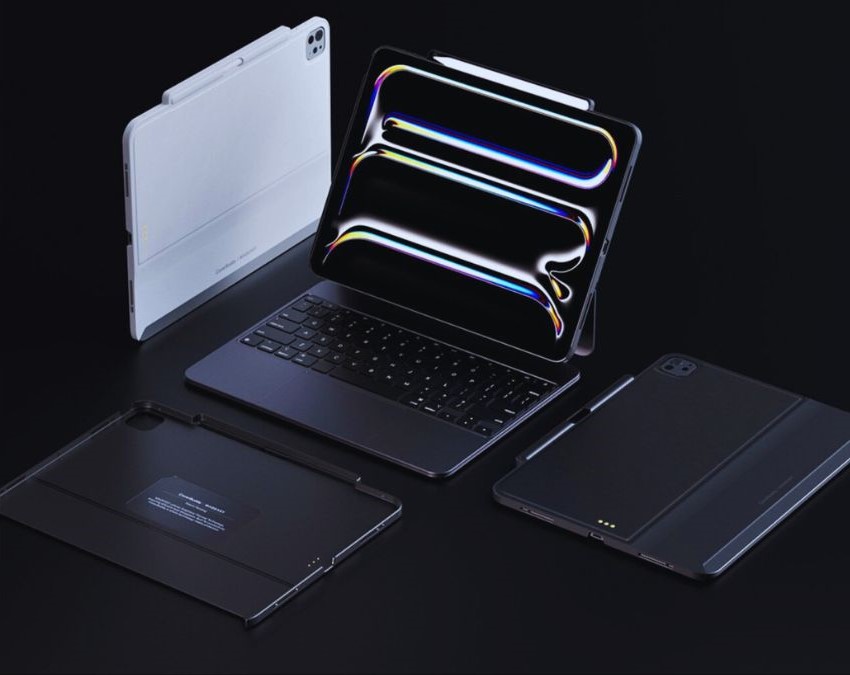
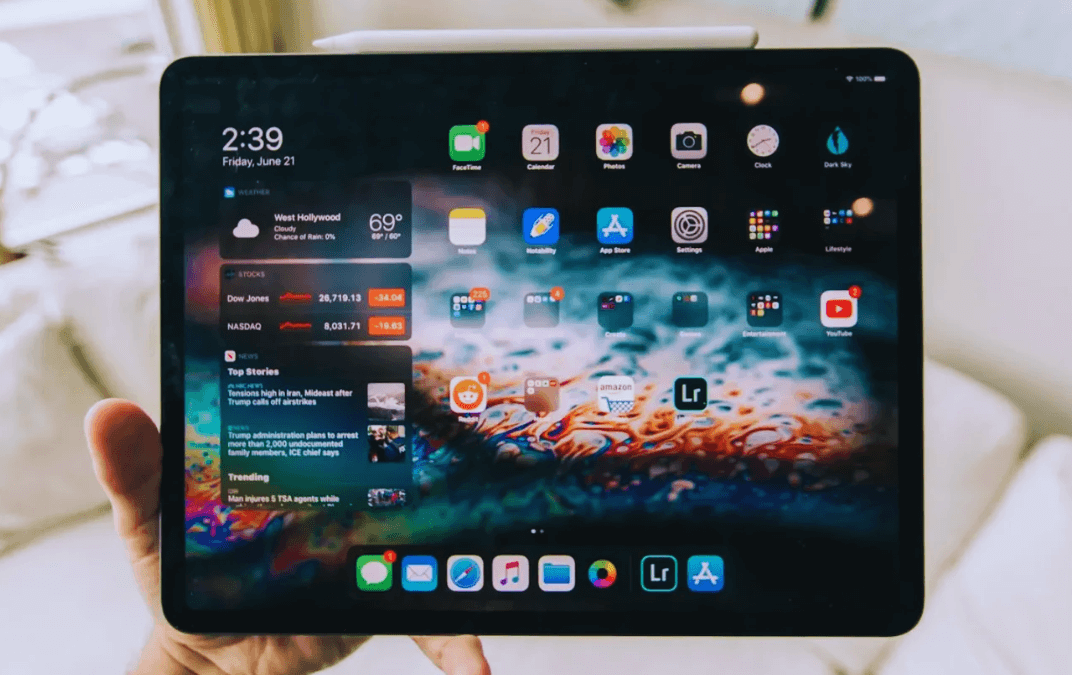
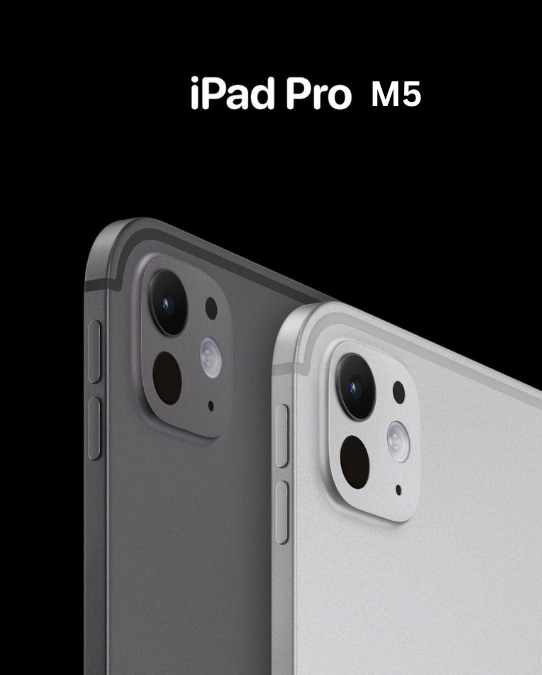
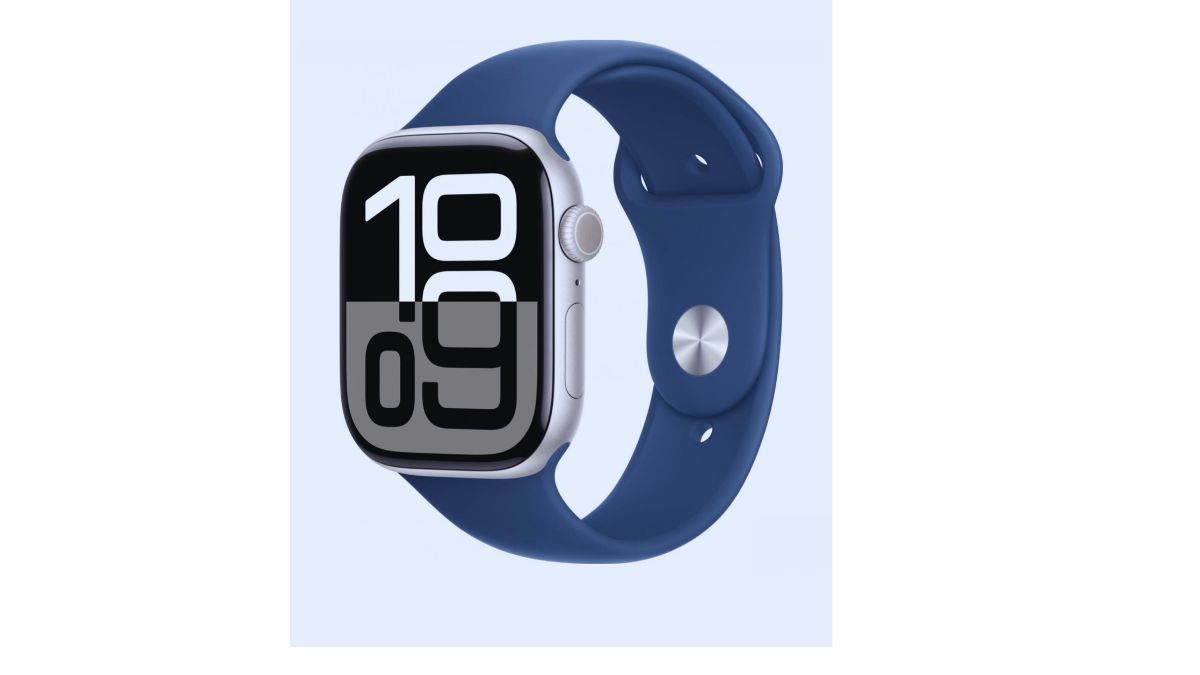

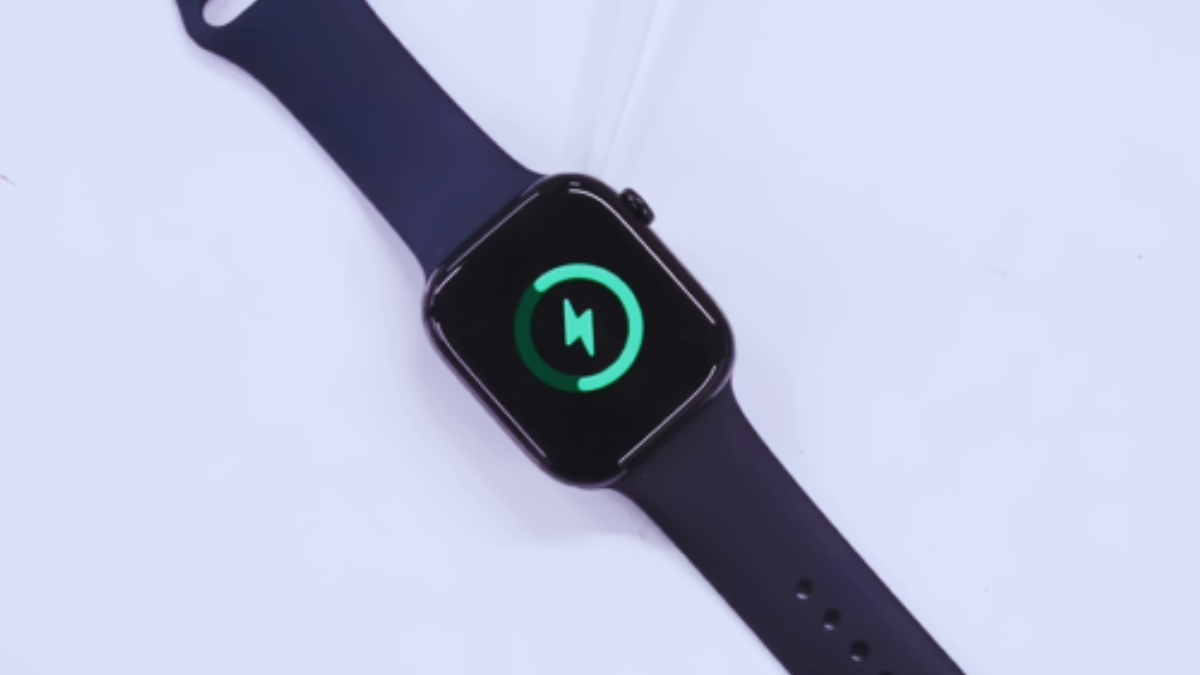
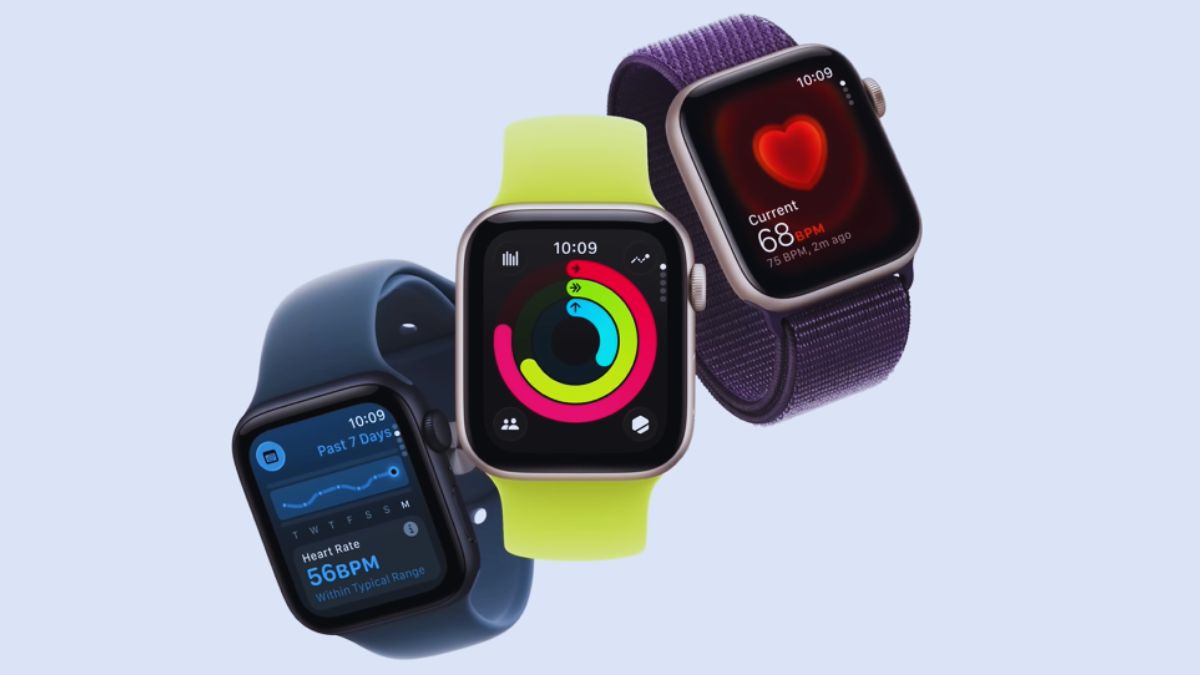
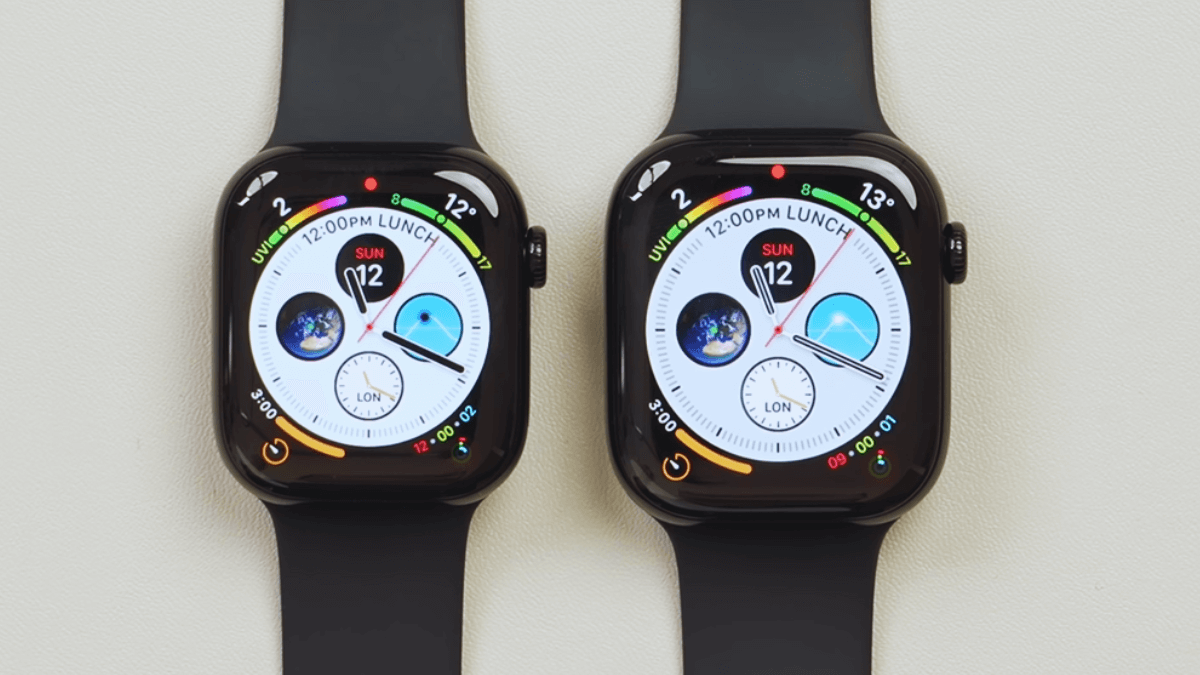
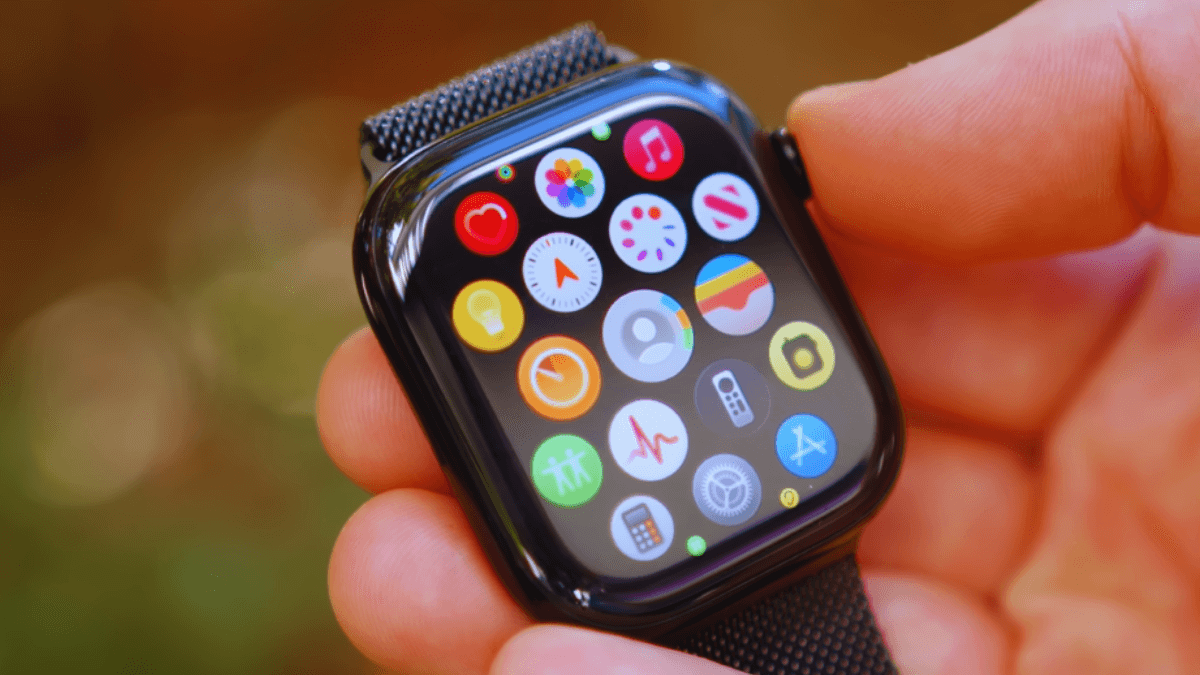
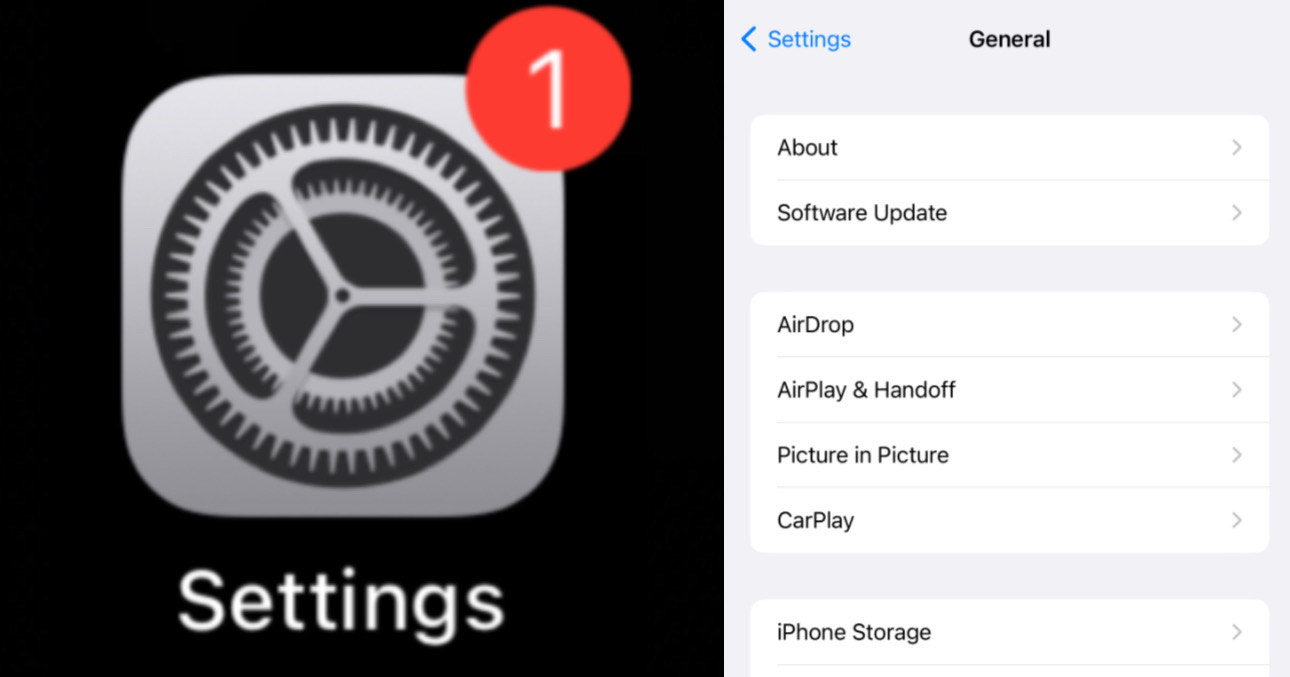
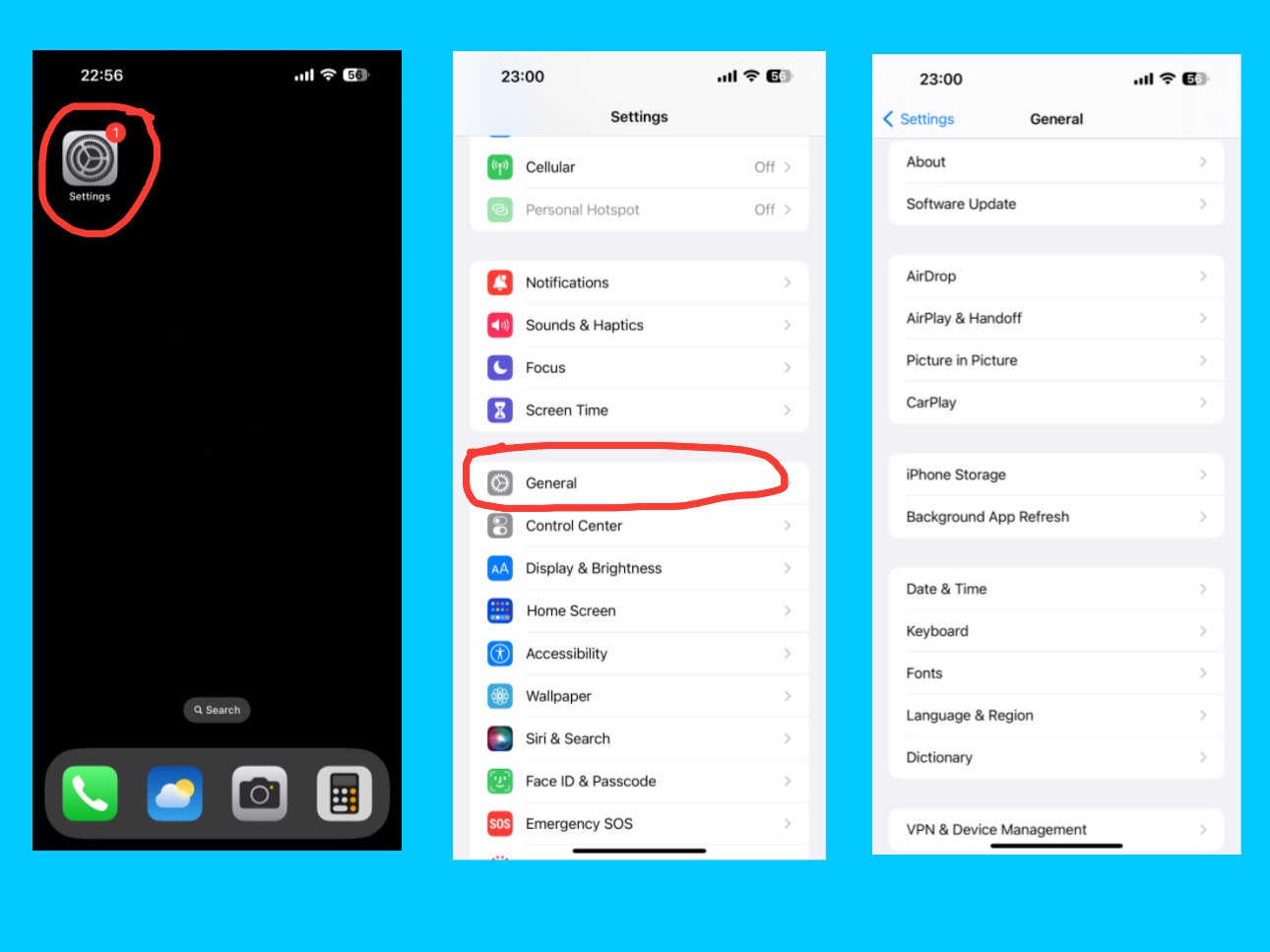
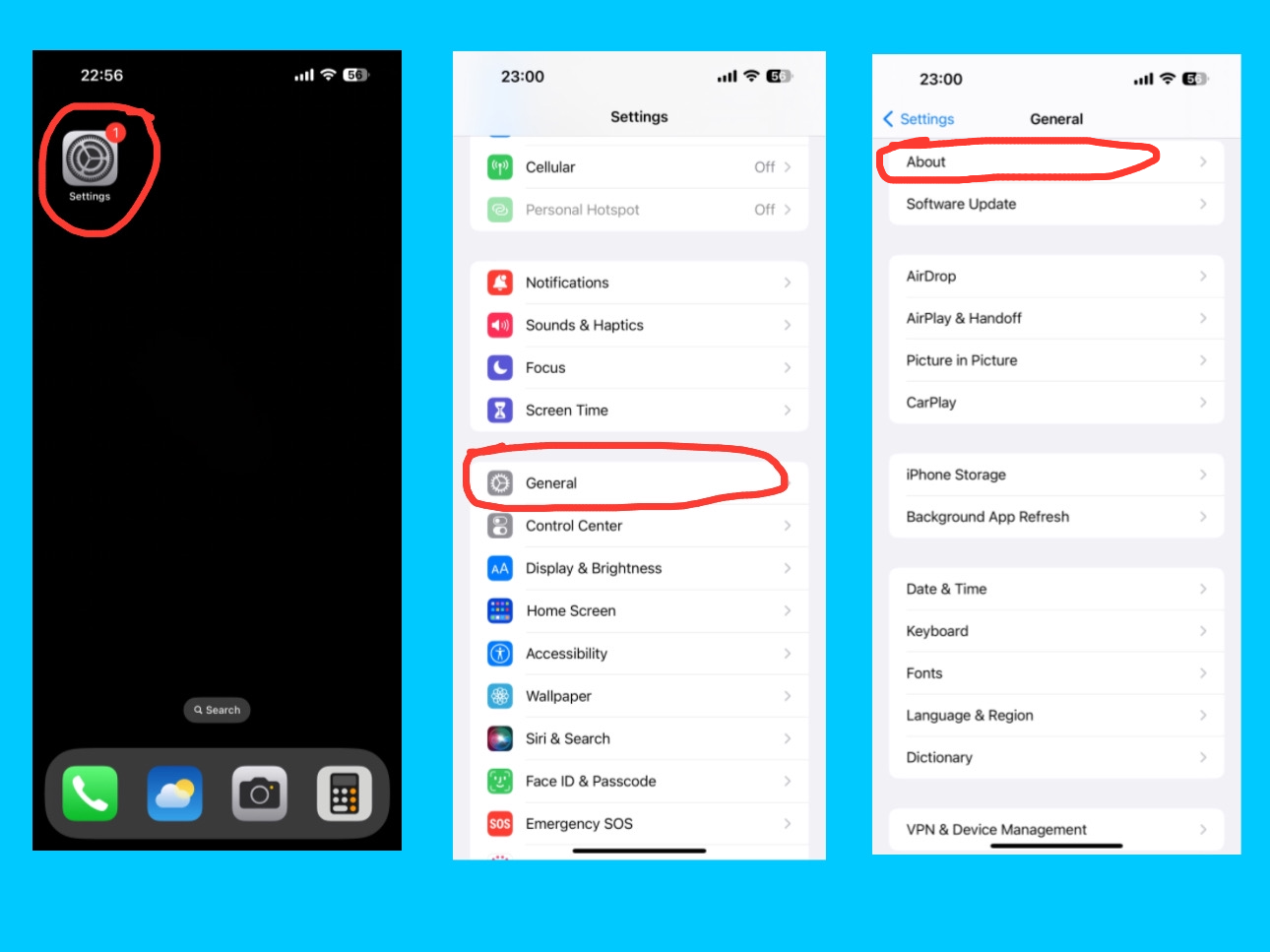
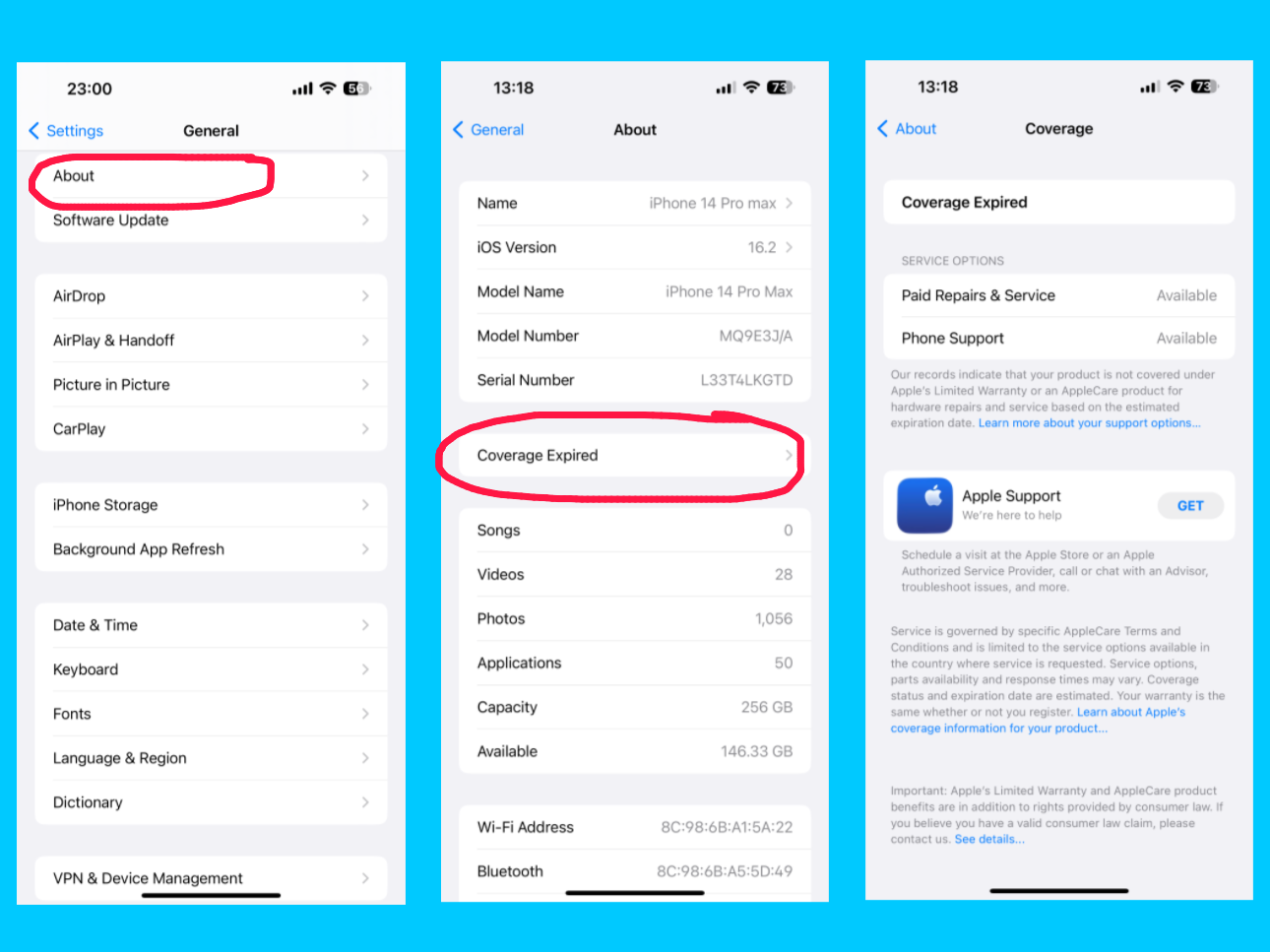
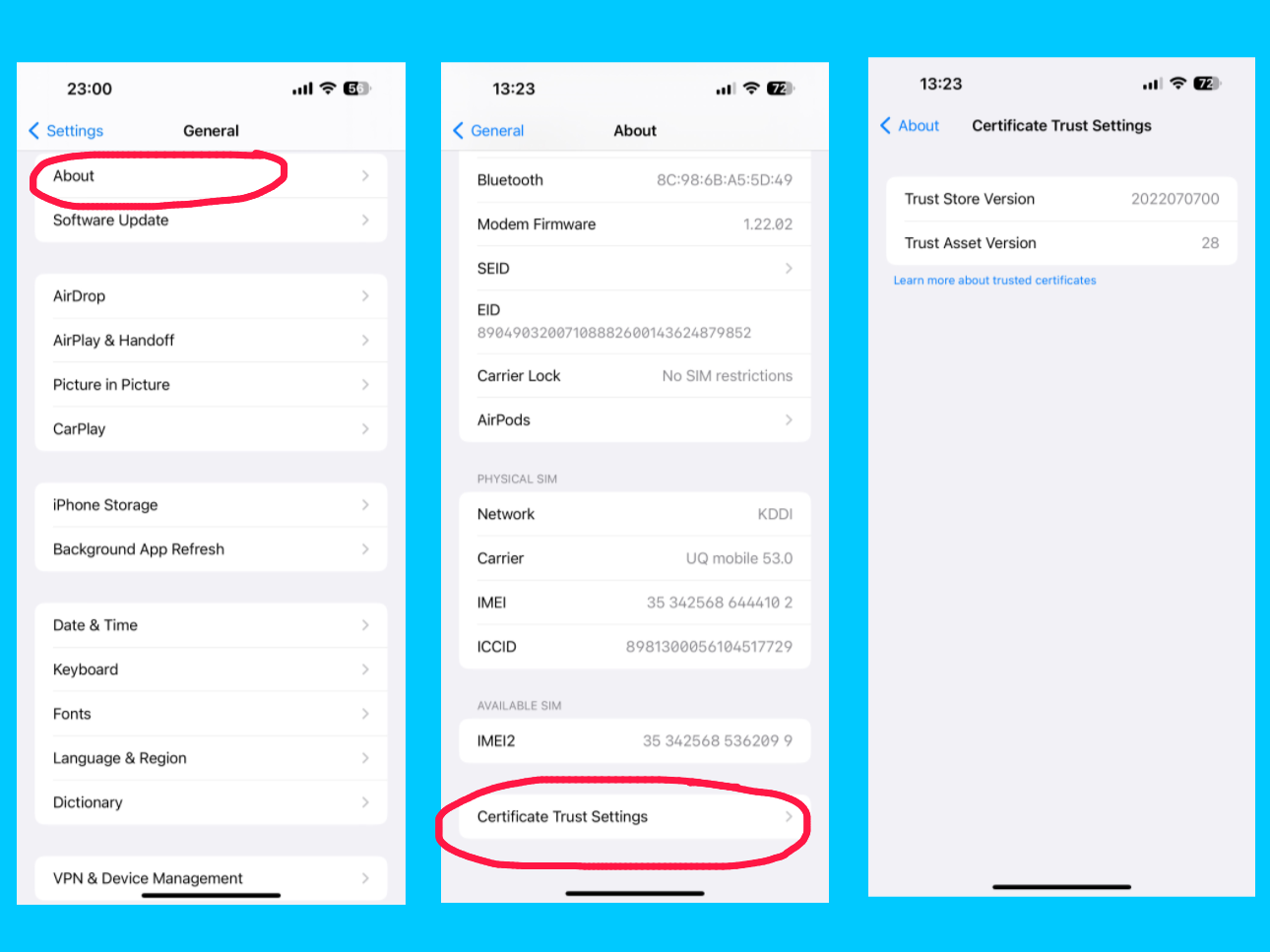
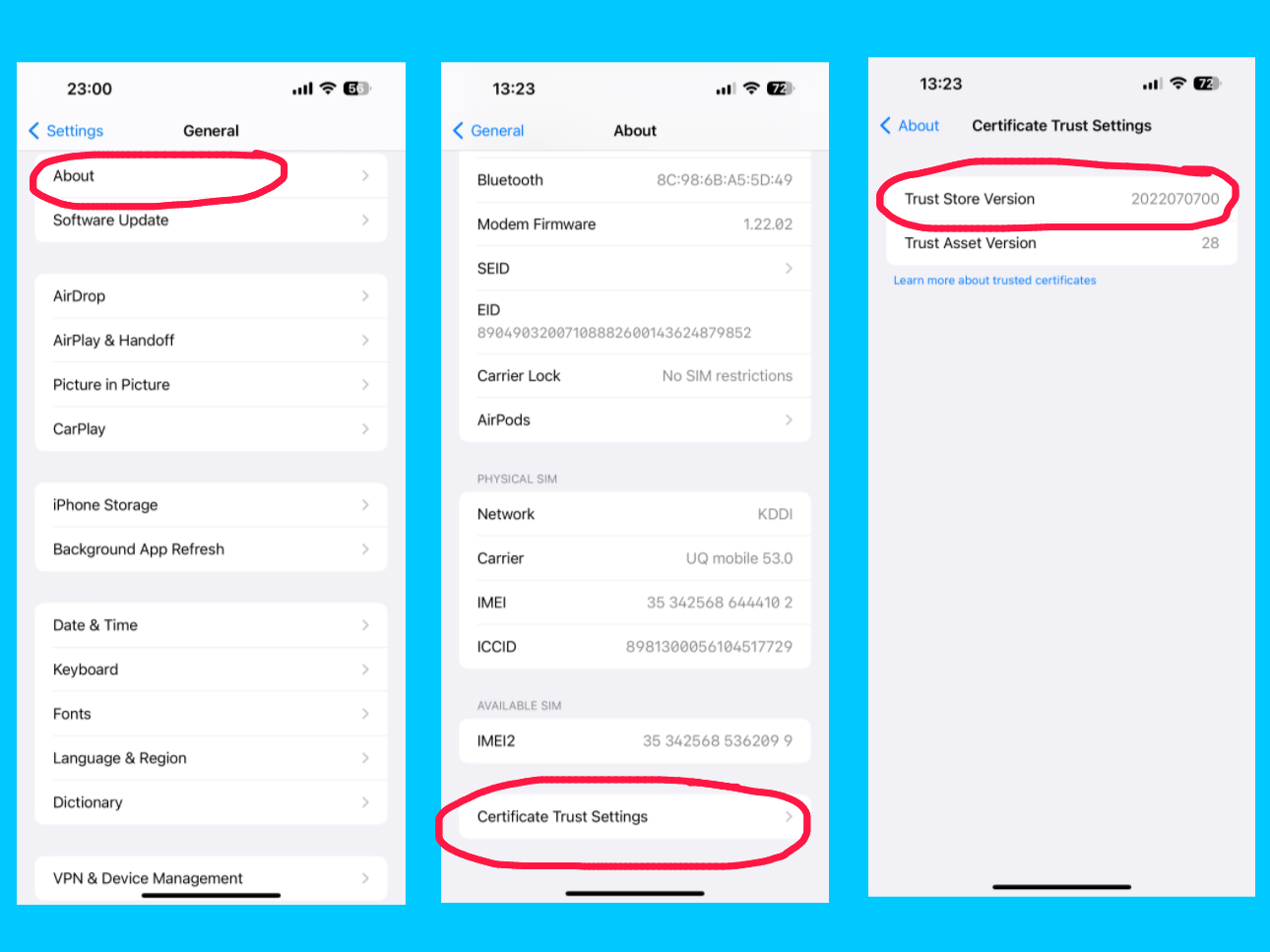
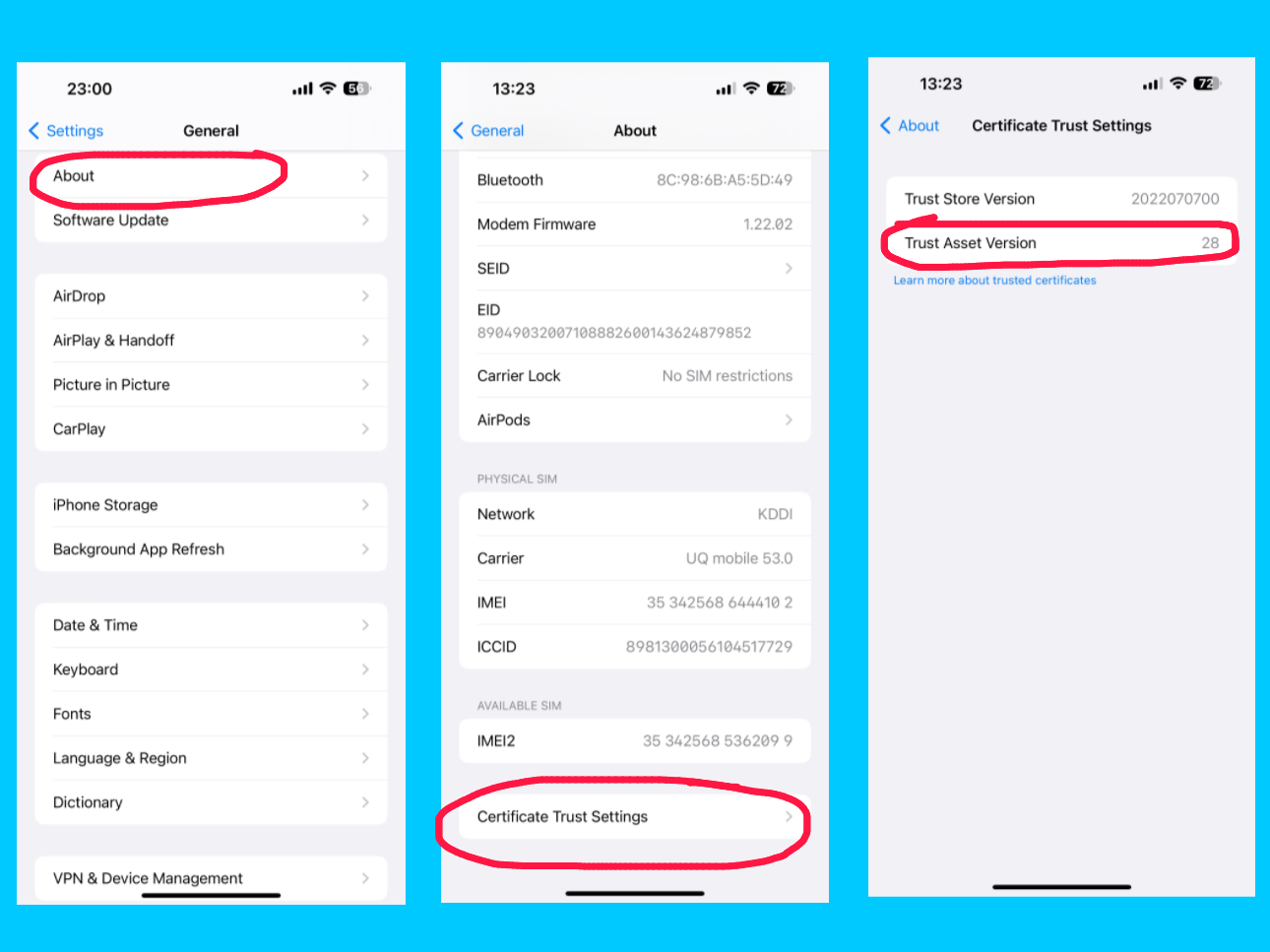
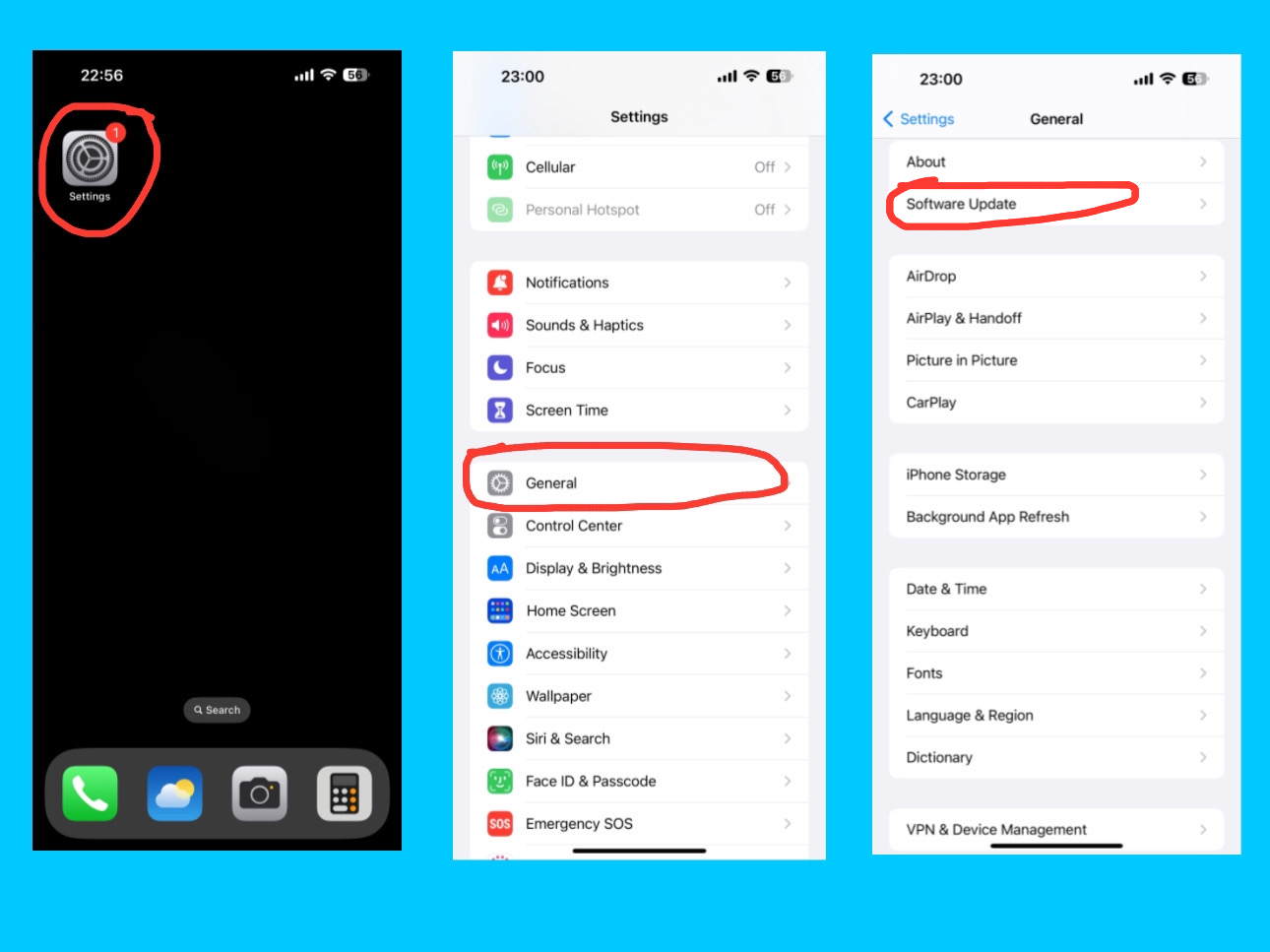
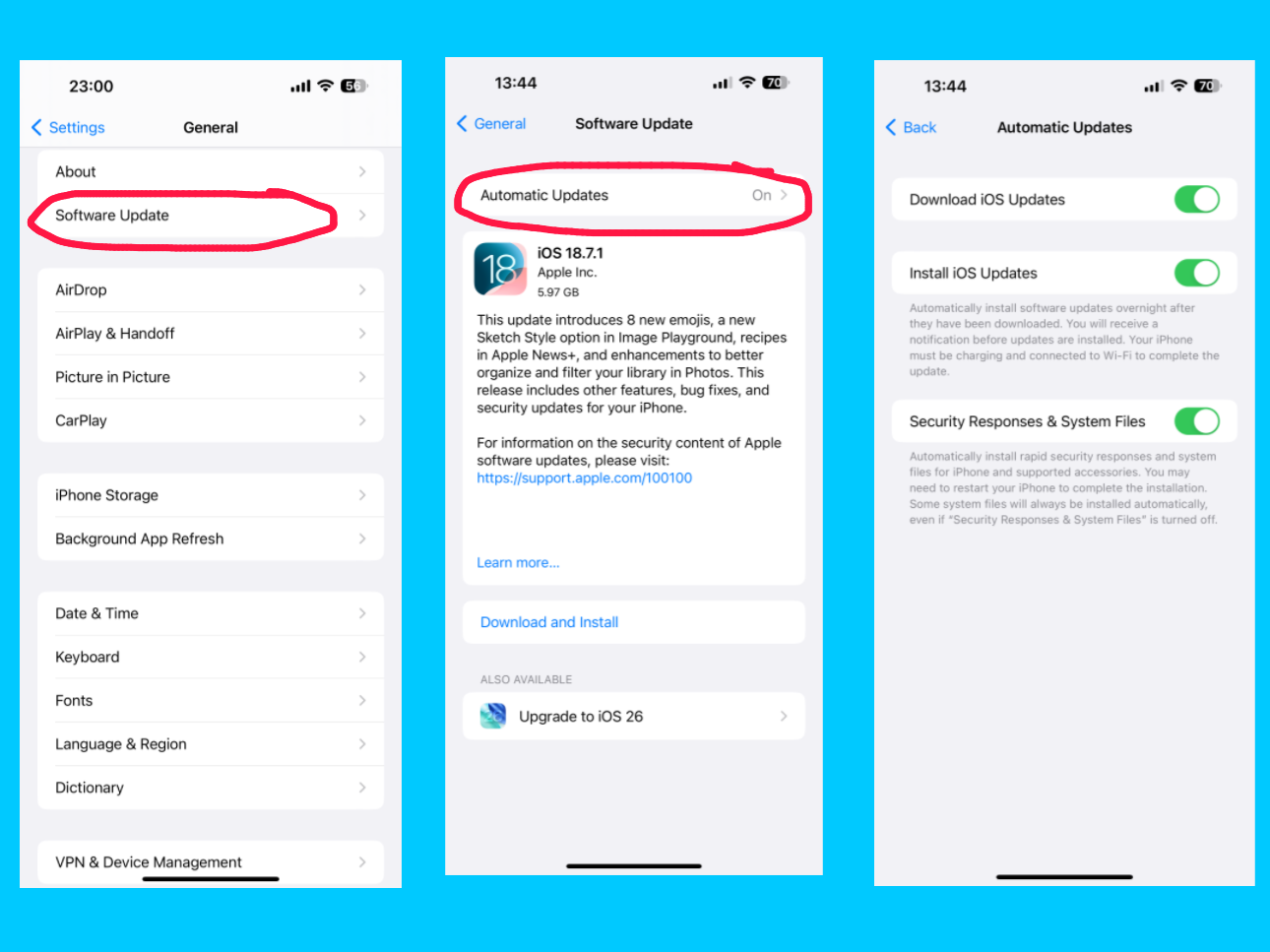
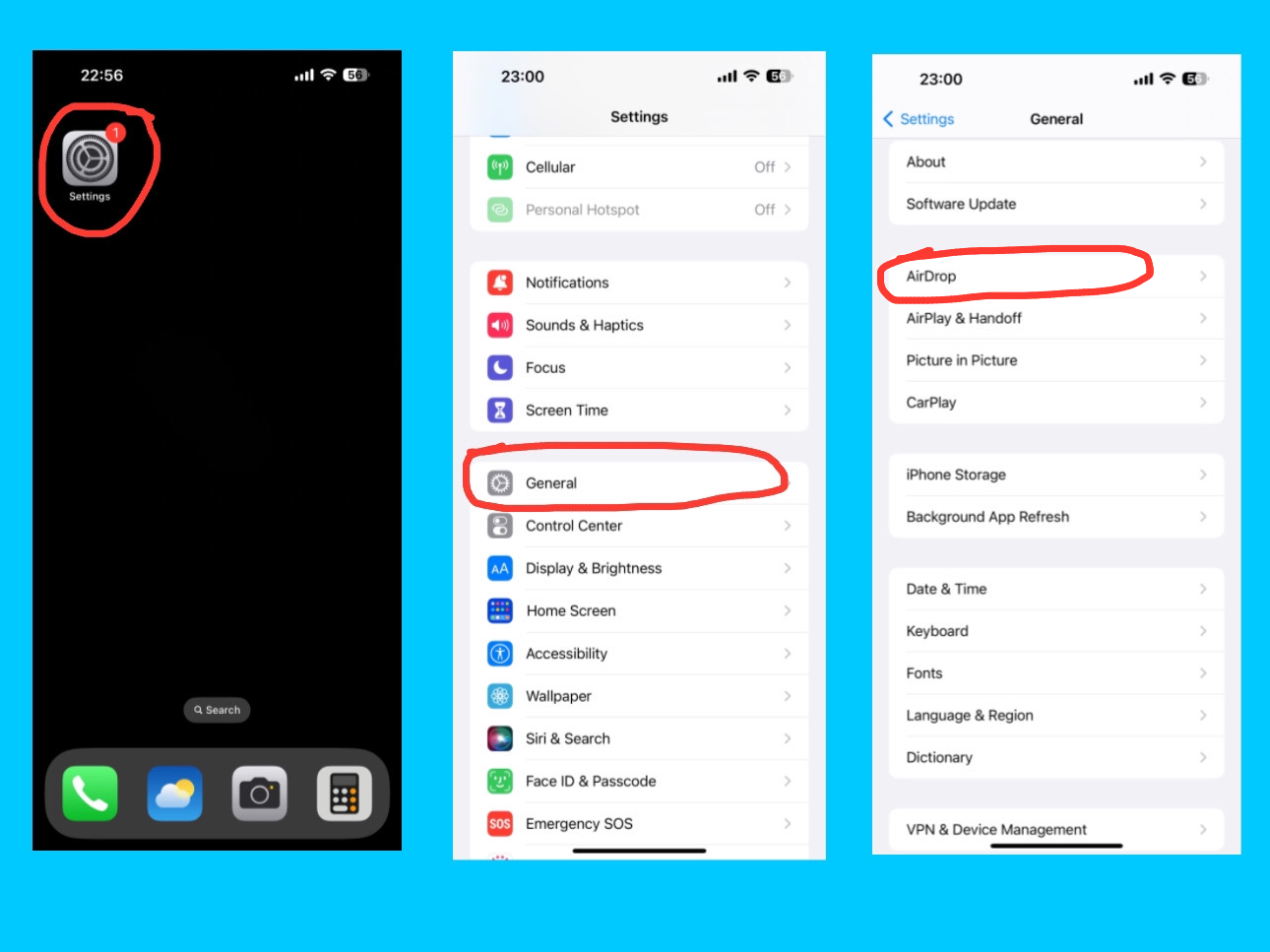
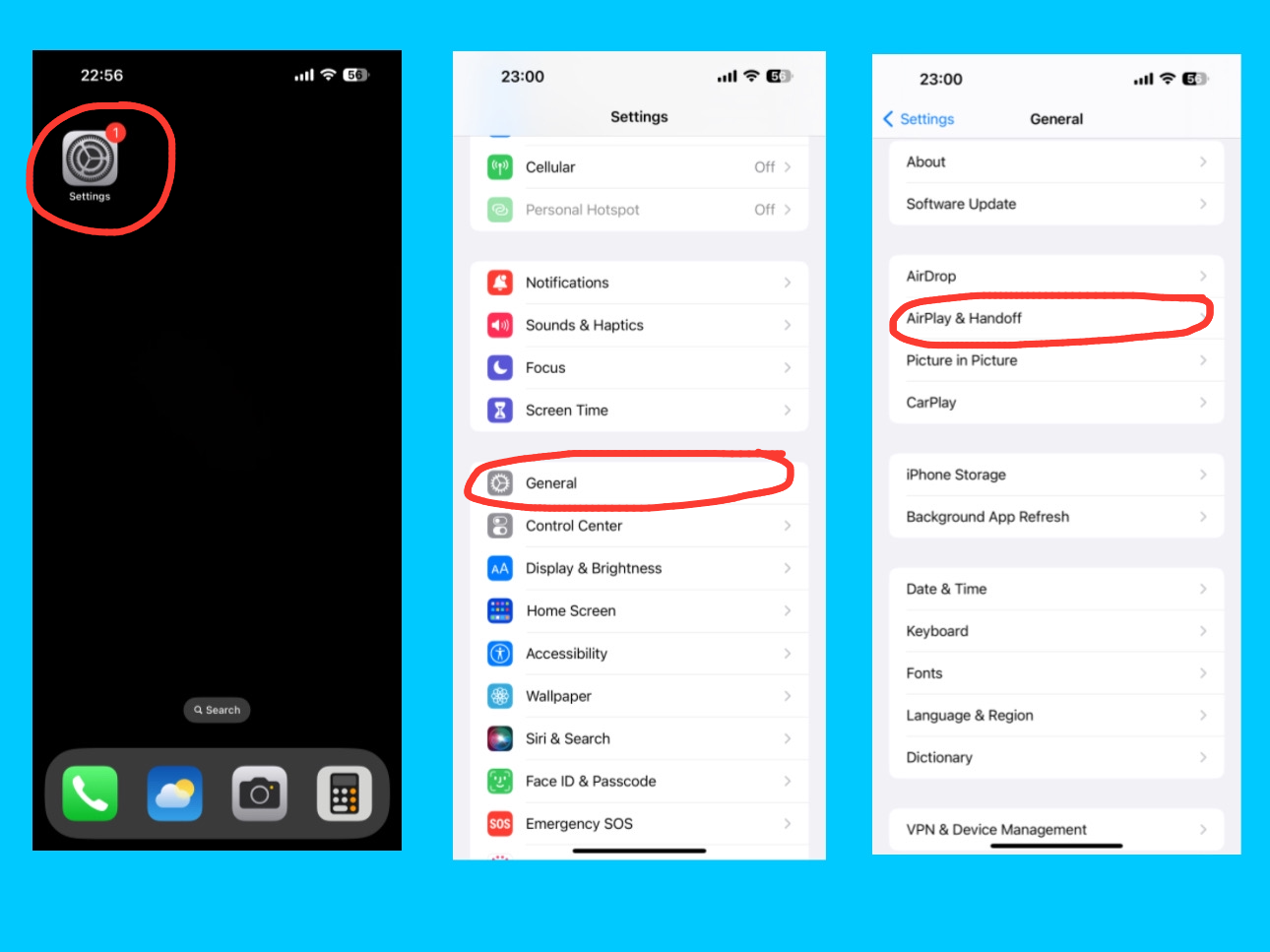
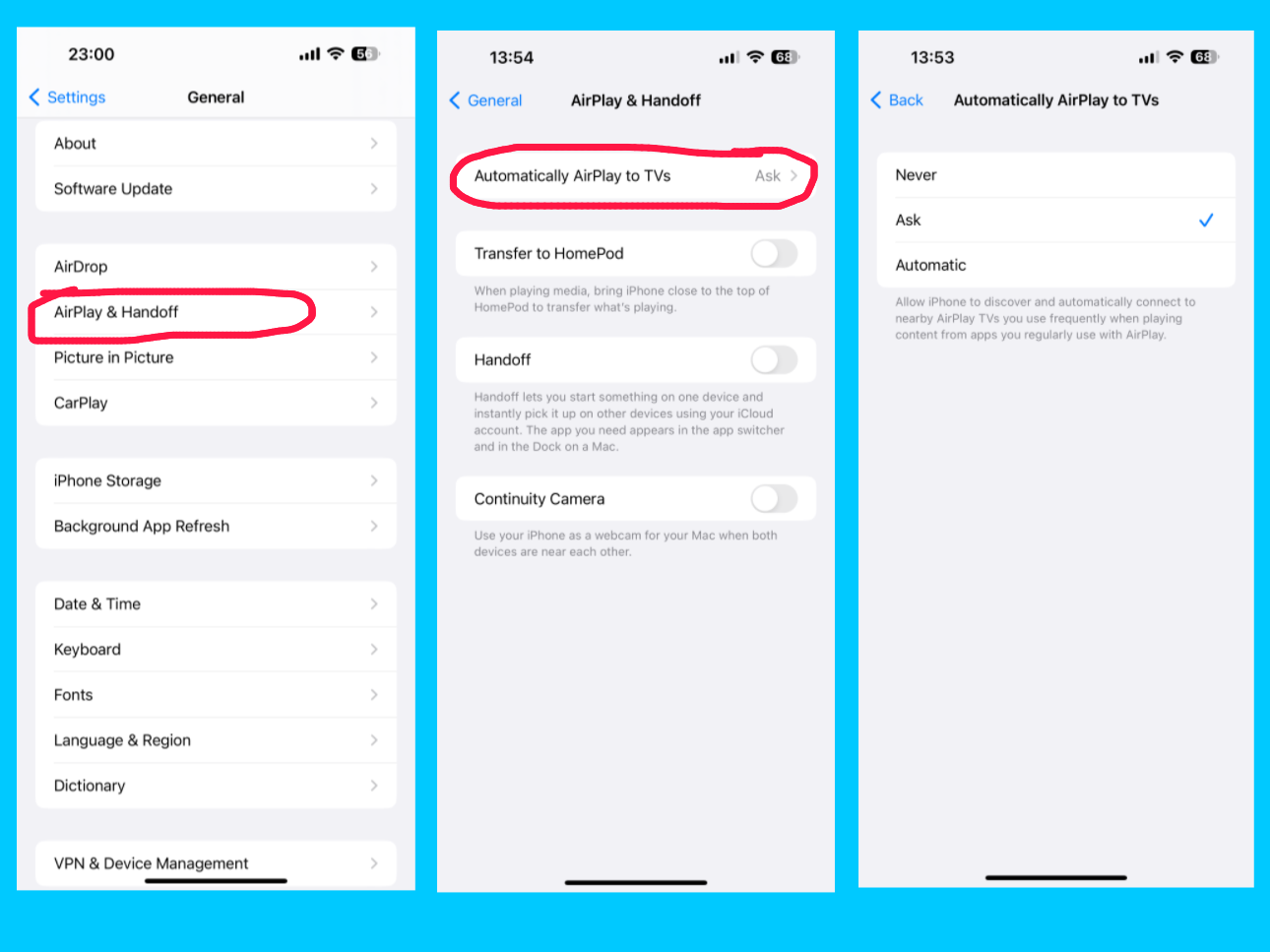

 The Transfer to HomePod option under AirPlay & Handoff on your iPhone 14 Pro Max allows you to quickly move audio playback from your iPhone to a nearby HomePod. When this feature is enabled, simply bring your iPhone close to a HomePod, and the music, podcast, or any audio playing on your device will automatically transfer to the HomePod for continued listening. This provides a seamless and hands-free way to enjoy your audio on a more powerful speaker without manually connecting or selecting the device.